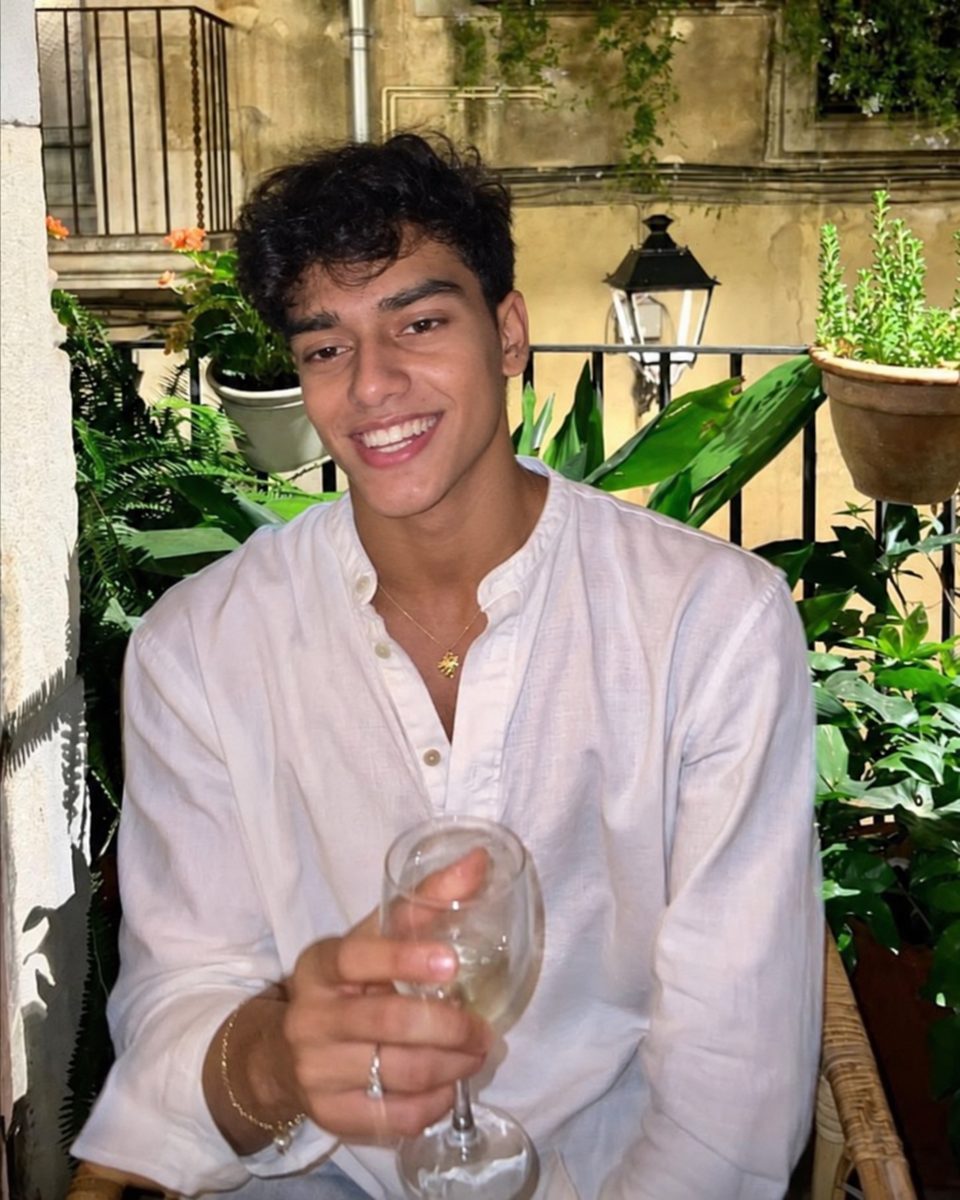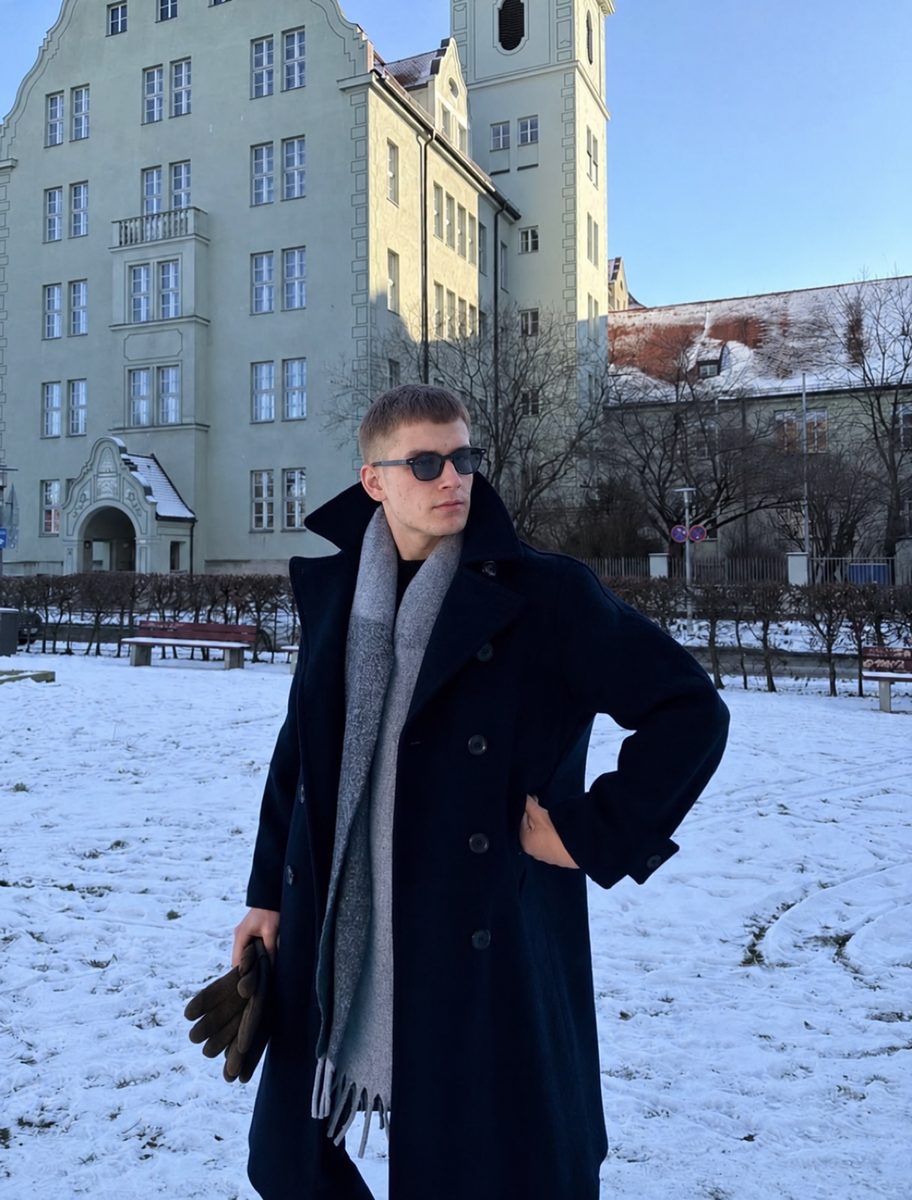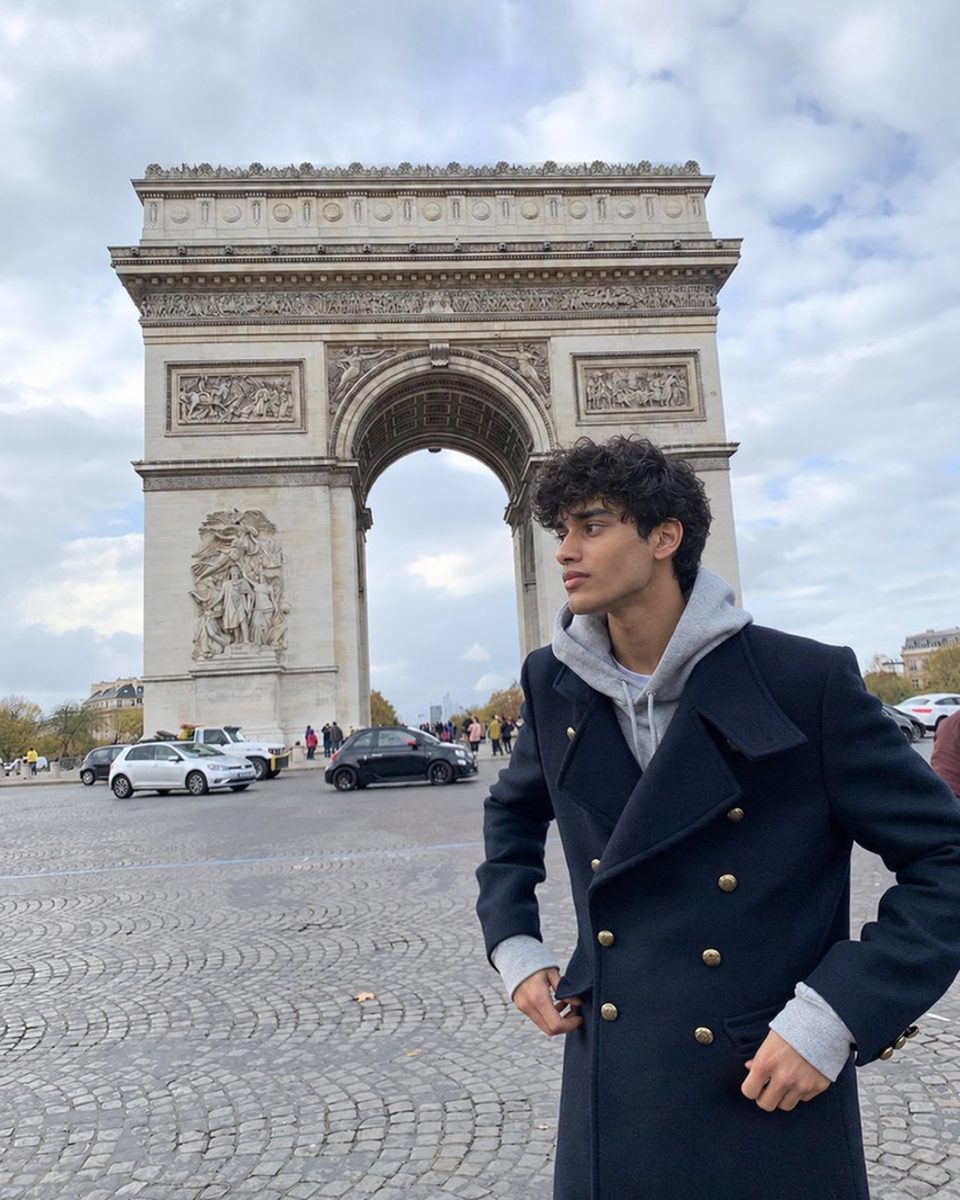

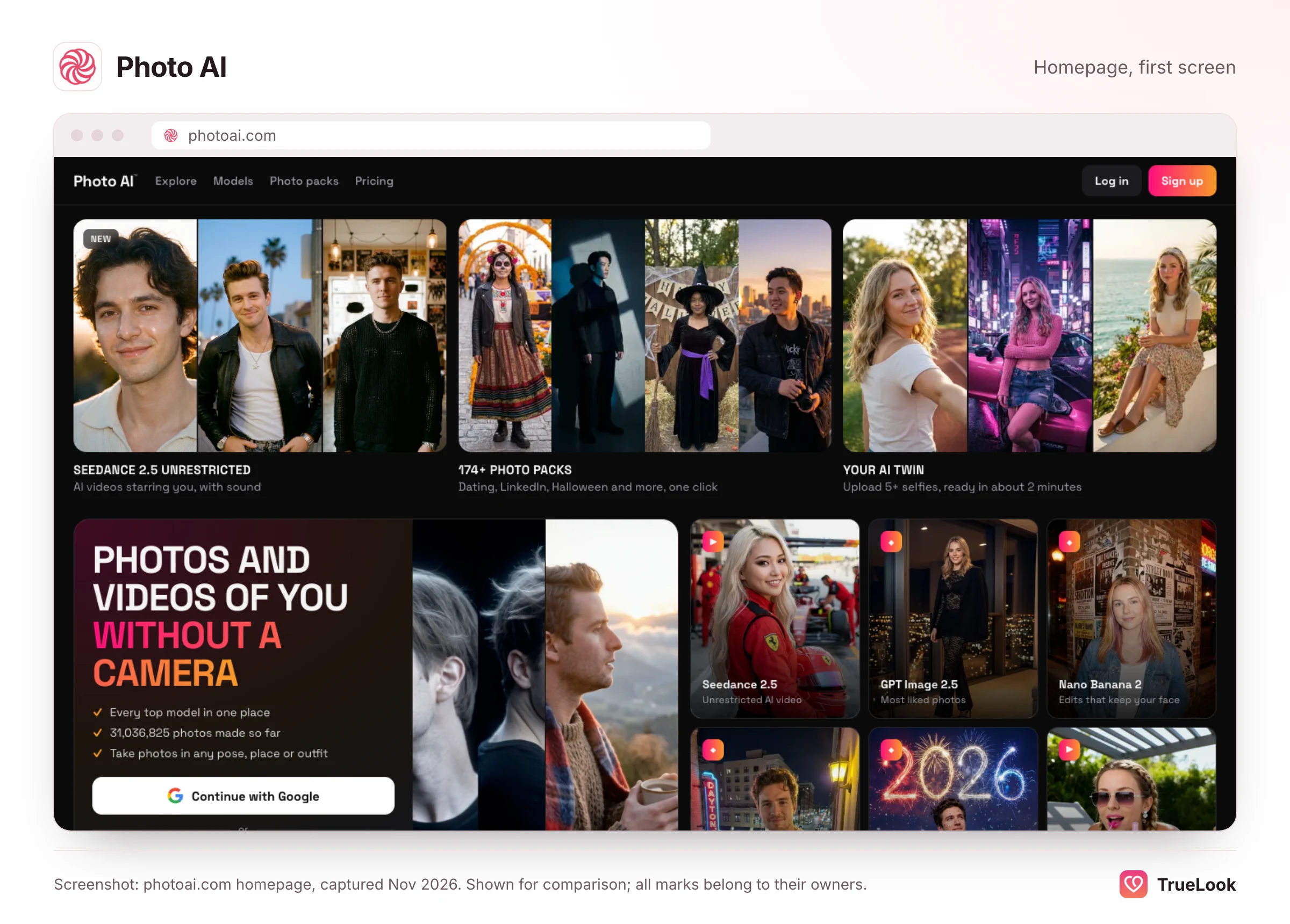
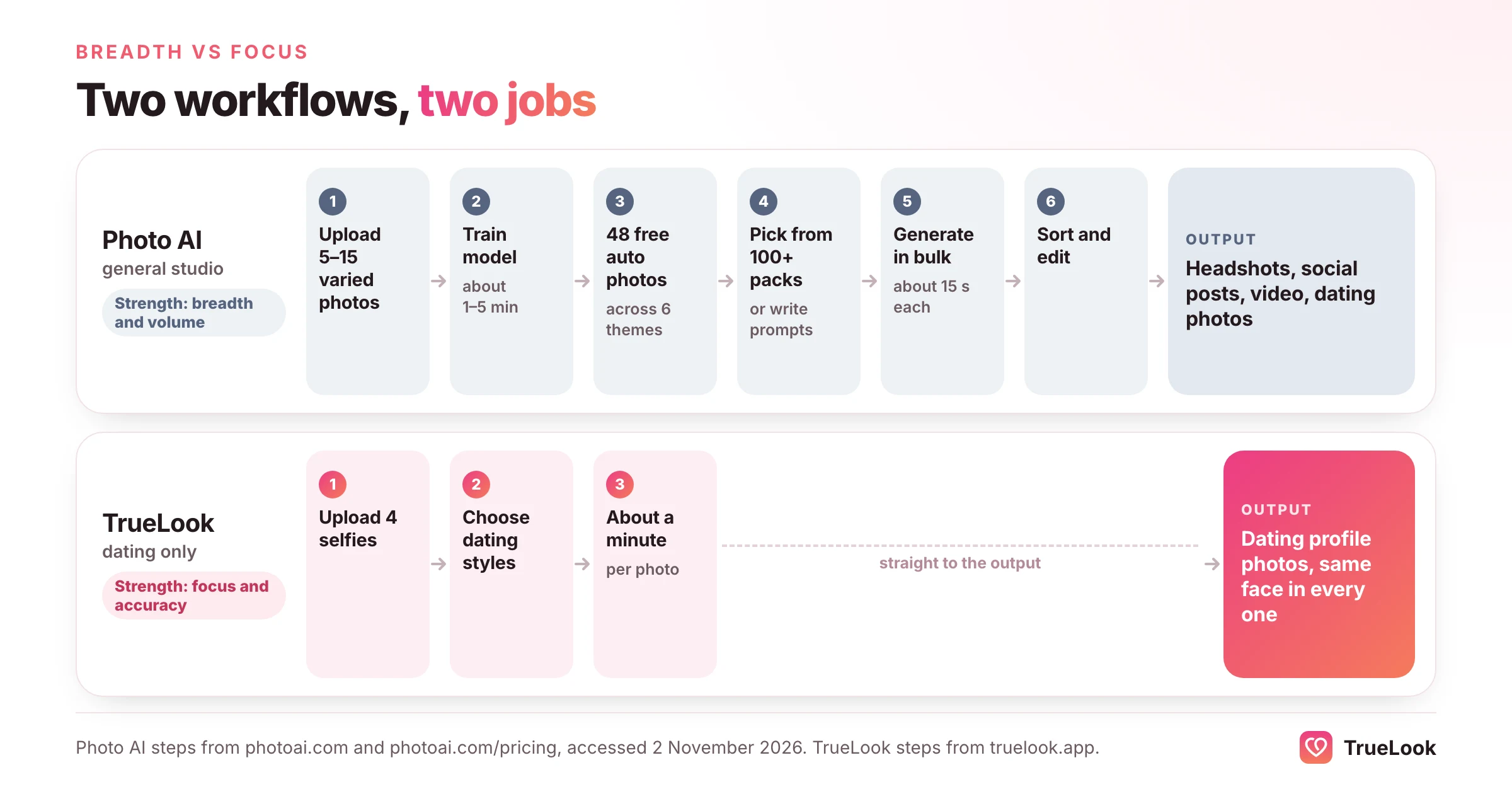
Photo AI is a broad AI photo and video studio: you train a model of yourself once, then use it for anything from LinkedIn headshots and Halloween costumes to AI influencers, product videos and, among more than a hundred themed packs, Tinder, Hinge and Bumble photos. TrueLook does one job, dating profile photos from 4 selfies, for a one-time payment with no subscription, and keeps your face unchanged while the place, outfit and light change. Choose Photo AI if you want a cheap per-photo creative tool for many purposes; choose TrueLook if a believable, accurate dating profile is the only thing you need and you'd rather pay once than subscribe.
This page explains how Photo AI works, what each plan costs at the time of writing (November 2026), what its terms say about your photos and refunds, what reviewers report, and where each product is the better fit. Every Photo AI fact below comes from its own pages or a public review platform, opened on 2 November 2026 and listed in the sources. We did not run our own tests of Photo AI, and we make no claims about match results from either tool.
The real choice: a generalist studio or a single-purpose tool
Most comparisons of AI photo apps stop at price and photo count. With Photo AI the more useful question is what kind of tool you want. A generalist studio is designed around one promise: whatever picture you can describe, it can probably make. A single-purpose tool is designed around a narrower one: the photos it makes are safe to use for one specific job. Both are legitimate designs, and each has costs the other avoids.
Three practical differences follow from that design choice.
- Defaults. A generalist hands you a blank canvas and a large menu. Photo AI's packs run from "Old money" and "Dubai Influencer" to "Chibi Character Generator" and "Life on Mars". That is wonderful for play and for content creators, and it means the dating packs compete for your attention with everything else. A dating-only tool starts from scenes that already make sense on a profile.
- What "good" means. For an Instagram post or an AI influencer, a polished, idealised result is often the point. On a dating app the photo is a promise about the person who will turn up for a drink. A generalist cannot tune its defaults for that promise without hurting its other uses; a specialist can.
- Cost per photo versus cost per usable photo. Generalists usually win on raw volume, because their credits are cheap and their packs generate dozens of images automatically. Whether that matters depends on how many of those images you would actually put on a profile.
Keep these three lenses in mind as you read the details. They explain most of the trade-offs between the two products better than any single number does.
What Photo AI is and how it works
Photo AI is made by Pieter Levels, the Dutch indie developer known as @levelsio. Its founder page describes it as a fully owned independent business without investors, and says he runs it himself with the help of automation. It grew out of Avatar AI, a stylised avatar generator from 2022; Photo AI's footer still says it was "formerly known as Avatar AI". Levels described the pivot from avatars to realistic photos, and the pitch of replacing a photographer, on episode 440 of the Lex Fridman Podcast. At the time of writing, a counter on the Photo AI homepage reads 31,036,825 photos generated.
The workflow
- Upload photos to create a model. The homepage asks for "5 to 15 photos" taken in a variety of places and settings. Its dating tutorial suggests 10 to 20 selfies, and its explainer on the technology mentions 5 to 20. The upload guidance asks for variety (close-ups and full-body shots, different angles, clothes and expressions) and rules out group photos, sunglasses, hats and cropped faces.
- Wait for training. Photo AI fine-tunes an image model on your photos. Different pages give different times: "less than a minute", "about a minute", "1-3 minutes" and "about 5 minutes". All of them are short.
- Receive free auto-generated photos. According to the pricing page, every model you create comes with 48 automatically generated photos: eight each of Day of the Dead portraits, profile pictures, professional headshots, dating app photos, outfit ideas and social media posts.
- Run packs or write prompts. You can run a themed pack, such as Tinder or Hinge, or, on the Pro plan and above, write your own prompts and remix existing photos. Its FAQ says a photo takes "about 15 seconds", and higher plans run up to 16 photos in parallel.
- Edit, upscale or animate. Depending on plan, you can brush out artefacts and regenerate parts of an image, upscale, zoom out, relight, combine photos, try on clothes, or turn a still into a video with sound.
What sits under the hood
Photo AI's own explainer says the technique is DreamBooth fine-tuning, a method published by Google researchers, originally on Stable Diffusion, then Flux, and now on what it calls its proprietary "Hyper Realism" pipeline. The pricing page also lists third-party models such as Nano Banana 2 and Seedream 4, and the homepage offers ByteDance's Seedance 2.5 for video. In short, it is a platform that routes your trained likeness through several generators, each suited to a different kind of output.
One practical warning: there is no official iPhone app
Photo AI is a website. Its FAQ answer to "Is there a Photo AI iOS app?" says there used to be one, that existing iOS subscriptions have ended, and that any App Store app called Photo AI today is not related to it. If you want the product this page describes, sign up on photoai.com rather than through an app with a similar name.
Photo AI pricing in detail
At the time of writing (November 2026), Photo AI's pricing page lists four subscription plans. Yearly plans are paid up front and work out much cheaper per month; on either billing cycle, credits arrive monthly.
| Plan | Billed monthly | Billed yearly | AI credits per month | Quality and likeness, as labelled | Notable limits and extras |
|---|---|---|---|---|---|
| Starter | $19/month | $99/year ($9/month) | 50 | Low quality, low likeness | One photo at a time, "slow processing", personal use only, no custom prompts |
| Pro | $49/month | $349/year ($29/month) | 1,000 | Medium quality, medium likeness | Up to 4 photos in parallel, your own prompts, remix, photo import, commercial licence |
| Max | $99/month | $599/year ($49/month) | 3,000 | High quality, high likeness | Up to 8 in parallel, photo editing, zoom out, AI video, combine photos, upscaler, clothing try-on |
| Ultra | $199/month | $1,199/year ($99/month) | 10,000 | Ultra quality, ultra-high likeness | Up to 16 in parallel, unlimited photo storage, priority processing |
Two things on that page deserve a careful read. First, the quality and likeness labels are part of the plan description. Photo AI is unusually candid here: its cheapest plan is described as producing low-likeness photos, and "Max" is marked as the most popular. For a dating profile, likeness is the property that matters most, so the realistic entry point for this use case is Pro or Max, not Starter. Second, the Starter card says both "No free auto-generated photos" and, a few lines later, that each model gets 48 free photos. We could not tell from the page which statement applies.
How credits translate into photos
Plans are priced in credits, not photos. The credit table on the homepage lists these costs per generation:
| Action | Credits |
|---|---|
| Photo with Hyper Realism | 2 |
| Photo with Nano Banana Pro | 10 |
| Upscale or zoom out | 5 |
| Relight | 15 |
| Mocap video | 50 |
| Video with sound | 300 in the table; 10 to 60 for a 5- to 30-second Seedance 2.5 clip on the same page |
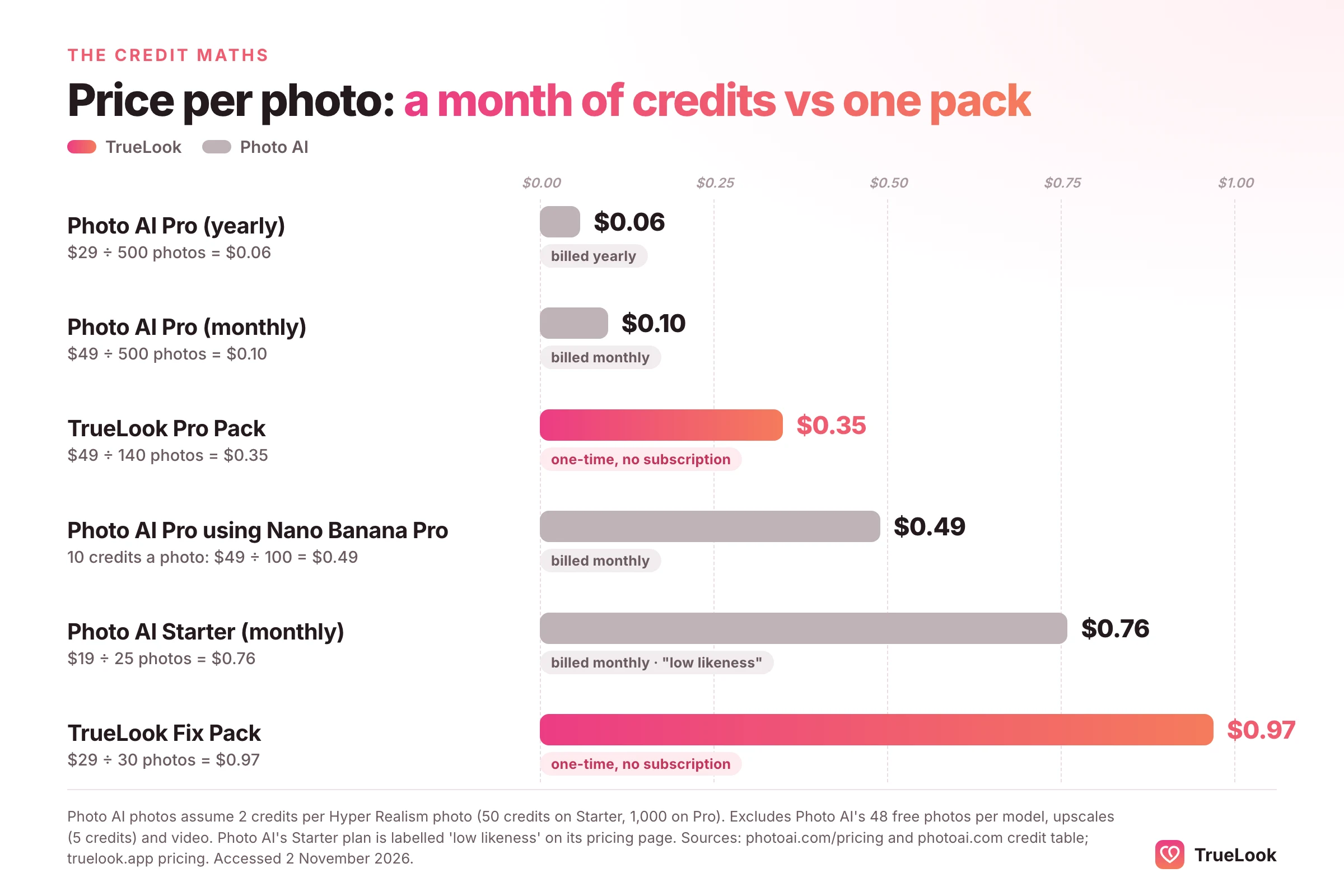
Using the 2-credit Hyper Realism price, the arithmetic looks like this. Starter's 50 credits buy about 25 photos, or $0.76 each on monthly billing. Pro's 1,000 credits buy about 500 photos, roughly $0.10 each at $49, or about $0.06 each on yearly billing. If you switch to the 10-credit Nano Banana Pro model, Pro's allowance drops to about 100 photos, or $0.49 each. Upscaling a favourite adds 5 credits per image. Subscription credits reset every month; extra credits bought on top expire after two years, according to the credits section of the Photo AI homepage.
Refunds and cancellation
Photo AI's refund rules are strict, and it says so plainly. Its refund FAQ allows a self-service refund only if you have not created a model, have generated fewer than 20 photos over the lifetime of your account, and did not sign up through a referral link. Once you have trained a model or taken photos, it explains that it cannot refund because generative AI processing is expensive and its upstream providers do not refund that compute. Its terms add that you waive the usual 14-day withdrawal period at purchase and that amounts already billed are not refunded when you cancel.
In practice, that means the first meaningful use of Photo AI is the moment your money is committed. Cancelling is simple: the Billing link opens a Stripe portal where you can stop renewal, switch plans and download invoices, and the subscription then won't renew.
TrueLook's 14-day refund has conditions too, and they are worth reading before you buy: they are set out on our refund page and include having used less than 20% of your credits and having tested the photos on a live dating profile. The difference is that TrueLook's refund is designed around whether the photos worked on a dating app, not just around whether you have started.
Output, realism and dating-app risk
What Photo AI says about its own results
Photo AI makes two kinds of claim about quality. The strong one is in its likeness FAQ, which says it has "the highest resemblance" of any AI app because it uses more processing steps, while adding that likeness depends on the quality and variety of your uploads. The more measured one is in its FAQ about artefacts, which estimates that about 90% of photos will be good enough and 10% very good, warns that extra limbs and deformed faces can still occur, and points to the built-in editor for fixing them. That second answer is a fair description of how any fine-tuned generator behaves, and it is useful for planning: expect to generate many images and choose a few.
The dating pages are more promotional. The Tinder pack page headline promises "10x your matches", and the testimonials on it include one saying that nobody can tell the photos are AI-generated. The page offers no data behind the 10x figure.
Styles and scenes
Breadth is Photo AI's clear strength. Its menu lists more than a hundred packs across categories such as Dating, Fun, Fashion, Holidays, Fitness, Professional, Travel, Retro and Creative. The dating category alone has Tinder, Hinge, Bumble, Badoo and "AI Dating" packs, and its footer links to "Dating Headshots" and a "First Date Pack". With prompts and remixing on Pro and above, you can also describe any scene you like, or import a photo and ask for a variation.
Why the dating context changes what "realistic" means
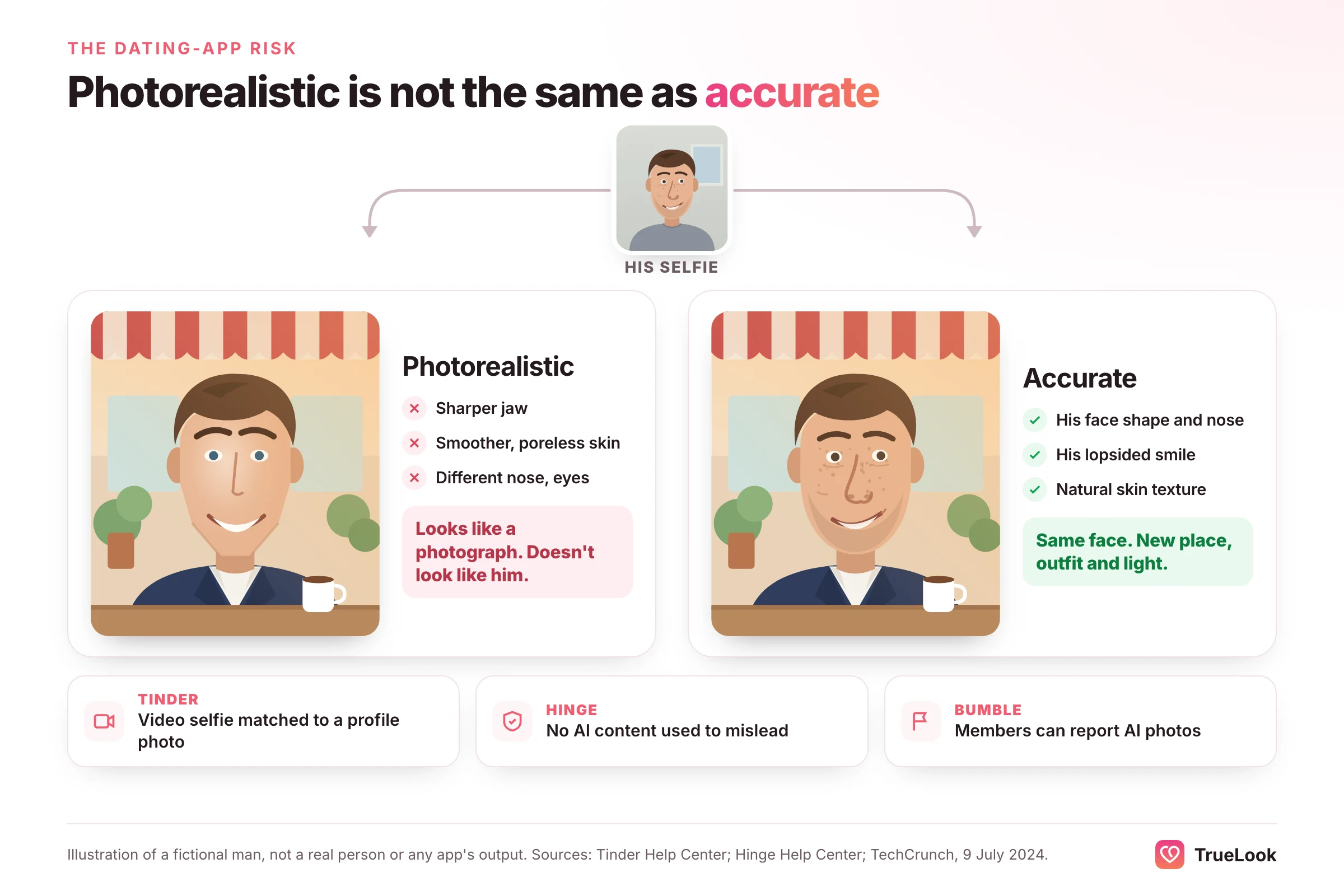
Here the breadth-versus-focus trade-off becomes concrete. A photo can be photorealistic, meaning it looks like a photograph, and still be inaccurate, meaning it does not look like you. For a fantasy pack or an AI influencer, only the first property matters. On a dating app, the second matters more, for three reasons the apps themselves spell out.
- The rules are about misleading people. Hinge's prohibited content page lists using "fake identities or AI-generated content to mislead others". Tinder's community guidelines ask members to be the real person rather than a fake persona. Neither bans every edited or generated image; both target deception.
- Verification compares your face. Tinder's Photo Verification help article explains that a video selfie is checked for liveness and then matched against a clear solo face photo on your profile. A profile photo that drifts from your real face works against you here, whichever tool made it.
- Other members can flag AI images. Bumble added a "Using AI-generated photos or videos" option to its fake-profile reports in 2024, as TechCrunch reported.
There is also a human side. A 2022 study in PNAS by Nightingale and Farid found that AI-synthesised faces were indistinguishable from real ones and rated as more trustworthy. That cuts both ways for dating: a flawless generated face can look appealing on screen, and the gap only shows when you meet. The goal is not to fool anyone. It is to look like yourself on a good day, in better light and better places. Our guide to whether AI photos are allowed on dating apps covers each app's rules in more depth.
Privacy and data: what Photo AI's terms say
Photo AI publishes a combined terms of service and privacy policy on its legal page, last updated 10 October 2024. These are the points that matter most when you upload your face:
- What it collects. The privacy section says it collects and retains the photos and files you send in order to deliver the service, along with device information, usage data and, depending on your settings, geolocation data.
- How it may use them. The listed uses include providing the service and "to improve and develop our Services". The terms also grant Photo AI a perpetual, worldwide, royalty-free, irrevocable licence to use, copy, modify, publish and distribute the images and prompts you input and the images produced at your direction, including to "promote and improve the Services". That licence survives cancellation. You own what you create, and Photo AI assigns the rights in it to you, but the licence back to Photo AI is broad.
- Training. The model of you is, by design, trained on your photos. Beyond that, we did not find a statement in the policy either promising or ruling out the use of your uploads to improve its general models. Its FAQ on models says it improves its pipeline using feedback from users.
- Marketing. Your contact details may be used for news about Photo AI and other projects by its founder, and may be shared with those affiliated projects. Every marketing email has an unsubscribe link.
- Deletion. Its deletion FAQ says you can delete individual photos and models from the gallery, that deleted photos are permanently removed after 30 days, and that after you cancel, your data is completely deleted after 90 days.
- Selling data. The policy says it does not sell personal information as defined by California's CCPA.
For comparison, TrueLook's privacy policy states that the photos you upload and the photos generated for you are never used to train, fine-tune or evaluate any AI model, ours or a third party's. Photos are kept while your account is active so you can re-download them, and you can delete any selfie or generated photo yourself.
What users say about Photo AI
On 2 November 2026, Photo AI's Trustpilot page showed a TrustScore of 2.2 out of 5 ("Poor") from 91 reviews. Of those, 23% were five-star and 62% one-star. The profile was claimed in April 2024, and Trustpilot noted that the company had not replied to negative reviews.
Reading the most recent reviews, from August 2025 to October 2026, four themes repeat:
- Billing and cancellation. The most frequent complaint: subscriptions reviewers found hard to cancel, or charges they did not expect after cancelling.
- Support. Several reviewers say they could not reach anyone about a problem or a refund request.
- Consistency. Some say their photos stopped resembling them, or looked distorted, after changes to models or modes.
- Credit value. A few feel credits ran out quickly or cost more over time.
The positive reviews mostly praise the output itself, and even some critical reviewers say the results can be excellent. Trustpilot scores reflect people motivated enough to write a review, which skews negative for subscription products, so treat this as a list of things to watch rather than a verdict. Because there is no official Photo AI app, there is no App Store or Google Play rating to compare against.
TrueLook vs Photo AI, dimension by dimension
| Dimension | TrueLook | Photo AI |
|---|---|---|
| Purpose | Dating profile photos for Tinder, Hinge and Bumble, nothing else | General photo and video studio; dating is one category among 100+ packs |
| Input | 4 selfies | 5 to 15 photos on the homepage (other pages say up to 20), varied places and angles |
| Output | Up to 30 (Fix) or 140 (Pro) per one-time pack | About 25 (Starter) to 5,000 (Ultra) Hyper Realism photos a month, plus 48 free per model |
| Styles | 43 dating styles on both packs, 4 shots per style | 100+ themed packs, custom prompts and remix on Pro and above |
| Realism approach | HyperReal™: your face stays the same; only place, outfit and light change | Fine-tuned model; likeness labelled low to ultra depending on plan |
| Speed | About a minute per photo | Model in about 1 to 5 minutes, then about 15 to 20 seconds per photo, several in parallel |
| Price per photo | $29 / 30 = $0.97 (Fix); $49 / 140 = $0.35 (Pro) | $19 / 25 = $0.76 (Starter); $49 / 500 = $0.10 (Pro, monthly) |
| Billing | One-time payment, no subscription | Monthly or yearly subscription, cancel anytime |
| Refunds | 14 days, under the conditions on /refund | Only before creating a model and under 20 photos, no referral sign-up |
| Privacy | Photos never used for AI training; delete anytime | Broad licence to inputs and outputs; deleted 30 days after removal, 90 days after cancelling |
| Other uses | None | Headshots, video, try-on, AI influencers, product shots, commercial licence on Pro+ |
| Dating-app fit | Built for it: curated scenes, accuracy-first | Possible with care: choose a higher-likeness plan and edit your selection |
Where Photo AI is better
Be clear-eyed about this: on raw cost per image, Photo AI is far cheaper once you are on Pro. Ten cents a photo, or less on yearly billing, is hard to beat, and the volume lets you try dozens of scenes, outfits and prompts. It also does things TrueLook does not attempt at all, such as video, couple photos, clothing try-on, professional headshots and a commercial licence. If you will use those, its subscription covers far more than a dating profile.
Where TrueLook is better
TrueLook is better at the narrower job. It needs only 4 selfies, starts you in scenes that make sense on a dating app, and is built so that your face is the one constant across every photo. There is no likeness tier to choose: the same accuracy-first approach applies on both packs. And its refund is tied to trying the photos on a real profile, which suits someone who wants to know the photos work before committing.
It is also the no-subscription option. TrueLook's packs are $29 or $49, paid once, with nothing to cancel; if you need more photos later, you buy another pack or a one-time top-up. Photo AI's Pro plan is $49 every month until you cancel, which is $147 over three months, or $349 up front on yearly billing. For one month of use the outlay is the same and Photo AI gives you far more photos; if you only need a dating profile and would otherwise keep paying, the one-time price is the cheaper way to get it.
The per-usable-photo view
Raw price per photo flatters any high-volume generator. A dating profile needs about six good photos, not five hundred. If Photo AI's own estimate holds and roughly 10% of images are "very good", you would still find plenty of keepers on Pro; the real cost is your time spent sorting, and the care needed to pick only images that look like you today. If you would rather receive fewer, dating-ready photos and skip the sorting, that is what TrueLook is for. For a wider view of the field, see our roundup of the best AI dating photo generators.
Who should choose which
- If you also need LinkedIn headshots, content for social media or short videos: Photo AI. One subscription covers all of it, and its Pro plan gives you enough credits to experiment widely.
- If you run a small shop or make content commercially: Photo AI's Pro plan and above include a commercial licence and clothing try-on. TrueLook is not designed for commercial work.
- If you just want a stronger Hinge or Tinder profile without taking on a subscription: TrueLook. You pay once, upload 4 selfies, pick dating scenes and get photos about a minute each, without learning prompts or comparing likeness tiers.
- If you are worried about verification or looking different in person: TrueLook's approach of leaving your face untouched is the safer starting point. Whatever tool you use, keep at least one recent, unedited solo photo on your profile. Our guide to what to do when Tinder photo verification fails explains why.
- If you want hundreds of photos once, then plan to cancel: Photo AI's monthly Pro plan delivers that volume, but remember its refund window effectively closes when you train your model.
- If you care most about how your uploads are used: compare the two privacy policies directly. TrueLook commits to never training AI models on your photos; Photo AI's terms grant it a broad licence to your inputs and outputs.
How to switch, or use both
The two tools do not conflict, and some people will reasonably use both: Photo AI for professional headshots and social content, TrueLook for the dating profile. If you do, three habits keep things tidy.
- Keep the uploads consistent. Use recent photos taken around the same time, with your current hair, grooming and build, for both. Mixing old and new photos into one model is the most common cause of results that don't look quite like you.
- Don't mix styles on one profile. A set from one tool sitting next to a set from another can look inconsistent in colour and light. Pick your dating photos from one source, then add a real photo or two.
- Check your renewals. Photo AI is a subscription and TrueLook isn't. If you stop using Photo AI, cancel it from its billing page, and download anything you want to keep first: Photo AI permanently deletes data 90 days after you cancel.
If you are deciding between AI and a human photographer instead, our comparison of a dating profile photographer versus AI weighs cost, time and authenticity. And if you are comparing other general-purpose tools, see TrueLook vs Pose AI and TrueLook vs MagicShot; for headshot-first tools, TrueLook vs Aragon AI.
Sources
- Photo AI homepage, Photo AI (checked 2 November 2026). https://photoai.com/
- Pricing, Photo AI (checked 2 November 2026). https://photoai.com/pricing
- Can I get a refund?, Photo AI FAQ (checked 2 November 2026). https://photoai.com/faq/can-i-get-a-refund
- Can I delete my data?, Photo AI FAQ (checked 2 November 2026). https://photoai.com/faq/can-i-delete-my-data
- Is there a Photo AI iOS app?, Photo AI FAQ (checked 2 November 2026). https://photoai.com/faq/is-there-a-photo-ai-ios-app
- Will my AI photos have artefacts?, Photo AI FAQ (checked 2 November 2026). https://photoai.com/faq/will-my-ai-photos-have-artefacts
- AI Tinder Photo Generator, Photo AI (checked 2 November 2026). https://photoai.com/tinder
- Terms of Service and Privacy Policy, Photo AI (last updated 10 October 2024). https://photoai.com/legal
- Photo AI reviews, Trustpilot (checked 2 November 2026). https://www.trustpilot.com/review/photoai.com
- Transcript for Pieter Levels: Programming, Viral AI Startups, and Digital Nomad Life, Lex Fridman Podcast #440 (2024). https://lexfridman.com/pieter-levels-transcript/
- Community Guidelines, Tinder (checked 2 November 2026). https://policies.tinder.com/community-guidelines/intl/en
- How Does Photo Verification Work?, Tinder Help Center (updated 2026). https://www.help.tinder.com/hc/en-us/articles/4422771431309-How-Does-Photo-Verification-Work
- Prohibited Content & Behavior, Hinge Help Center (updated 2026). https://help.hinge.co/hc/en-us/articles/42464295207187-Prohibited-Content-Behavior
- Bumble users can now report profiles that use AI-generated photos, TechCrunch (2024). https://techcrunch.com/2024/07/09/bumble-reporting-option-ai-generated-profiles/
- AI-synthesized faces are indistinguishable from real faces and more trustworthy, Nightingale and Farid, Proceedings of the National Academy of Sciences (2022). https://pubmed.ncbi.nlm.nih.gov/35165187/






 Photographer