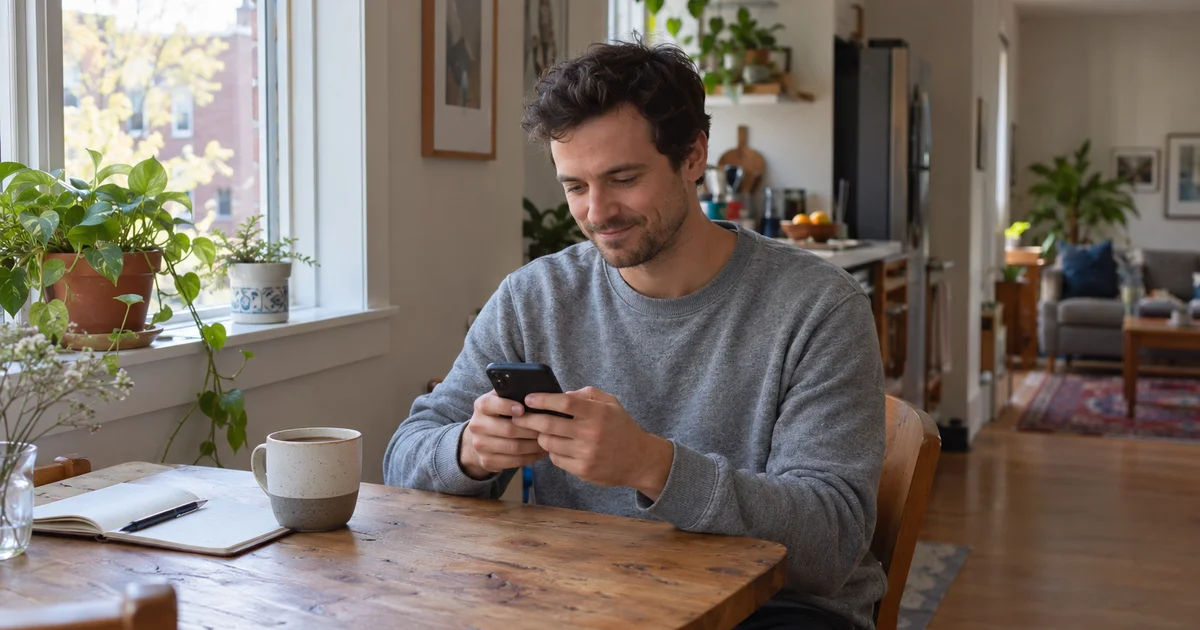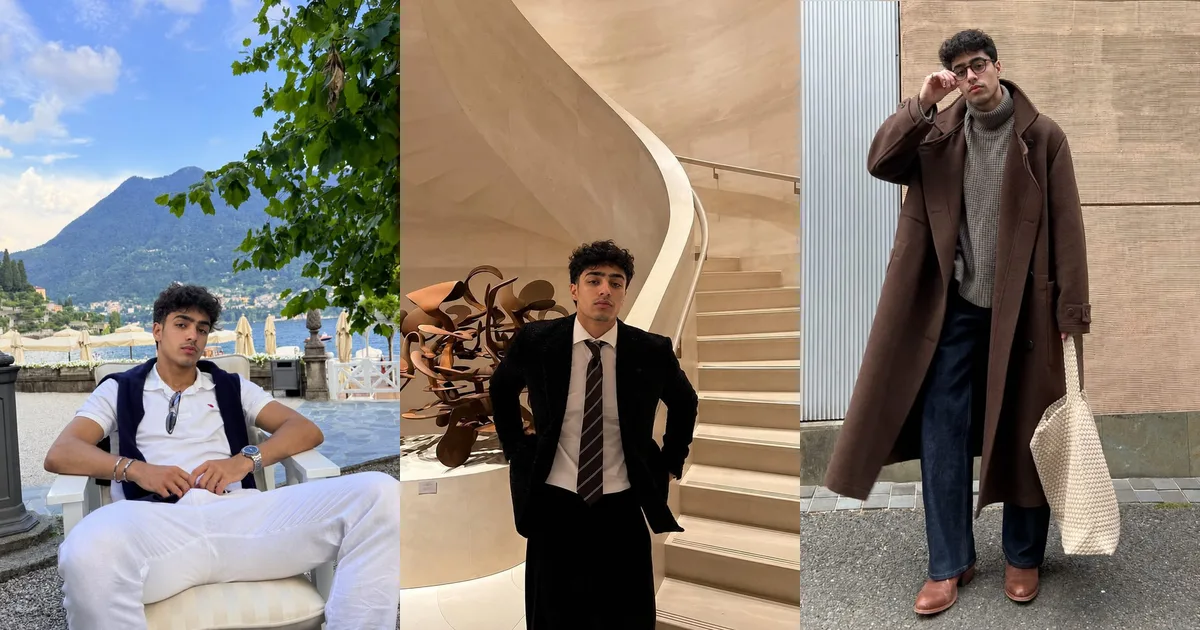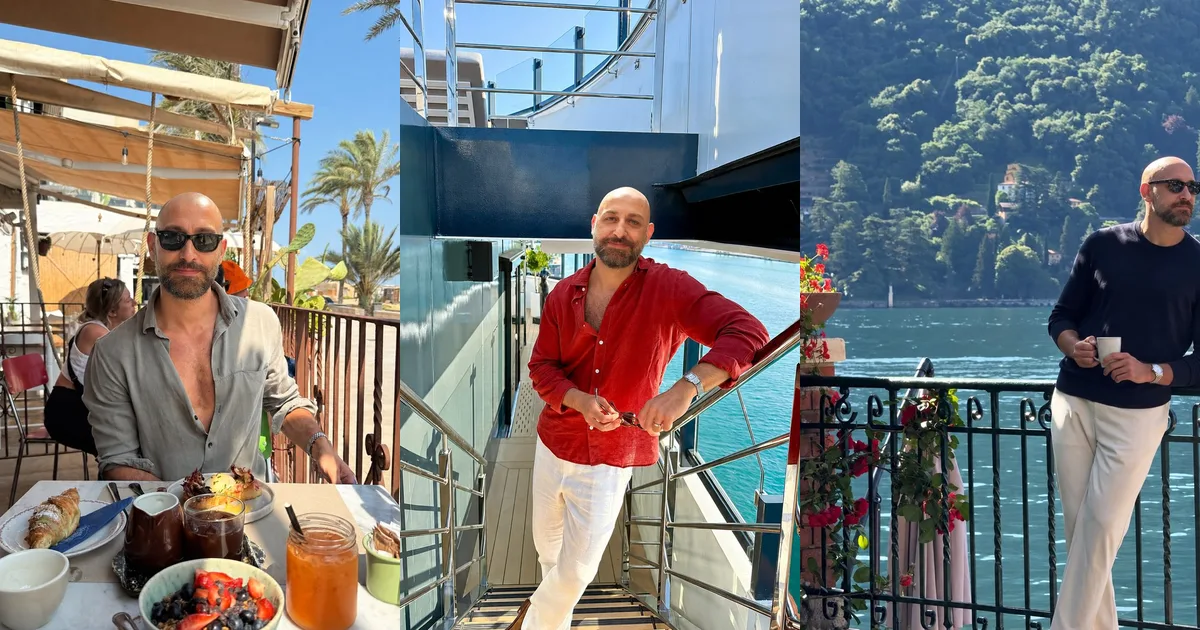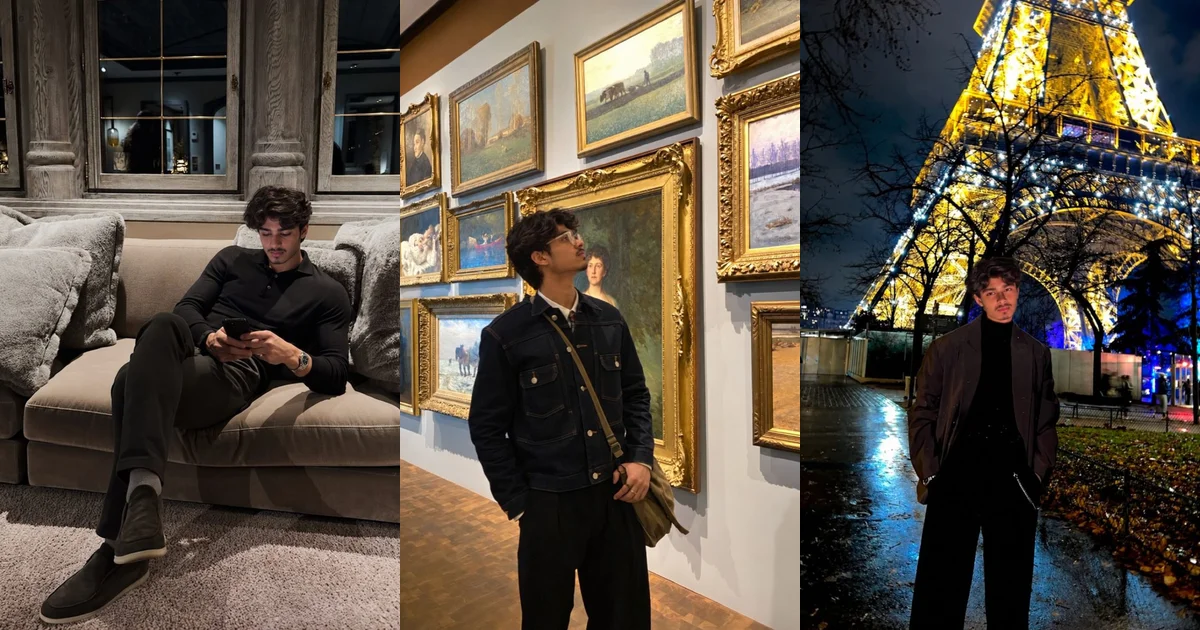
The best Hinge profile pictures are recent, clear photos in which each image does a different job: one shows your face plainly, one shows your whole build, and the rest show what you actually do, who you spend time with and what you care about. Because Hinge lets people like or comment on one specific photo, every picture should give a stranger something easy to respond to. And no, you cannot send pictures in Hinge chat; your profile photos carry all the visual weight, which is one more reason to get them right.
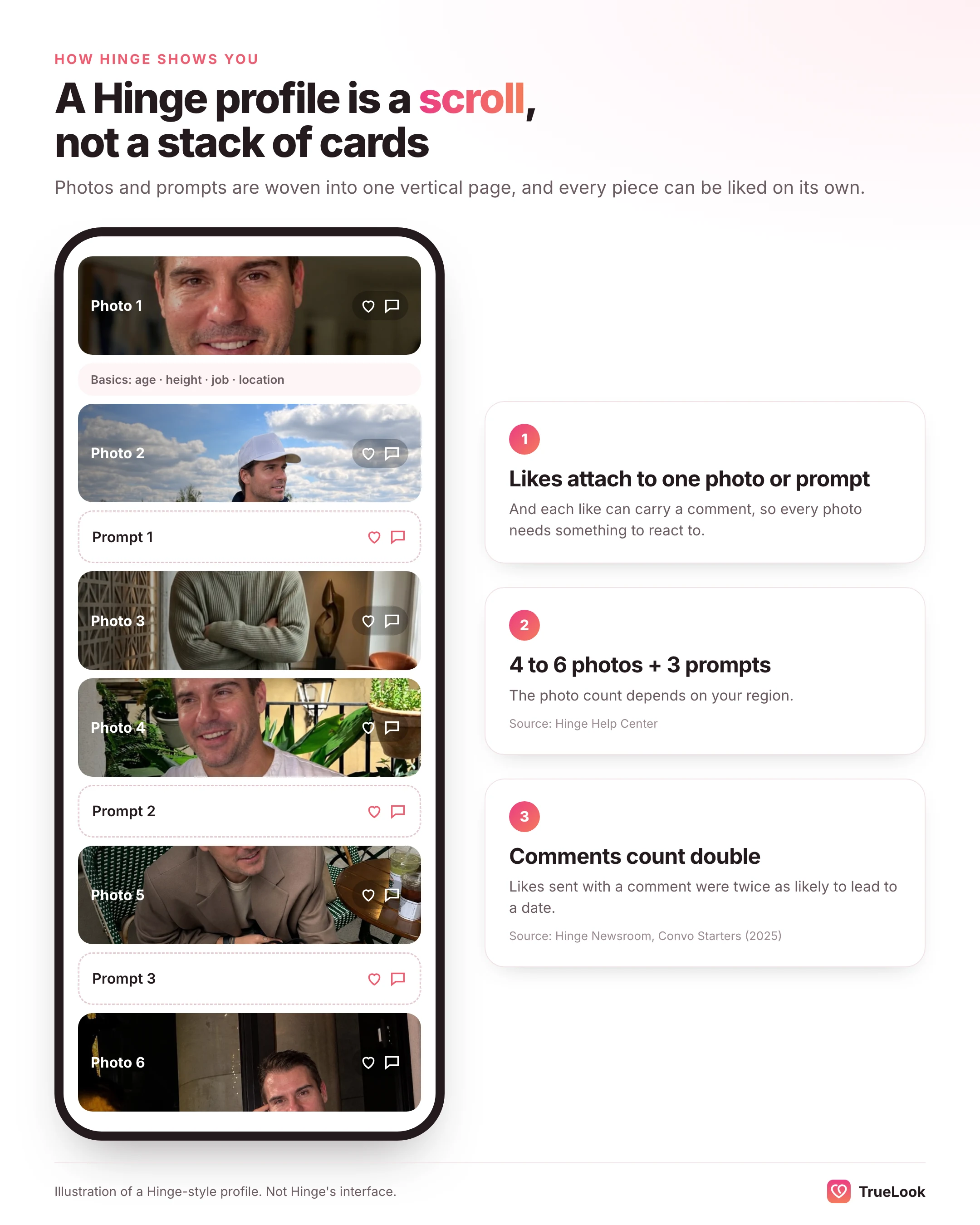
- Hinge requires four to six photos depending on your region, plus three prompt answers, and they appear interleaved as one vertical scroll, according to Hinge's Help Center.
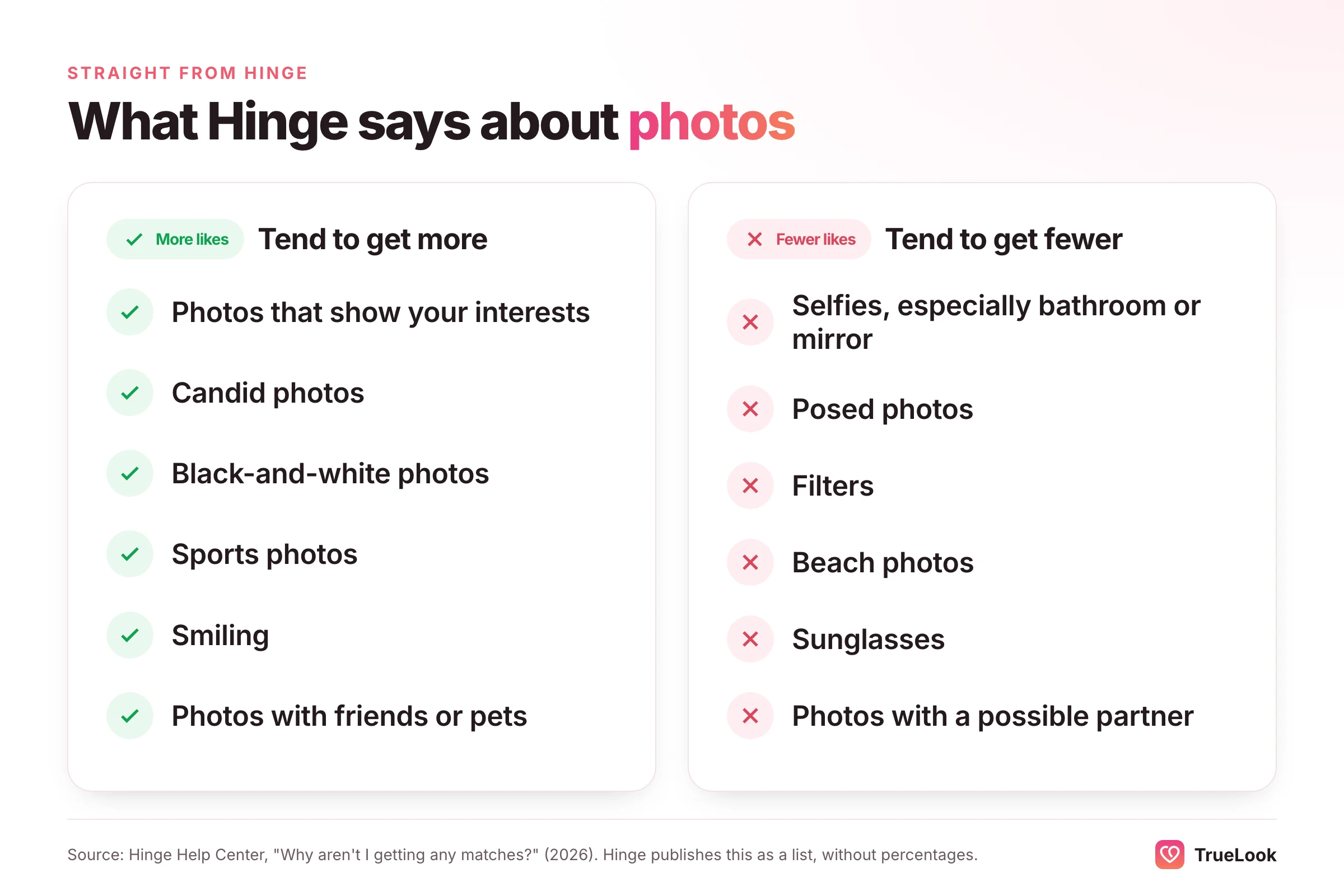
- Hinge's own guidance says candid photos, smiles, sports, interests, friends, pets and even black-and-white shots tend to earn more likes, while selfies, posed shots, filters, beach photos, sunglasses and photos with a possible partner tend to earn fewer.
- Comments matter: Hinge reports that likes sent with a comment are twice as likely to lead to a date, so a photo that prompts a question is worth more than a merely flattering one.
- Let someone else choose: a 2017 study found strangers picked better dating photos of people than those people picked of themselves.
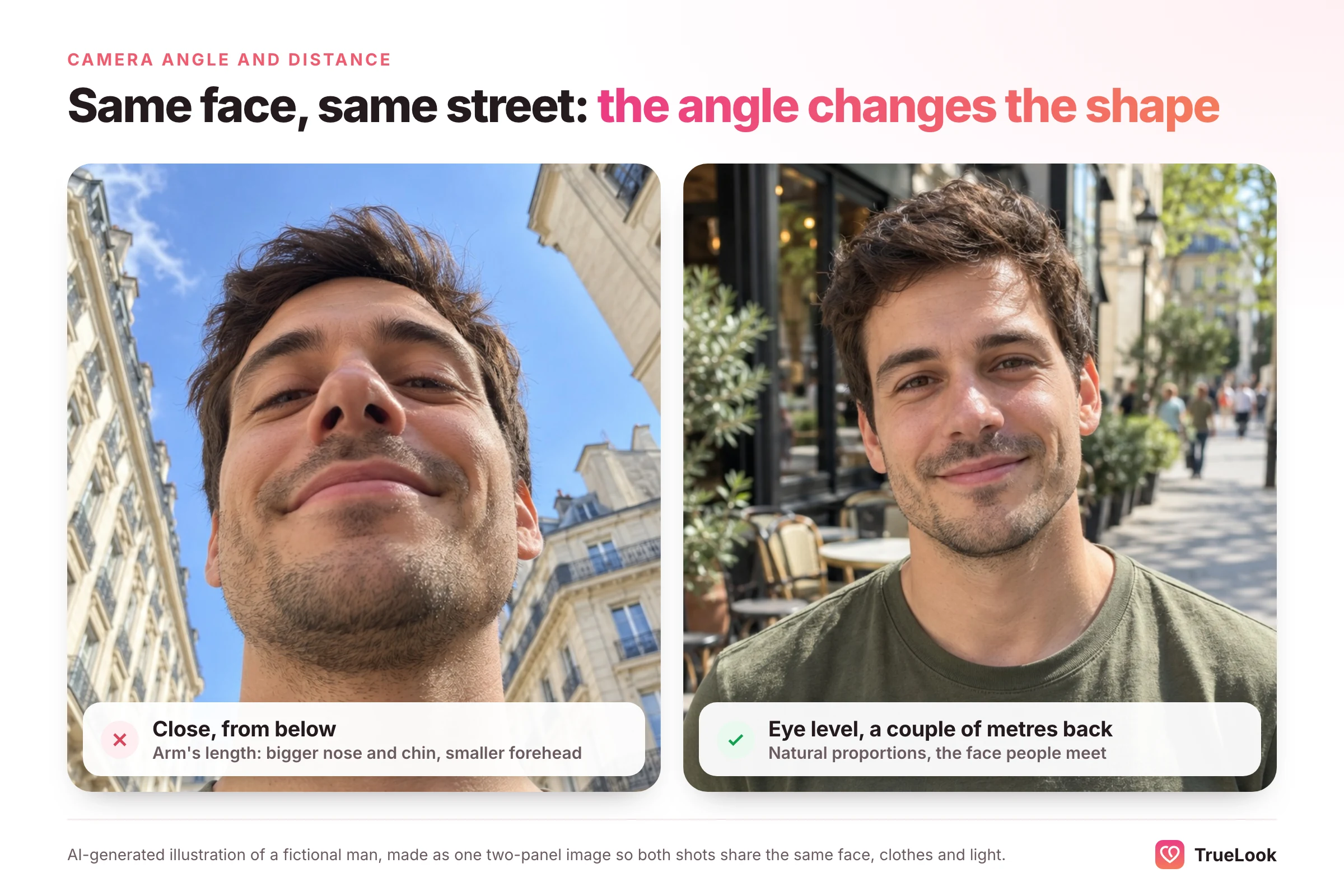
- Stop shooting at arm's length: a selfie taken about 12 inches away makes the base of the nose look roughly 30% wider than a photo taken from 5 feet.
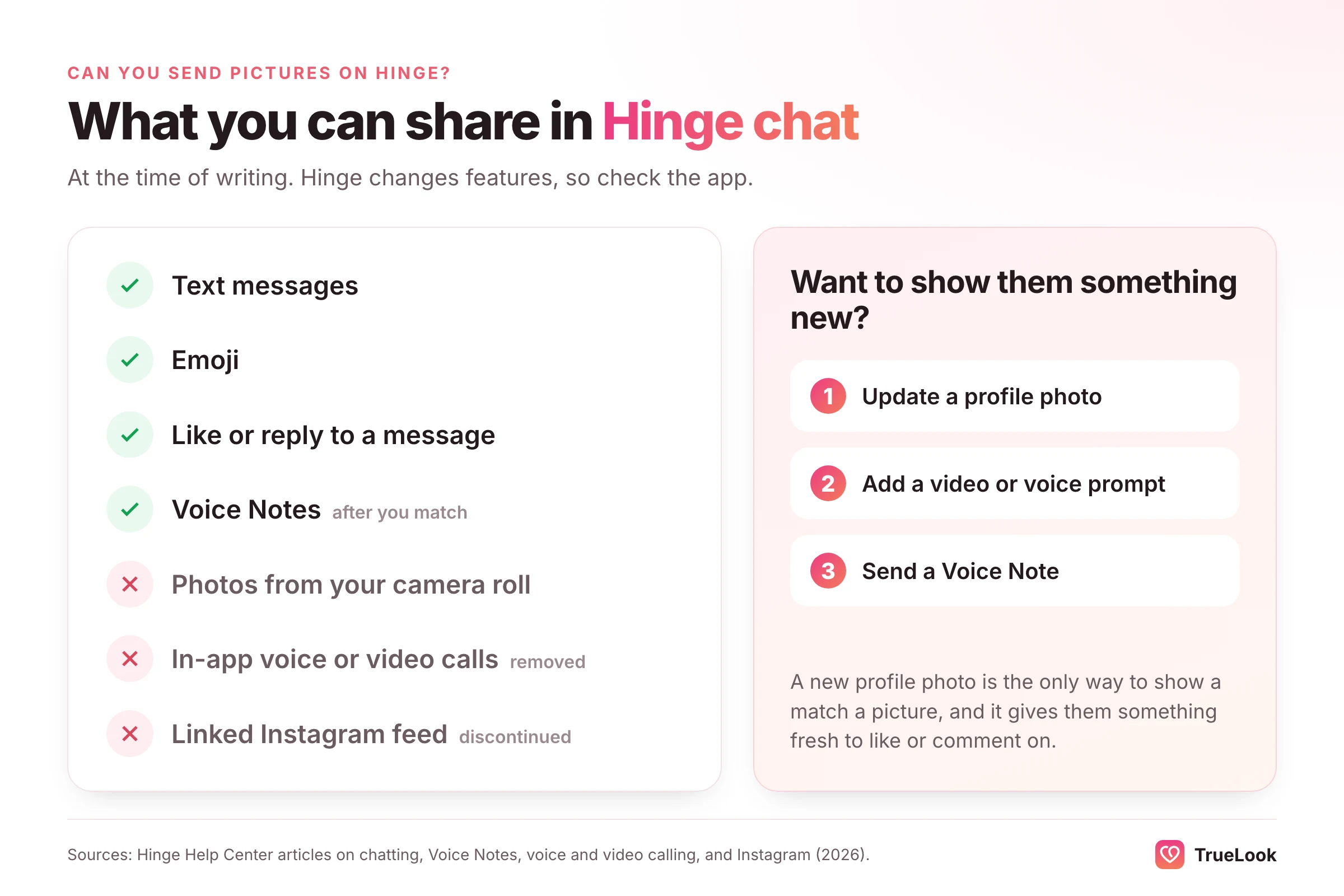
- You cannot attach photos in Hinge chat. Messages, emoji, message likes and Voice Notes are supported; in-app voice and video calling has been removed.
- Turn on Top Photo if you are unsure about order: Hinge uses a model to predict which picture is most likely to earn a like and moves it to the front.
What does a Hinge profile look like?
It helps to see your profile the way a stranger meets it before deciding which pictures to use. Hinge does not show a stack of cards to swipe. It shows one person at a time as a long vertical page, and the viewer scrolls down through it.
Hinge's Help Center states that members must have between four and six photos, depending on local requirements, along with three prompt answers. Those photos and prompts are woven together rather than grouped, and your basic details (age, height, location, job and whatever else you choose to show) sit near the top. Optional extras include a video prompt, a voice prompt and a prompt poll.
| Profile element | How many | What it does for a viewer |
|---|---|---|
| Photos or videos | 4 to 6, depending on region | Answer "what do they look like and how do they live?" |
| Written prompts | 3 displayed at a time | Give your voice, humor and intentions |
| Photo prompts | Optional, attached to a photo | Add a caption-style question to a picture |
| Video prompt, voice prompt, prompt poll | Optional, one each | Show how you move, sound or think |
| Vitals and virtues | You choose what is visible | Quick facts: age, height, job, faith, plans |
The detail that matters most for photos is how a like works. On Hinge you do not like a whole person; you tap the heart on one particular photo or prompt, and you can attach a comment to it. Hinge's own help article on matching notes that people who add a comment are more likely to get a response. So your profile is really six or so separate invitations, each judged on whether it gives someone a reason to speak.
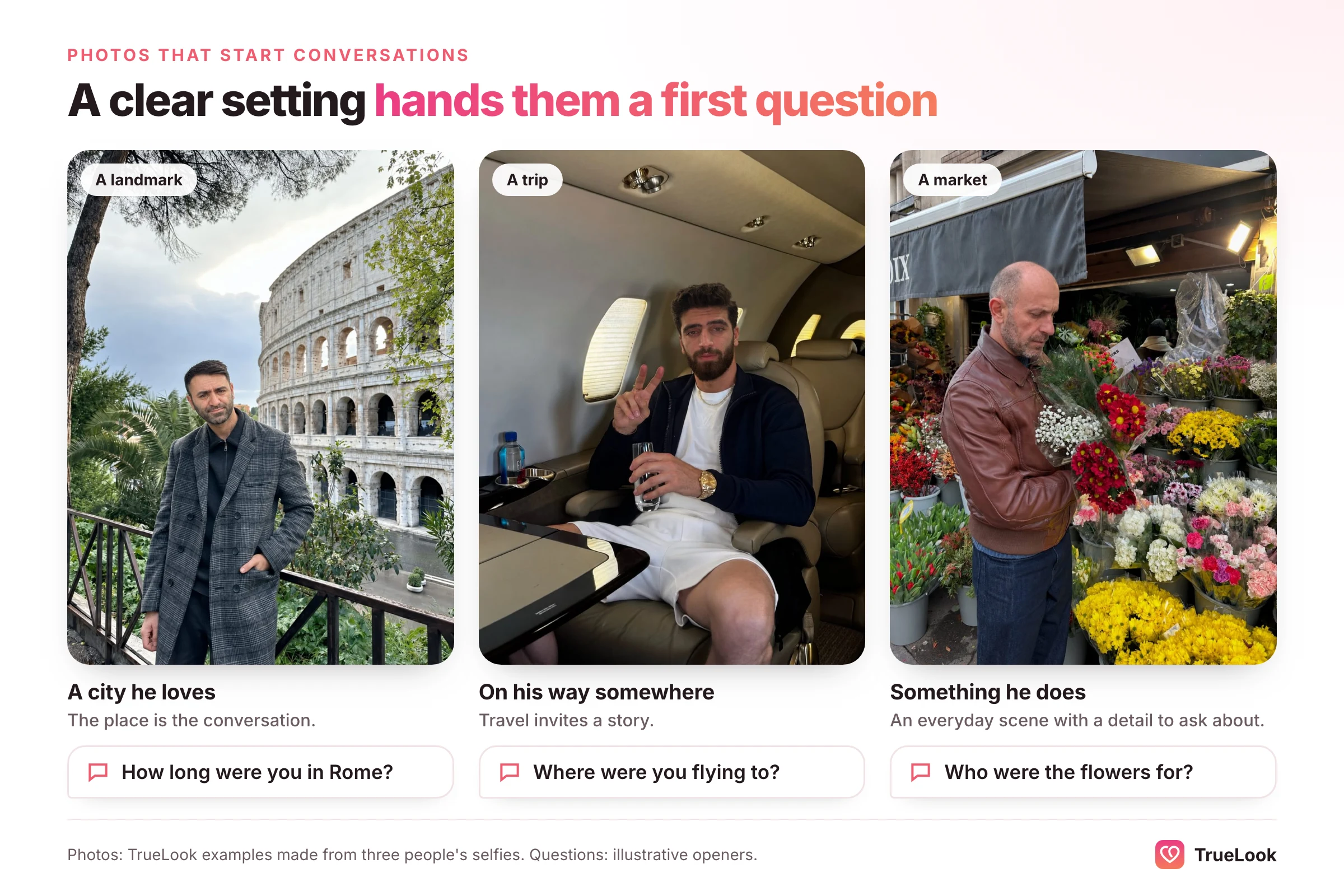
That changes the brief for every picture. On a swipe app, a photo only has to win a split-second yes. On Hinge, a photo also has to be commentable: it should contain a place, an activity, an object or an expression that a stranger can ask about without sounding odd.
What Hinge itself says gets more likes
Most advice about Hinge photos is guesswork dressed up as data. The most useful evidence is the guidance Hinge publishes about its own app, because it comes from the people who can see what actually gets liked.
In its Help Center article on matching problems, Hinge lists photo types that tend to get more likes and types that tend to get fewer, based on its research. Here they are side by side:
| Tend to get MORE likes | Tend to get FEWER likes |
|---|---|
| Photos that show your interests | Selfies, especially bathroom and mirror selfies |
| Candid photos | Posed photos |
| Black-and-white photos | Photos with filters |
| Sports photos | Beach photos |
| Smiles | Sunglasses |
| Photos with friends or pets | Photos with a potential significant other |
Two items on that list surprise people. First, black-and-white photos land in the "more" column, while filtered photos land in the "fewer" column. The difference is intent: a monochrome shot reads as a style choice, while a beauty filter reads as an attempt to change your face. Second, beach photos land in the "fewer" column. A beach is not banned, but a swimsuit shot tends to underperform as a way of showing who you are.
Hinge's newsroom adds a short list of photo mistakes in its 2025 profile refresh guide: outdated photos, photos that hide your face, more than one group photo, and gym selfies. None of these is exotic. They are simply the four habits that show up again and again in profiles that stall.
Finally, there is the comment effect. In announcing its Convo Starters feature, Hinge reported that likes sent with a comment are twice as likely to lead to a date, and 72% of daters are more likely to consider someone when a like includes a message. Read that from the receiving side: the easier your photos make it for someone to write a line, the more of those higher-value likes you collect.
There is a quiet confirmation of this in how Convo Starters works. Hinge's help article explains that the feature, which suggests conversation topics based on a profile's content, does not show tips on selfies or group photos. Hinge's own system treats those two photo types as poor raw material for a conversation. If your lineup is mostly selfies and group shots, you are giving both people and the app very little to work with.
What the research says about choosing dating photos
Hinge's lists tell you what to include. Psychology research explains why the choice of photo matters so much, and why you are not the best judge of your own pictures.
Impressions form almost instantly
In a well-known 2006 experiment, Janine Willis and Alexander Todorov found that people formed trait impressions of an unfamiliar face after seeing it for just 100 milliseconds, and those snap judgments closely matched judgments made with no time limit. Attractiveness, likeability, trustworthiness and competence were all read almost immediately. Your first photo is not read carefully; it is read in a glance.
Different photos of you create different people
A later study by Todorov and Jenny Porter in Psychological Science showed that the variation in impressions across different photos of the same person can be as large as, or larger than, the variation between different people. The bias showed up even when images were flashed for 40 milliseconds. In practical terms, you do not have one fixed "look" that a photo either captures or misses. Each picture creates its own version of you, and the version in a dim, low-angle selfie is a different person from the version laughing in daylight.
You are a poor judge of your own best photo
The most useful study for anyone building a profile is "Choosing face: The curse of self in profile image selection" by David White, Clare Sutherland and Amy Burton. They asked 102 students to choose, from 12 of their own photos, which they would use on Facebook, a professional site and a dating site, and also to choose for a stranger of the same gender. Independent raters then judged the picks. Photos chosen by strangers made better impressions than photos people chose for themselves, and the gap was largest in the dating context. The advantage came from trustworthiness and competence rather than attractiveness.
The takeaway is simple and a little humbling: you tend to pick the photo you like looking at, while other people respond to the photo that makes you seem warm and capable. Ask friends, or better, people who do not know you well, to rank your options.
Smiling helps, especially for men
Photofeeler, a site where volunteers rate photos, reported in 2026 that smiling improved every measured trait in men's dating photos, with open-mouth smiles raising trustworthiness by about 2.55 points on a 10-point scale compared with no smile. For women the gap between open- and closed-mouth smiles was small. The same post noted that 54% of men's dating photos it saw that year had no smile at all. Photofeeler is clear that this is correlational, but it lines up with Hinge listing smiles in its "more likes" column.
The honest limits
None of this research was run on Hinge itself, and the White study used young students and Facebook photos. Hinge's lists describe tendencies across millions of people, not rules for any one profile. Treat the evidence as a strong default, then let your own results (and Top Photo, covered below) tell you what works for you.
The six-slot Hinge photo lineup
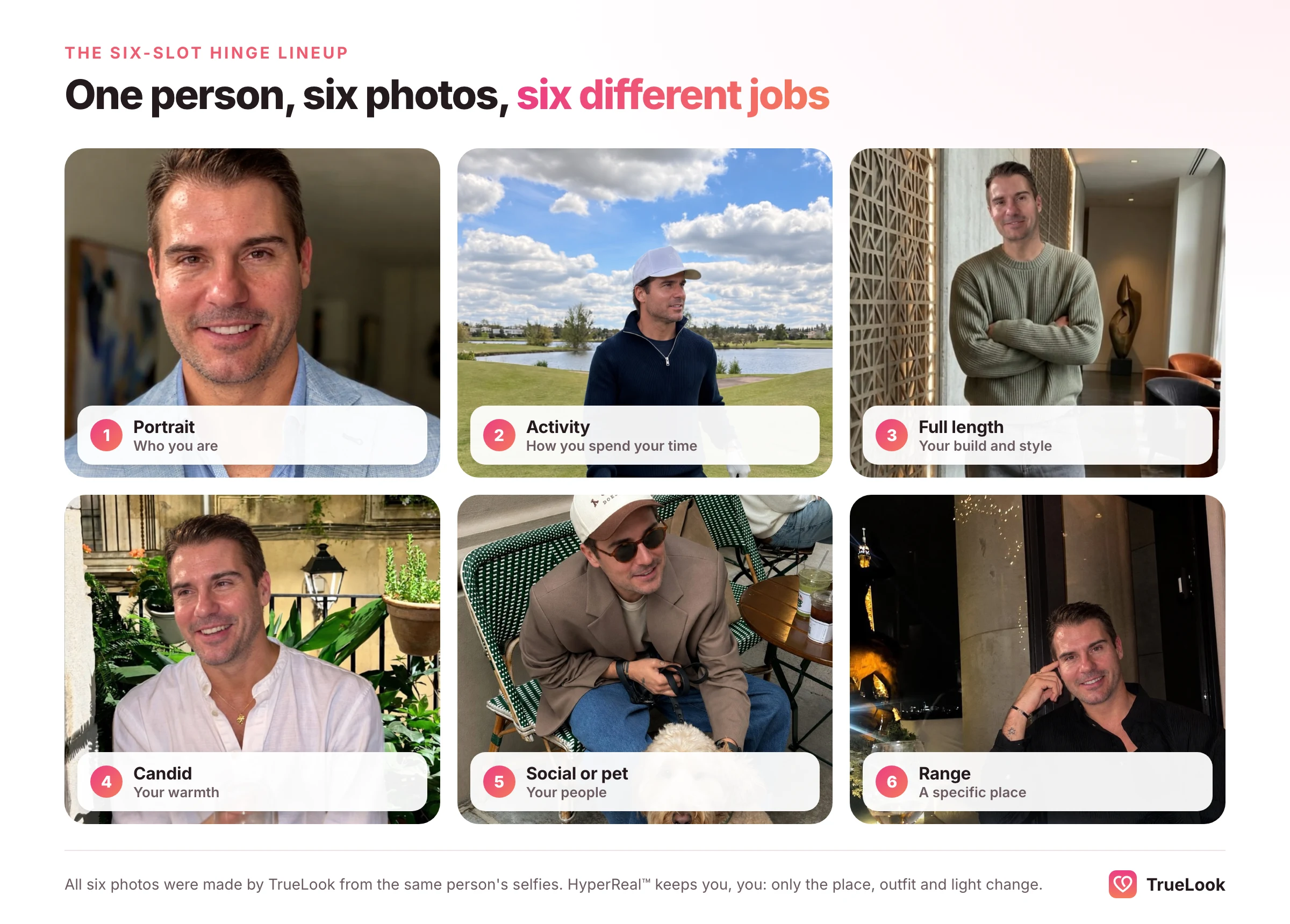
A useful way to plan is the one photo, one job method: give each slot a single purpose, and do not let two photos do the same job. If your region allows six photos, use all six. Here is a lineup that covers what a stranger wants to know and gives several natural openings for a comment.
| Slot | Photo | Job it does | Comment it invites |
|---|---|---|---|
| 1 | Clear solo portrait, face to camera | Confirms exactly who you are | Often a plain like; sets up everything else |
| 2 | You doing a sport or hobby | Shows how you spend your time | "How long have you been climbing?" |
| 3 | Full-length shot in a real setting | Shows build, height and style honestly | "Where is this street?" |
| 4 | Candid laugh or mid-moment shot | Shows warmth and humor | "What was so funny?" |
| 5 | With one or two friends, or your pet | Shows you have people (or a dog) in your life | "Okay, what is your dog's name?" |
| 6 | Dressed up, travelling or somewhere specific | Shows range and taste | "I need the name of that restaurant" |
Slot 1: the portrait that leaves no doubt
Your opening photo has one job: make it effortless to see what you look like. Frame from roughly mid-chest up, face the camera or turn slightly, and shoot in soft daylight such as open shade, an overcast afternoon or beside a large window. Nobody else in the frame, no sunglasses, no hat brim shading your eyes, no filter.
This is also the photo Hinge's verification system leans on. Hinge's Selfie Verification article says you need at least one front-facing photo that is crisp, unfiltered and shows you as the only subject, without sunglasses, and it warns that changing photos after verifying can cost you the badge. The same article notes that in some regions Hinge requires a biometric Face Check scan and awards the Selfie Verified badge automatically when a clear solo face photo matches it. A strong slot-1 photo does double duty: it wins the glance and it supports verification.
Slot 2: you, doing something
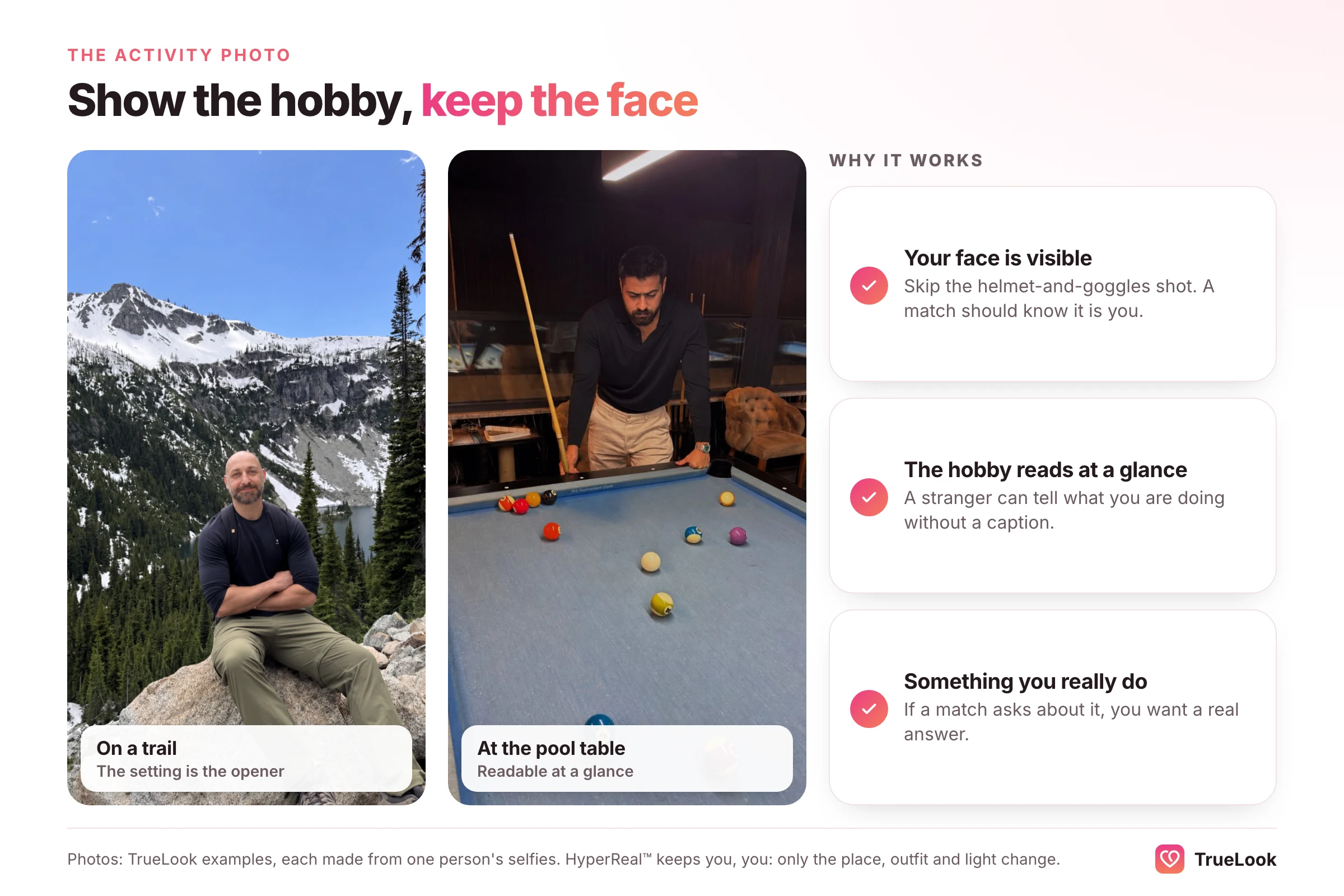
Sports and interests both sit in Hinge's "more likes" column, and this slot is where you show them. Bouldering, running a trail, cooking for friends, playing guitar, throwing pottery, coaching a kids' team (with no children visible; more on that below). Pick something you genuinely do, because a match will ask about it.
Two rules keep an activity photo useful. Your face must still be recognizable from slot 1, so skip the helmet-and-goggles shot. And the activity should be readable at a glance: a stranger should know what you are doing without a caption.
Slot 3: the honest full-length photo
If every picture is cropped at the shoulders, viewers fill in the rest on their own, and the guess rarely helps you. A full-length photo answers the question calmly. Have a friend shoot from about chest height, several meters back, so your legs are not stretched or shortened. A street, a park, a market or a trail all work. A hallway mirror does not.
This slot is also where you show your normal clothes. Wear what you would wear on a first date, not what you would wear to a wedding; save that for slot 6.
Slot 4: a candid moment
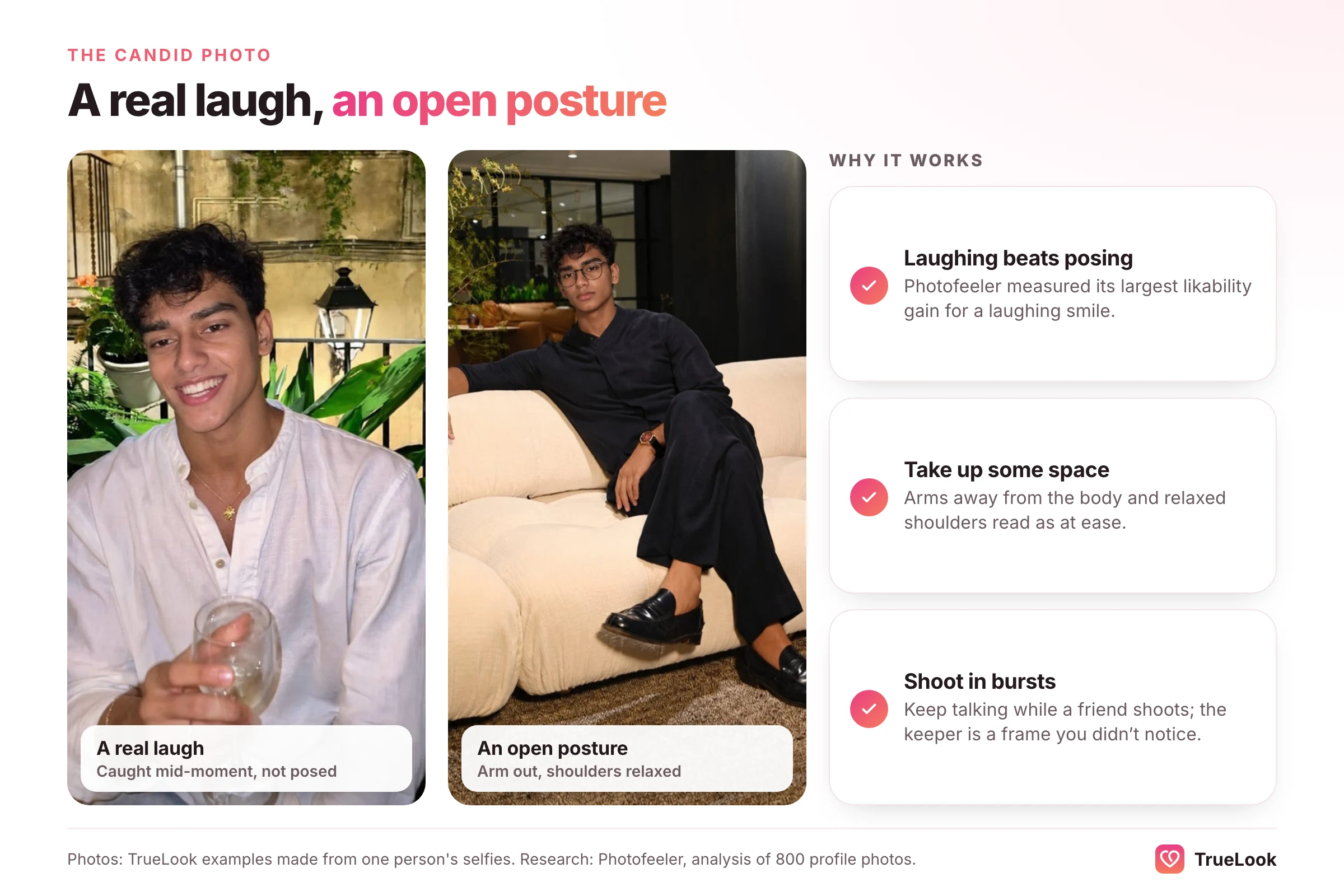
"Candid" is in Hinge's "more likes" column and "posed" is in the "fewer" column, which tells you that people respond to photos that feel caught rather than staged. A laugh at something off-camera, a moment mid-conversation, a look of concentration while cooking. These communicate what it might be like to spend an evening with you, which no posed portrait can do.
The easiest way to get one is to have a friend take a burst of photos while you talk, then pick the frame where your expression is real. Phones make this nearly free.
Slot 5: one social photo, or your pet
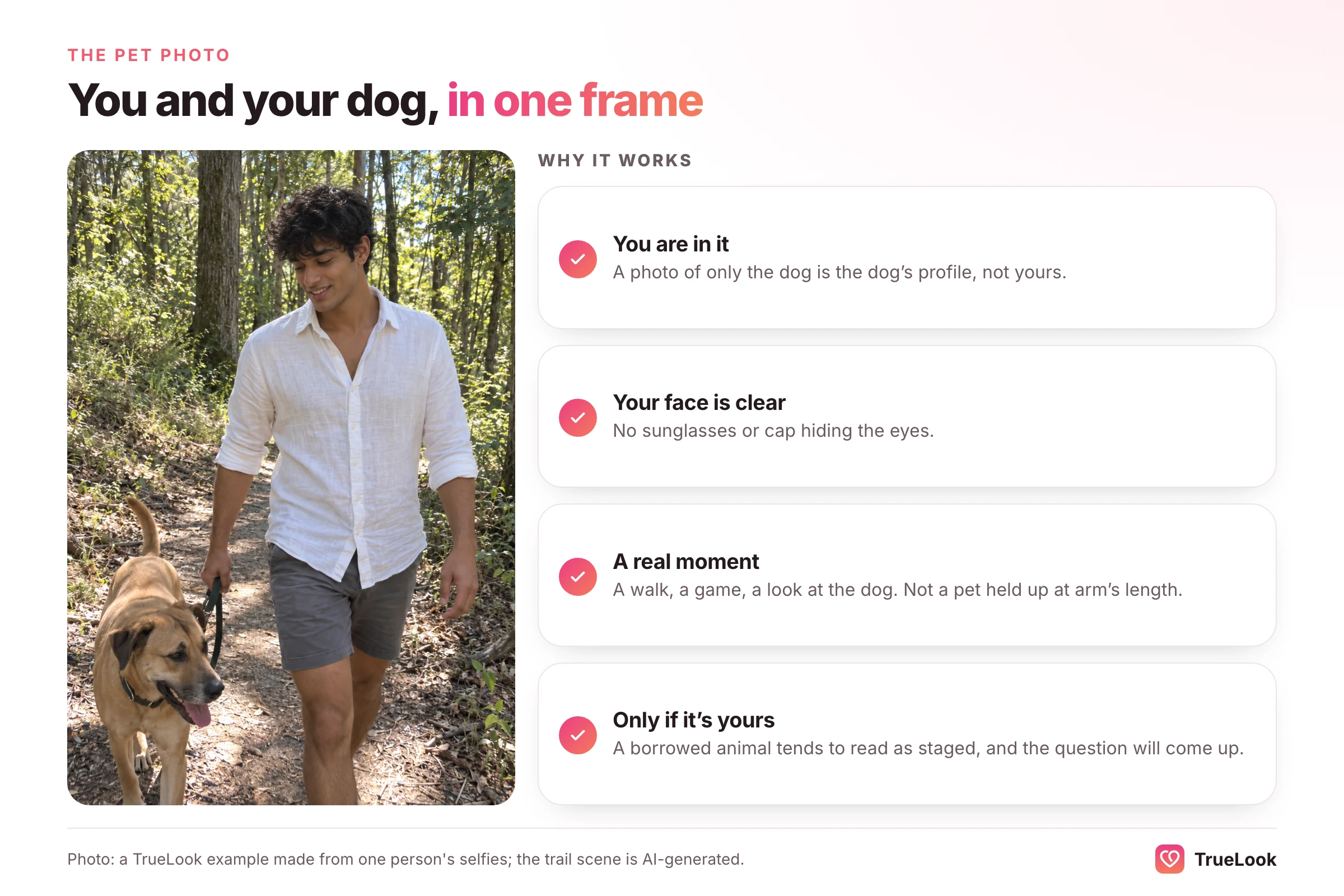
Hinge lists photos with friends and pets among those that get more likes, and its refresh guide warns against more than one group photo. The answer is one social photo, placed after enough solo shots that nobody has to work out which person you are. Two or three people is better than eight.
A pet photo can fill this slot instead, or in addition, if the animal is yours. It shows care and routine, and it is the single easiest thing on a profile to comment on. If the dog belongs to a friend, leave it out; the question "what is his name?" will come up on the first date.
Avoid any photo in which you are close with someone who might read as a partner. Hinge specifically lists "photos with a potential significant other" in its "fewer likes" column, and a cropped-out arm around your shoulder raises the same question.
Slot 6: range, taste and a specific place
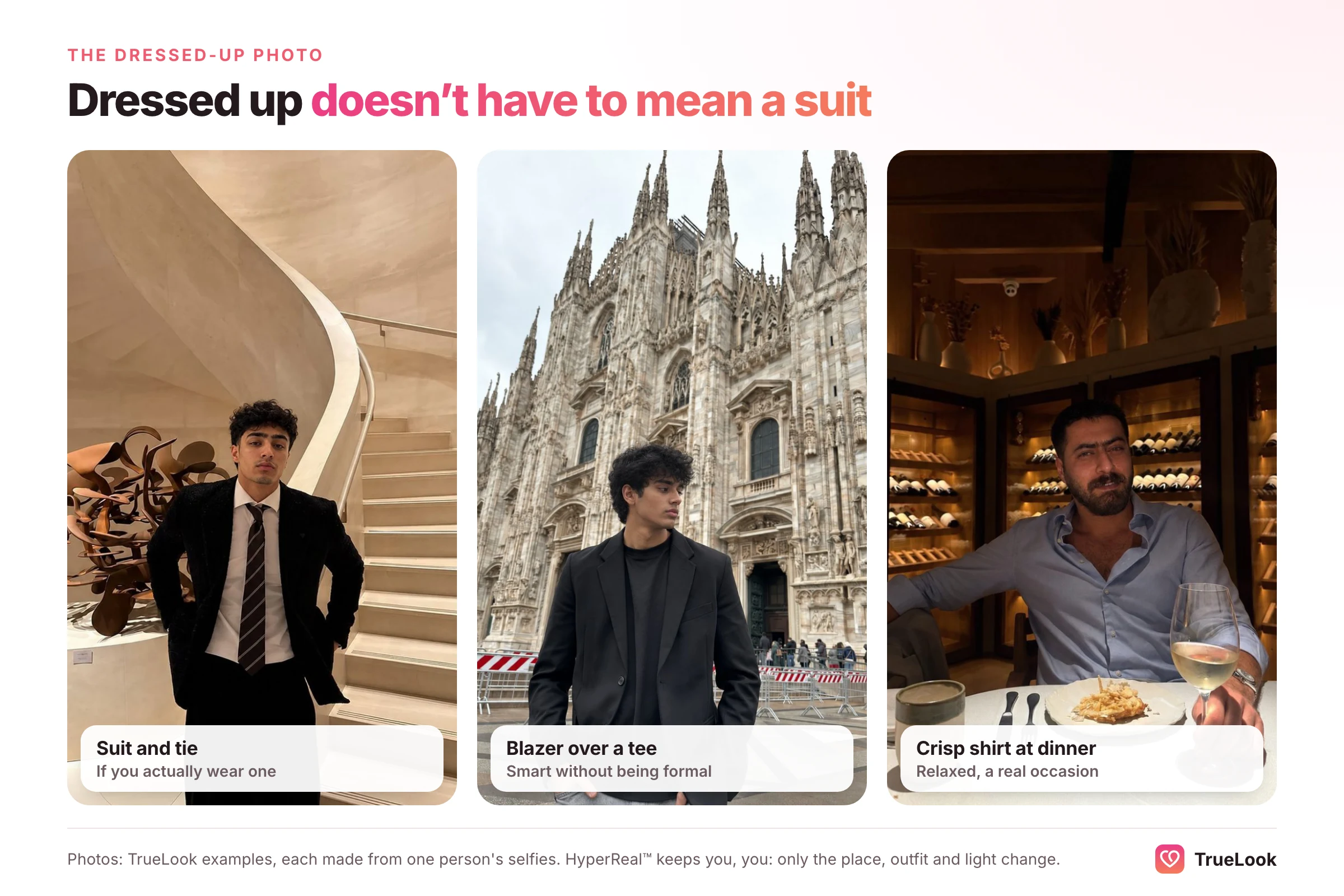
The last slot shows a side of you that the others have not. If the first five are casual, make this one dressed up: a wedding, a nice dinner, a work event. If you already have a smart photo, use a travel or "favorite place" shot instead. Aim for specific over famous. A photo in front of a world-famous landmark is common; a photo at a tiny noodle stall or a local jazz bar invites a question.
What about videos?
Profile slots can hold videos as well as photos; Hinge's Top Photo article refers to the order of "your photos and videos." A short clip of you laughing, cooking or walking a trail can replace a still in slot 4 or 6. Keep it short, well lit and silent-friendly, and never use a video in slot 1, where the job is a crisp, unmistakable face.
Best Hinge pictures for guys
Men's profiles tend to fail in the same handful of ways. Hinge is used by people looking for relationships, and the photos that might win a quick swipe elsewhere often read as one-dimensional here. Here are the common problems and the fix for each.
| Common mistake | Why it hurts on Hinge | The fix |
|---|---|---|
| Five selfies and one group shot | Selfies sit in Hinge's "fewer likes" column, and neither type gets Convo Starters | Replace three selfies with photos someone else took: activity, full-length, candid |
| Gym mirror selfie, especially as photo 1 | Hinge's refresh guide names gym selfies as a mistake; it says "body" before "person" | Swap for an action shot of the sport you train for |
| No smile in any photo | Photofeeler found smiles raise trust ratings most for men | Make sure at least two photos show a real, open smile |
| Sunglasses in several photos | Hinge lists sunglasses among photos that get fewer likes | Keep one at most, never in slot 1 |
| Car, fish or trophy as the lead | The object becomes the subject | Move it to slot 5 or 6, or drop it |
| Every photo from one afternoon | Looks like a photoshoot rather than a life | Mix seasons, outfits and places |
| Only formal or only gym clothes | Shows one mode, not a person | One dressed-up photo, the rest everyday |
| Shirtless at the beach as photo 2 | Beach photos sit in the "fewer likes" column | If you keep one, place it late and make the activity (surfing, swimming) the point |
One more thing men often underestimate: lighting. A plain setting in soft light beats a spectacular setting in harsh midday sun or a dark bar. If you change only one thing, reshoot your portrait and full-length photos outdoors in open shade or an hour before sunset. For a broader, app-by-app view, see our guide to dating profile photos for men.
Worked example: rebuilding one man's lineup
Illustrative example, not a real user. A 34-year-old civil engineer has been on Hinge for two months with very few likes. His current lineup:
- Car selfie in sunglasses
- Group photo of six friends at a wedding
- Gym mirror selfie
- Photo holding a large fish, cap pulled low
- Another car selfie, no sunglasses, unsmiling
- Blurry photo of a sunset (he is not in it)
Against Hinge's own lists, almost every photo lands in the "fewer likes" column: selfies, sunglasses, a crowded group, no clear smile, and one picture that does not show him at all. Nobody can see his face clearly until photo 5.
The rebuilt lineup, shot over one weekend with a friend and a phone:
- Portrait in open shade, slight smile, eye level (new)
- Mid-swing at his Sunday five-a-side football game (new, sports)
- Full-length walking through a farmers' market (new)
- Laughing at the wedding, cropped to him and his brother (kept, re-cropped)
- Holding the fish, cap pushed back so his face shows (kept, moved later)
- Seated at the cocktail bar he likes, in a jacket (new, dressed up)
Nothing about him has changed. What changed is that each photo now has a job, his face is clear from the first glance, and four of the six contain an obvious question: the football, the market, the fish, the bar.
Photo order, Top Photo and your "most popular" picture
Order matters because most people decide early. Put your clearest portrait first, follow it with the activity photo that best represents your life, and keep the social photo after at least two solo shots.
If you are torn between two openers, Hinge offers a built-in test. Its Top Photo feature uses a machine-learning model to predict which of your photos is most likely to get you a like, and puts that one first. When it is on, the order other people see can differ from the order in your editor, and Hinge says it keeps testing even when your account is paused. It also states that Top Photo does not use facial geometry or biometric data.
A few practical notes on using it well:
- Only good options should be eligible. Top Photo can promote any photo on your profile, so remove anything you would not want as your opener.
- It optimizes for likes, not for fit. A photo that attracts the most likes is not automatically the one that attracts the people you want. If the matches you get feel off, look at which photo is leading.
- Give changes time. Swap one photo at a time and wait a week or two before judging, so you know what caused any change.
If your likes are low even with a solid lineup, photos may not be the main problem. Our guide to why you are getting no likes on Hinge covers prompts, filters, distance settings and activity.
How to pair your photos with your prompts
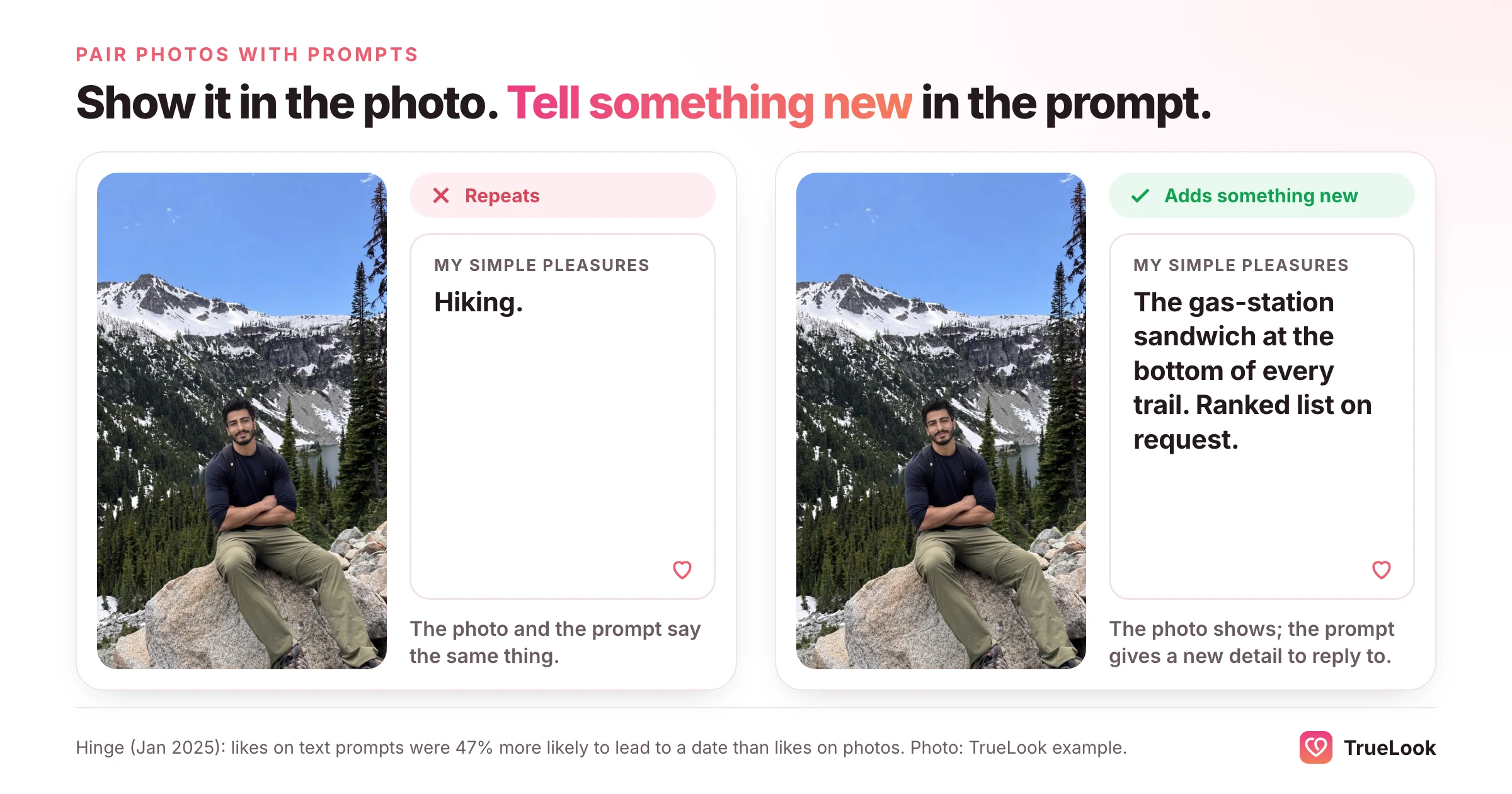
Photos rarely work alone on Hinge. In its January 2025 Prompt Feedback announcement, Hinge reported that in 2024 likes on text prompts were 47% more likely to lead to a date than likes on photos. Photos get attention; prompts often turn it into a conversation. The two should work as a team.
The guiding idea is show, then tell something new. A photo shows one thing about you. The prompt beside it should add a different detail, not caption the photo. If you have a cooking photo, the nearby prompt can be about travel; if you have a trail photo, the prompt can reveal your terrible singing. Repetition wastes a slot.
| If your photo shows | Do not write | Try a prompt that adds |
|---|---|---|
| You hiking | "I love hiking" | The snack you always pack, or the trail you still want to do |
| You cooking | "I'm a great cook" | The dish you have failed at three times and refuse to give up on |
| You with your dog | "Dog dad" | Your dog's one ridiculous habit, as a test of whether they would get along |
| You travelling | "I love to travel" | The small, odd thing you remember from the trip, not the landmark |
| You dressed up | Nothing; let the photo speak | A prompt that shows your casual, everyday side |
Hinge also lets you attach a photo prompt to any picture: a prompt question paired with an image instead of a written answer. Used sparingly, it turns a photo into a direct question. A shot of you at a pub quiz with the prompt about your most irrational fear, for example, gives a viewer two hooks at once. For written prompts, our list of Hinge prompt answers for guys, with before-and-after rewrites goes into far more detail.
Taking better Hinge photos: light, angle and distance
You do not need a photographer to take good Hinge pictures. You need decent light, the right distance and a second person or a tripod. These details do more than any outfit.
Stop holding the camera at arm's length
Close-range photos distort faces. A study by Rutgers facial plastic surgeon Boris Paskhover and Stanford computer scientist Ohad Fried, published in JAMA Facial Plastic Surgery, modelled what happens at selfie distance and found that a photo taken about 12 inches from the face makes the base of the nose look about 30% wider, and the tip about 7% wider, than a photo taken from 5 feet. That is why your selfies may not look like you, and why other people's photos of you often look better. Step back, have someone else hold the phone, and use the 2x lens if your phone has one.
Light first, location second
- Best: open shade on a bright day, an overcast sky, or the hour before sunset. Soft light flatters skin and keeps eyes visible.
- Good: facing a large window indoors, with the light on your face rather than behind you.
- Avoid: direct midday sun (harsh shadows and squinting), overhead office lighting, and dim bars where the phone smooths your face into mush.
Angle and framing
Keep the camera at or slightly above eye level for portraits. For full-length photos, shoot from chest height so your proportions look natural. Leave a little space around your head instead of cropping your forehead. And check the background: a pile of laundry or a bathroom towel rail says more than you would like.
Shooting alone
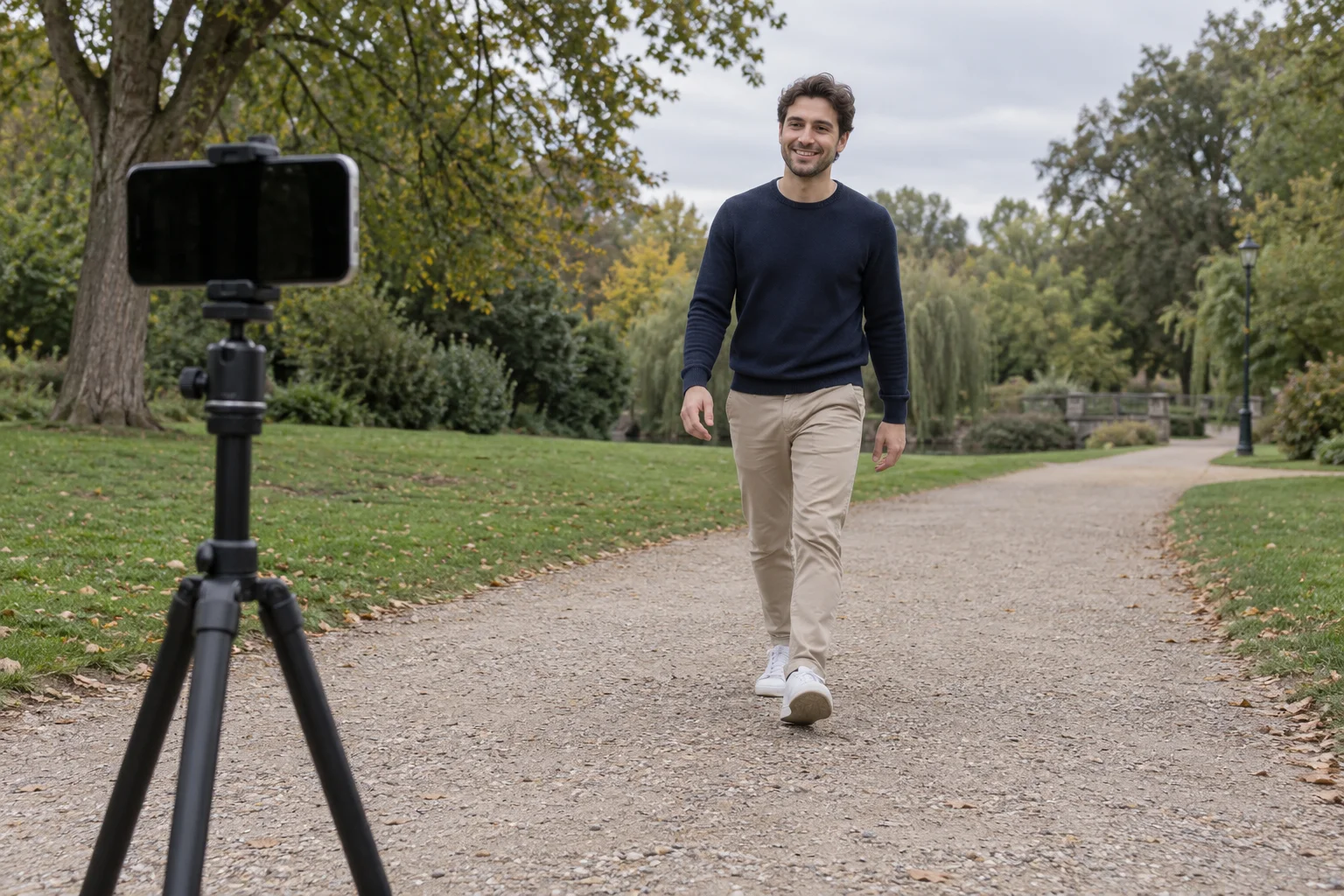
A small tripod and your phone's timer or burst mode cover most solo needs. Set the phone at chest height, walk toward it, laugh, glance away, look back. Then pick the frames where you look like yourself.
Pre-upload checklist
- Taken within roughly the last year, matching your current hair, weight and style
- Sharp when you zoom in on your eyes
- Your face visible and recognizable in every photo
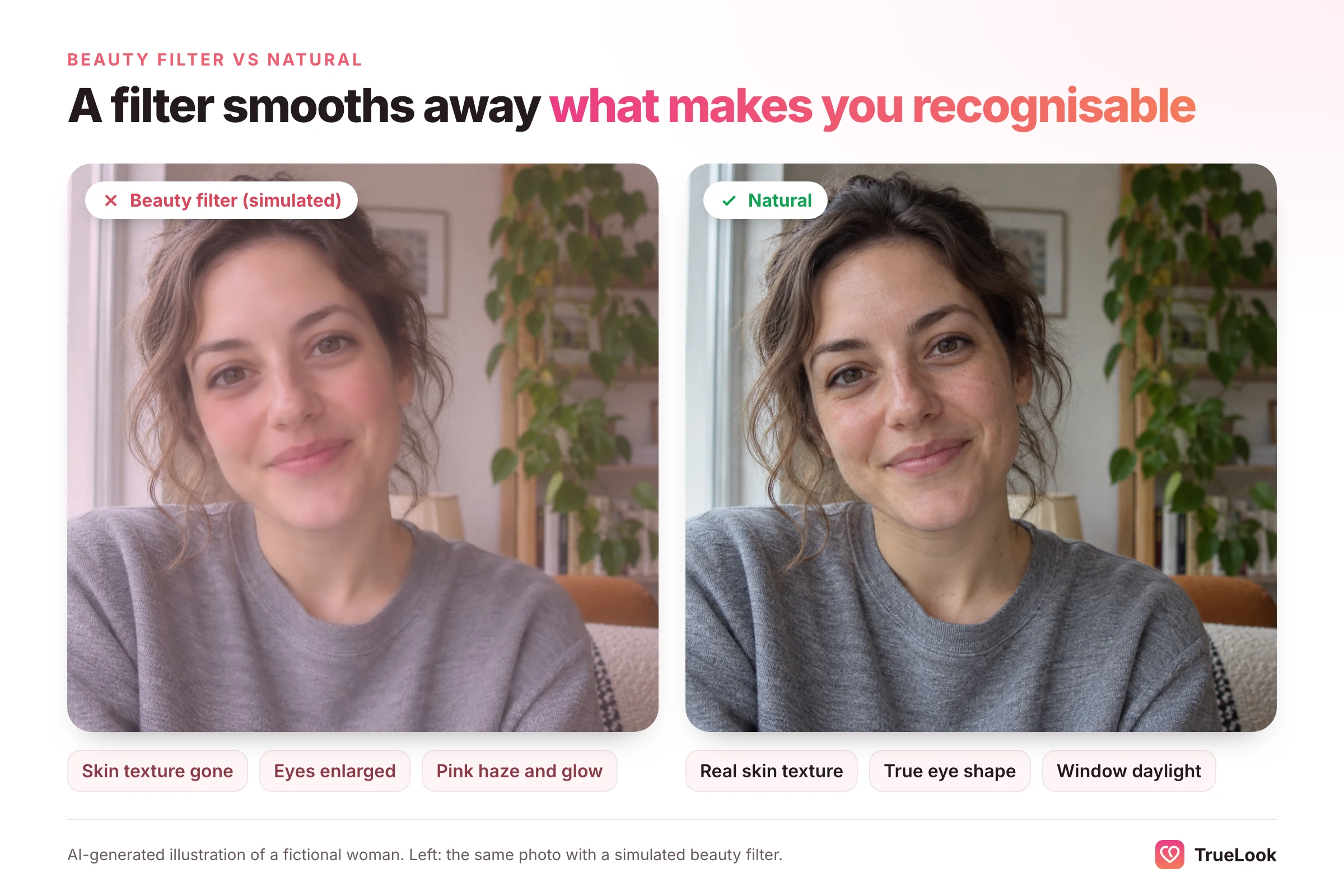
- No beauty filters or face-smoothing
- At least two photos with a real smile
- At least one full-length photo
- No more than one group photo, placed after solo shots
- No more than one photo with sunglasses, and not in slot 1
- No children in any photo, including your own childhood pictures
- Each photo does a different job
What photos are not allowed on Hinge
Separate from what performs well, Hinge has firm content rules. Breaking them can get a photo removed or an account suspended. Here is what Hinge's Community Guidelines and Prohibited Content and Behavior page say, and what each rule means for your pictures.
| Hinge rule | What it means for your photos |
|---|---|
| At least one photo must clearly show your face | A profile of silhouettes, backs of heads or sunglasses will not do |
| No photos or videos depicting minors, including younger photos of users | No nieces, nephews or your own kids, and no childhood throwbacks |
| No misleading or outdated photos | Use pictures that look like you now |
| No nudity or sexually explicit imagery | Shirtless at a beach is not banned, but anything explicit is |
| No violent or graphic content, including gory hunting kills | A hiking or fishing photo is fine; a bloody trophy shot is not |
| No one else's photo or likeness, and no content you lack permission to use | No celebrity photos, no photos of a friend presented as you |
| No fake identities or AI-generated content used to mislead | Any edited or generated image must still honestly represent you |
| No symbols or imagery associated with hate groups | Check backgrounds, clothing and tattoos in the frame |
| No ads, promotions or links to payment platforms | No business logos, QR codes or "follow me" overlays |
The minors rule catches many well-meaning parents and uncles. Hinge does not allow any photo depicting a child, even your own, even blurred into the background. If being a parent matters to you, say so in your prompts or in the family plans field.
The AI rule is worded around misleading people. Hinge prohibits using AI-generated content to mislead others, and its guidelines frame the goal as photos that are real, personal and current. Our guide on whether AI photos are allowed on dating apps compares how Hinge, Tinder and Bumble each word this.
Can you send pictures on Hinge?
No. At the time of writing, Hinge chat does not let you attach photos from your camera roll or take a picture inside a conversation. This is one of the most-searched questions about the app, so here is the full picture of what you can and cannot share, and what to do instead.
What Hinge chat supports
Hinge's help article on matching and chatting describes the messaging options as sending a message, an emoji, or liking a message your match has sent, plus replying to a specific message with a quoted preview. It does not describe any photo attachment. The other media option is Voice Notes: you tap the microphone in a chat, record, listen back, and send. They only work once you have matched.
Hinge once had in-app voice and video calls, but it has since removed them. Its help article states that the Voice and Video Calling feature has been removed and that matches can still connect through Voice Notes or messaging. Linking an Instagram feed to show extra photos is gone too: Hinge says that due to an update from Meta, you can no longer link your Instagram feed to your profile.
| In Hinge chat, can you... | Answer at the time of writing |
|---|---|
| Send a text message | Yes |
| Send emoji | Yes |
| Like or reply to a specific message | Yes |
| Send a Voice Note | Yes, after matching |
| Send a photo from your camera roll | No; not described in Hinge's help documentation |
| Start an in-app voice or video call | No; the feature was removed |
| Show extra photos through a linked Instagram | No; linking was discontinued |
| Delete a single message you sent | No; Hinge says only unmatching removes a conversation |
Apps change, so if you see a new camera or gallery button in your chat window, the feature may have arrived since this was written.
Why the limit exists, and why it can help you
Hinge has not published a single statement explaining the absence of photo sharing, but the effect is easy to see. Photos in chat are a common route for unsolicited explicit images, and Hinge's guidelines specifically prohibit sharing unsolicited, sexually explicit messages in chat. Keeping chat to text and voice reduces that risk and keeps the focus on getting to a date.
For you, the practical consequence is that a match cannot ask for "a few more pics" inside the app. Your profile has to answer every visual question on its own: clear face, full-length build, everyday life. If your lineup leaves gaps, a cautious match may simply not reply.
How to show a match something new
| You want to share | How to do it within Hinge |
|---|---|
| A recent haircut or new look | Replace an older profile photo; matches can view your profile from the chat |
| Your dog, your trip, your band | Swap it into slot 5 or 6, or describe it in a Voice Note |
| How you sound and talk | Send a Voice Note, or add a voice prompt to your profile |
| How you move and laugh | Add a short video to your profile or record a video prompt |
| Proof that you look like your photos | Complete Selfie Verification to show the badge |
| Anything more personal | Wait until you have met, or move off the app only once trust is built |
Moving to another app to share photos: do it safely
Many people swap numbers or social handles before or after a first date and share photos there. That is a personal choice, but Hinge's own safety advice is worth following. Its scam-prevention article warns that scammers want to move your chat away from Hinge's Safe Message Filters, and it suggests that once you do move off the app, a phone or video call is a useful check before meeting. Its advice is that someone who only ever wants to text is probably a red flag.
A few sensible rules for sharing photos once you are off Hinge:
- Do not move off the app just because someone asks for pictures. Build some trust in chat first.
- Share only photos you would be comfortable seeing anywhere, because you lose control once they are sent.
- Never send intimate images to someone you have not met, and never send one that was not asked for.
- Be wary of anyone who pushes to leave the app quickly, avoids calls, or steers toward money or investments.
- If something goes wrong, you can still report the person to Hinge, even after unmatching.
Hinge photo myths vs facts
| Myth | Fact |
|---|---|
| "Your best-looking photo should always go first." | Your clearest photo should go first. Research shows strangers pick photos that make you seem trustworthy and competent, not just attractive. |
| "Selfies are fine, everyone uses them." | Hinge lists selfies, especially mirror selfies, among photos that get fewer likes, and Convo Starters skip them. |
| "Black-and-white looks pretentious." | Hinge lists black-and-white photos among those that get more likes. One is plenty. |
| "More group photos show I'm social." | Hinge's refresh guide advises against more than one group photo. One shows friends; several create a guessing game. |
| "You can send more pictures once you match." | Hinge chat supports text, emoji and Voice Notes, not photo attachments. |
| "Hinge picks your most popular photo automatically." | Only if you turn on Top Photo, which predicts the photo most likely to earn a like and moves it first. |
| "A photo with a cute kid shows I'm good with children." | Hinge does not allow photos of minors at all, including your own childhood pictures. |
What if you do not have six good photos?
Plenty of people scroll through years of camera roll and find screenshots, group shots and blurry concert photos, but very few clear, recent pictures of themselves. That is normal. Here are the realistic options, with their honest trade-offs.
| Option | Cost | Time | Best for | Trade-off |
|---|---|---|---|---|
| A friend and a one-hour walk | Free | An afternoon | Portrait, full-length, candid | Depends on light, weather and a willing friend |
| Phone tripod and timer | Low | An afternoon | Full-length and activity shots alone | Candid moments are harder to fake on your own |
| Dating photographer | Often the most expensive | Booking plus a session | Polished, consistent results | Can look too "shoot-like" if every image is styled |
| AI photo generator | Usually a one-time pack; some tools charge a subscription | Minutes | Filling gaps: settings, outfits, activities you lack | Results must be checked for likeness; only honest images belong on Hinge |
Our comparison of a dating photographer versus AI photos goes deeper into cost and realism.
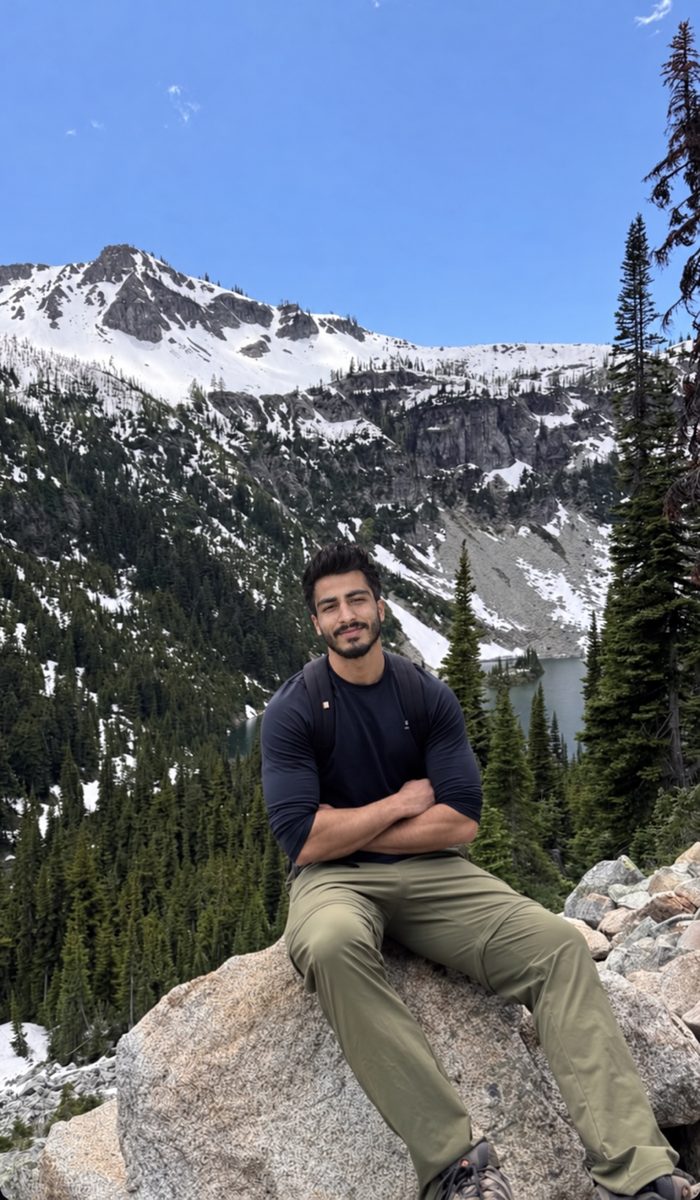
If you choose AI, the test is simple: would your date recognize you from the photo at the door? TrueLook was built around that test. It creates realistic AI photos for Hinge from four of your own selfies, in about a minute per photo, and your photos are never used to train AI. Keep only results that match your real face, build and style, and mix them with real photos where you have them.
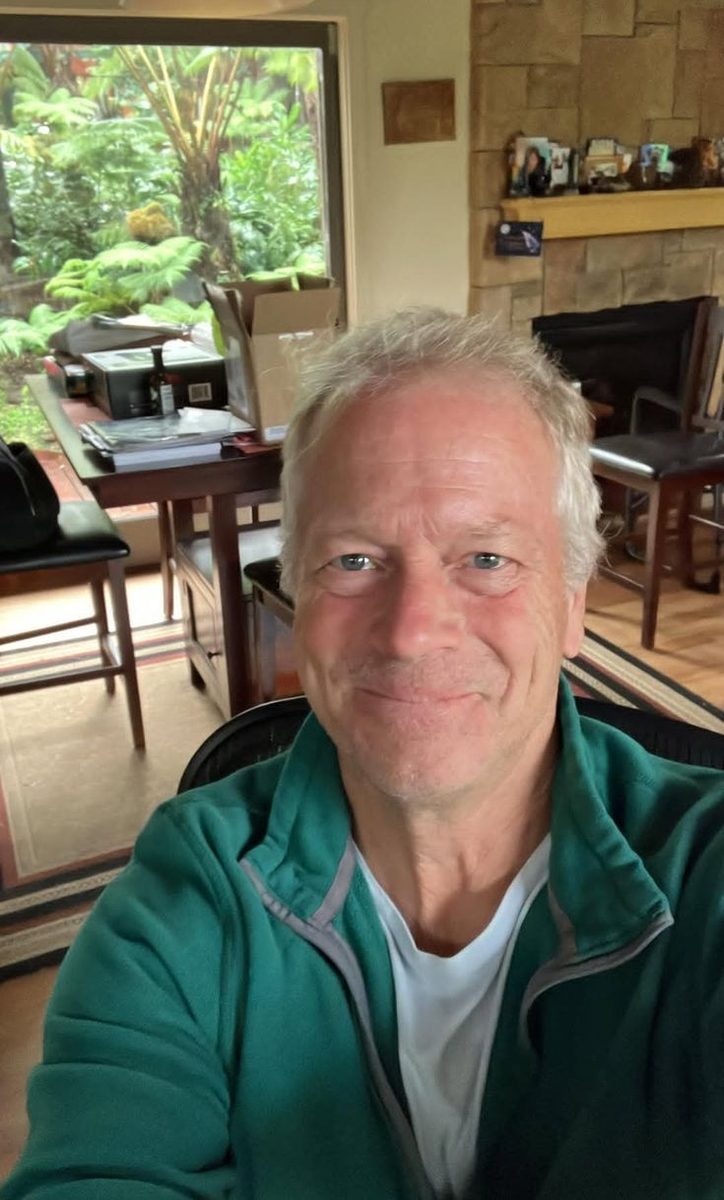
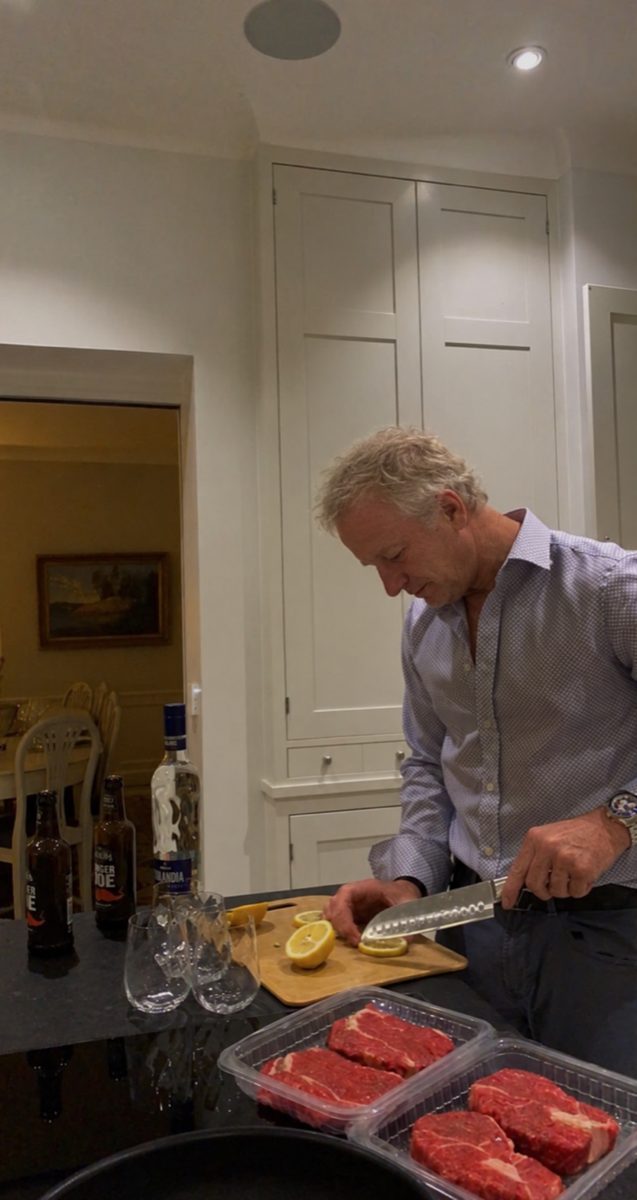
Whatever route you take, remember that each app makes its own decisions. Hinge's verification and moderation systems judge every profile independently, and no tool can promise a badge or a match. For a side-by-side look at tools, see our guide to the best AI photo generator for Hinge.
A seven-day plan to rebuild your Hinge photos
- Day 1: audit. Write down the job each current photo does. Mark any photo that is a selfie, older than about a year, filtered, shows sunglasses, includes a child, or duplicates another photo's job.
- Day 2: gather. Pull every usable photo from your camera roll and from friends. Ask two or three friends to send any recent shots of you.
- Day 3: let others rank. Show your shortlist to people who do not know you well, and ask them to pick a lead photo and rank the rest. The White study suggests their picks will beat yours.
- Day 4: shoot the gaps. With a friend or tripod, in soft light, take what is missing, usually the portrait, the full-length shot and a candid.
- Day 5: assemble. Build the six-slot lineup, one job per photo. Remove anything that breaks Hinge's rules.
- Day 6: pair. Rewrite one prompt so it adds something your photos do not show. Consider one photo prompt.
- Day 7: verify and test. Complete Selfie Verification, turn on Top Photo if you want Hinge to test your opener, and leave the lineup alone for one to two weeks before judging.
Frequently asked questions
How many pictures do you need on Hinge?
Hinge requires between four and six photos, depending on local requirements, along with three prompt answers. If your region allows six, use all six, and give each one a different job: a clear portrait, an activity, a full-length shot, a candid, a social or pet photo, and a dressed-up or travel photo.
Can you send pictures on Hinge?
No. At the time of writing, Hinge chat supports text messages, emoji, liking or replying to a message, and Voice Notes, but not photo attachments. In-app voice and video calling has been removed, and Instagram feeds can no longer be linked. To show something new, update your profile photos or add a video or voice prompt.
What should my first Hinge photo be?
A recent solo portrait, framed from about mid-chest up, facing the camera in soft natural light, with no sunglasses, filters or other people. It should be the clearest photo you have rather than the most dramatic, and it also helps with Hinge's Selfie Verification.
How does Hinge know your most popular photo?
Through Top Photo, an optional feature. When you turn it on, Hinge uses a machine-learning model to predict which of your photos is most likely to get a like and puts it first on your public profile. The order others see may then differ from the order in your editor.
What pictures are not allowed on Hinge?
Hinge prohibits photos depicting minors (including your own childhood photos), nudity or sexually explicit images, violent or graphic content, someone else's photo or likeness, hate symbols, promotions, and AI-generated or misleading content meant to deceive. At least one photo must clearly show your face.
Should I use group photos on Hinge?
Use one at most. Hinge's own guidance advises against more than one group photo, and it should come after a few solo pictures so viewers already know which person you are. A photo with one or two friends works better than a big crowd.
Do black-and-white photos work on Hinge?
Yes. Hinge lists black-and-white photos among the types that tend to get more likes, while photos with filters tend to get fewer. One monochrome photo adds variety; a whole profile in black and white hides useful detail like hair and eye color.
Can I use AI photos on Hinge?
Hinge prohibits using fake identities or AI-generated content to mislead others, and asks that photos be real, personal and current. If you use AI, only upload images that genuinely look like you today, and mix them with real photos. Hinge makes its own decisions about every profile.
Sources
- How do I edit my profile?, Hinge Help Center (2026). https://help.hinge.co/hc/en-us/articles/360011053094-How-do-I-edit-my-profile
- Why Aren't I Getting Any Matches?, Hinge Help Center (2026). https://help.hinge.co/hc/en-us/articles/360011321953-Why-Aren-t-I-Getting-Any-Matches
- How Do I Match with Someone and Start Chatting?, Hinge Help Center (2026). https://help.hinge.co/hc/en-us/articles/360011090134-How-Do-I-Match-with-Someone-and-Start-Chatting
- What is Top Photo?, Hinge Help Center (2026). https://help.hinge.co/hc/en-us/articles/26558052212627-What-is-Top-Photo
- What is Selfie Verification?, Hinge Help Center (2026). https://help.hinge.co/hc/en-us/articles/10303221435539-What-is-Selfie-Verification
- What are Convo Starters?, Hinge Help Center (2026). https://help.hinge.co/hc/en-us/articles/46735258688659-What-are-Convo-Starters
- How do I edit my Prompts?, Hinge Help Center (2026). https://help.hinge.co/hc/en-us/articles/36311352171539-How-do-I-edit-my-Prompts
- Community Guidelines, Hinge Help Center (2026). https://help.hinge.co/hc/en-us/articles/43072641158547-Community-Guidelines
- Prohibited Content and Behavior, Hinge Help Center (2026). https://help.hinge.co/hc/en-us/articles/42464295207187-Prohibited-Content-Behavior
- What are Voice Notes?, Hinge Help Center (2026). https://help.hinge.co/hc/en-us/articles/4412997923475-What-are-Voice-Notes
- What happened to the Voice and Video Calling feature?, Hinge Help Center (2026). https://help.hinge.co/hc/en-us/articles/20650526717971-What-happened-to-the-Voice-and-Video-Calling-feature
- Instagram, Hinge Help Center (2026). https://help.hinge.co/hc/en-us/articles/36311489244691-Instagram
- Protect yourself and other daters from scammers on Hinge, Hinge Help Center (2026). https://help.hinge.co/hc/en-us/articles/20195594969491-Protect-yourself-and-other-daters-from-scammers-on-Hinge
- Profile refresh guide, Hinge Newsroom (2025). https://hinge.co/newsroom/profile-refresh-guide
- Convo Starters, Hinge Newsroom (2025). https://hinge.co/newsroom/convo-starters
- Prompt Feedback, Hinge Newsroom (2025). https://hinge.co/newsroom/prompt-feedback
- Willis, J. and Todorov, A., First impressions: making up your mind after a 100-ms exposure to a face, Psychological Science (2006). https://pubmed.ncbi.nlm.nih.gov/16866745/
- Todorov, A. and Porter, J. M., Misleading first impressions: different for different facial images of the same person, Psychological Science (2014). https://pubmed.ncbi.nlm.nih.gov/24866921/
- White, D., Sutherland, C. A. M. and Burton, A. L., Choosing face: The curse of self in profile image selection, Cognitive Research: Principles and Implications (2017). https://pmc.ncbi.nlm.nih.gov/articles/PMC5391387/
- Selfies drive self-image and may lead many to seek plastic surgery, Rutgers University (2018). https://www.rutgers.edu/news/selfies-drive-self-image-and-may-lead-many-seek-plastic-surgery
- The Science of Smiling in Photos, Photofeeler (2026). https://blog.photofeeler.com/the-science-of-smiles/
Get better dating photos from your own selfies
TrueLook’s HyperReal™ method turns 4 selfies into hyperrealistic photos of you for Tinder, Hinge and Bumble.
AI Hinge photos made from your selfies
Written by the TrueLook Team
TrueLook makes hyperrealistic dating photos from your own selfies. Our articles cover dating profile photos, the apps and how to get noticed.