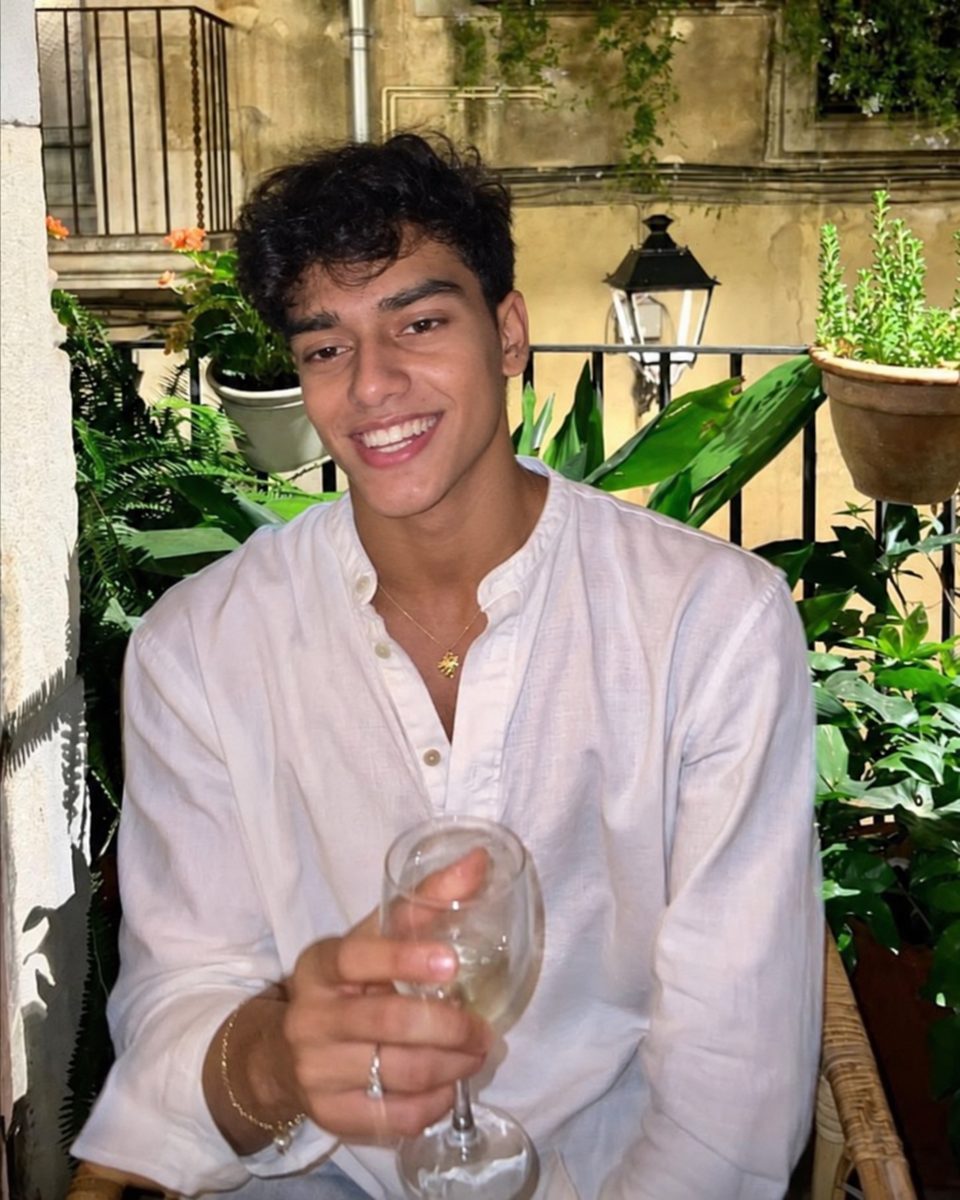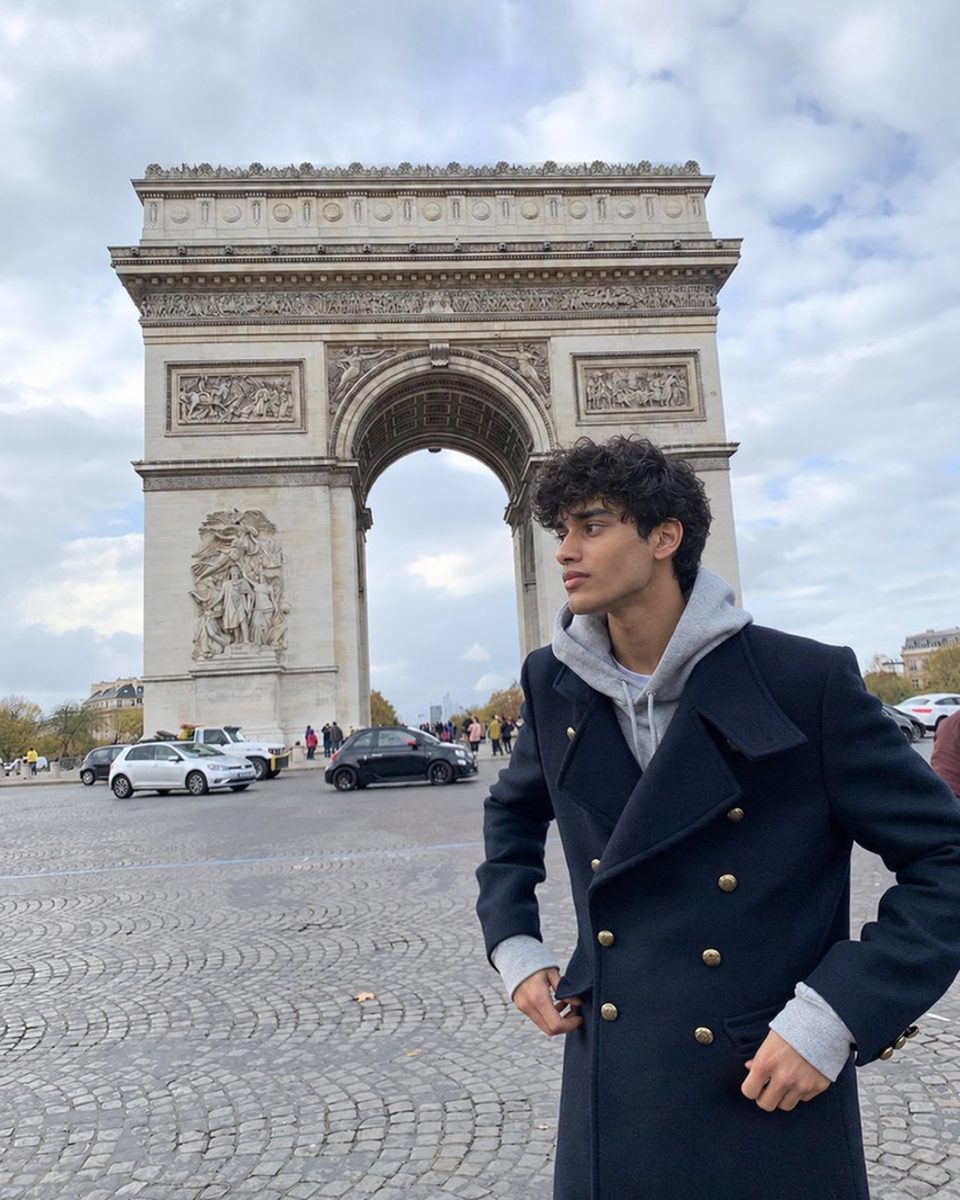


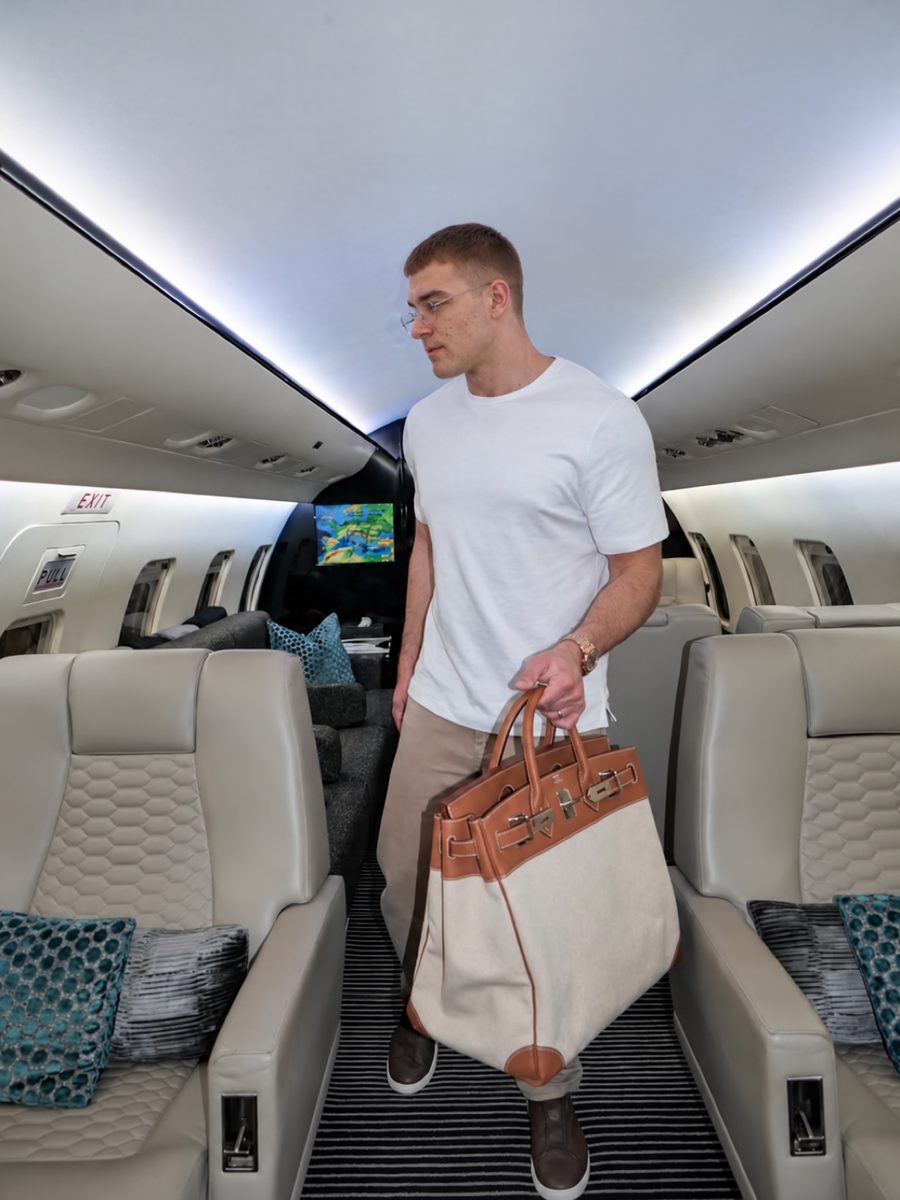
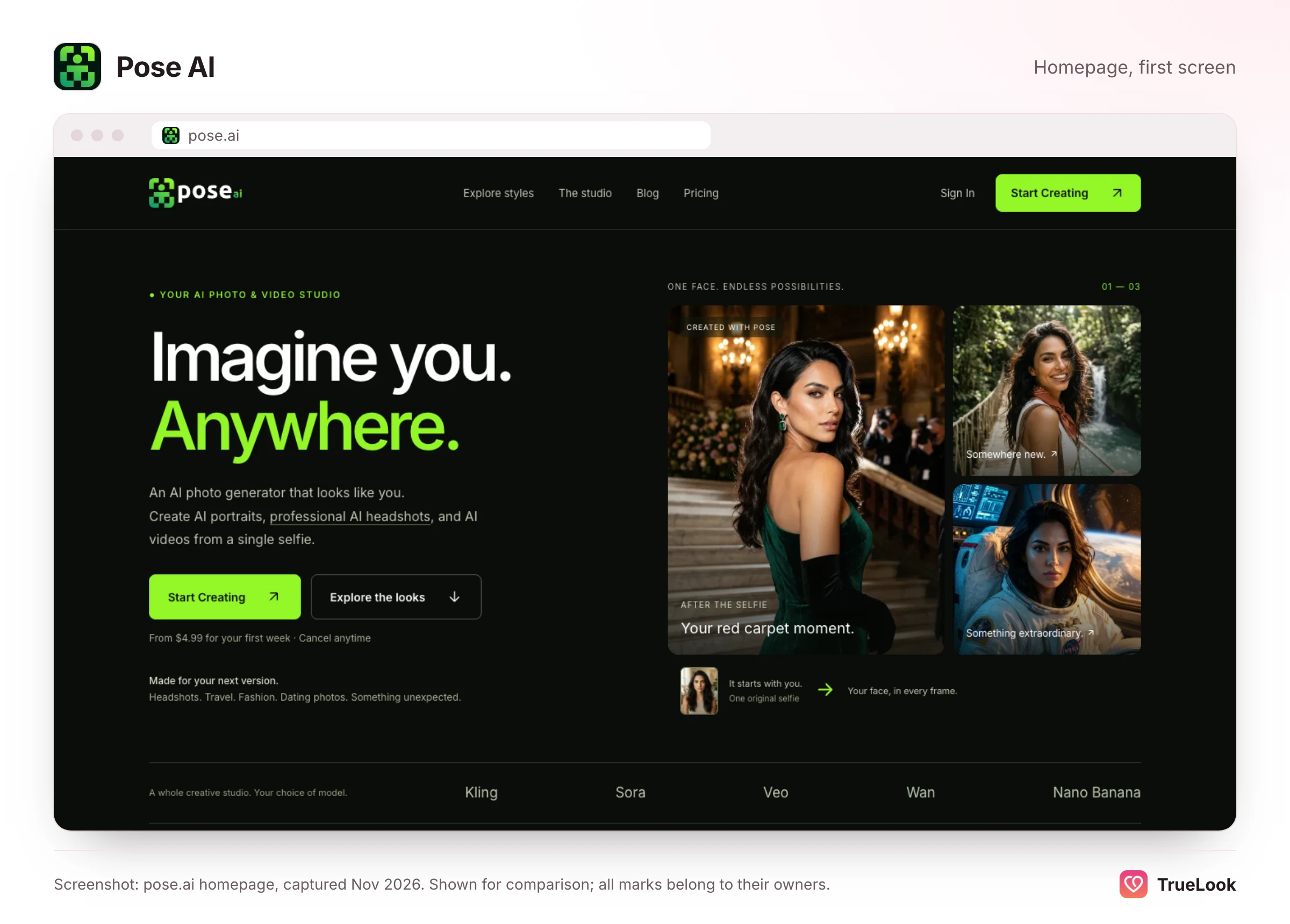
Pose AI is an all-in-one creative studio sold as a weekly subscription: from one selfie it makes headshots, themed portraits, couple photos, product shots and AI videos, with dating photos as one of more than a hundred style collections. TrueLook makes only dating profile photos, from 4 selfies, for a one-time price with no subscription, and keeps your face exactly as it is while the place, outfit and light change. If you create content every week and want video, Pose AI covers far more ground; if you want a believable dating profile without paying for a whole studio, TrueLook is the narrower, cheaper fit.
Below we explain how Pose AI works, what it costs over a week, a month and a year, what its privacy policy promises, what reviewers report, and how the two compare on each dimension that matters for a dating profile. Every Pose AI detail comes from its own pages, its App Store listing or an independent review, all opened on 2 November 2026 and listed at the end. We have not tested Pose AI ourselves, and neither product can promise matches.
Studio or specialist: what you are really choosing
Pose AI and TrueLook overlap on one task, a better dating photo, but they are built for different people. A useful way to decide is to ask how often you will use it, which formats you need and what the photo must prove, before looking at any price.
| If this describes you… | The better fit is usually… |
|---|---|
| You will use it every week, for social posts, headshots or ads | A studio like Pose AI, where a recurring allowance pays off |
| You want to refresh a profile once, then only occasionally | A specialist like TrueLook, where you pay once for the one job |
| You need stills plus video, talking clips or product content | Pose AI, which bundles several video models |
| You need still photos for Tinder, Hinge or Bumble | TrueLook |
| The photo has to make a scene or idea look great | Either; Pose AI offers more scenes and prompts |
| The photo has to show that the person in it is you, today | A tool designed around accuracy first, which is TrueLook's whole design |
The third question is the one people skip. Breadth is valuable when the picture is the product: an ad, a poster, a fun Halloween portrait. On a dating app, the picture is a promise about a real meeting, so a tool that does fewer things but treats your face as fixed can be worth more than one that does everything.
What Pose AI is and how it works
According to its privacy policy and terms, Pose AI is operated by Pose AI LLC, a Delaware limited liability company. Its iPhone app, Pose AI: Photo & Video Studio, lists the seller as Blackbeard Development Group, LLC. You can use it in a browser or through the app. We could not verify a launch date; the App Store listing showed version 1.5.2, released on 12 October. The Pose AI homepage claims "20K+ creators".
The workflow
- Upload one selfie. The homepage says any clear face photo works and that one is enough to start. There is no training step: its FAQ says it uses the Nano Banana 2 image model to read your face from the photo and generate new images of you directly.
- Pick a style or describe a scene. At the time of writing its style menu shows 118 collections, from LinkedIn and doctor headshots to K-drama scenes, Hogwarts portraits and seasonal "photo dumps". Its AI Dating Photos style offers six scenes, including outdoor city shots, golden-hour rooftops and cafés, travel scenes and natural-light close-ups. An Advanced Mode lets you write your own scene, and Clone a Look copies an outfit or aesthetic.
- Generate. Pose AI's pages give several different speeds: "under 10 seconds" on the dating style page, "under 20 seconds" in its how-it-works steps, and, in its FAQ, "about 2 minutes" for most photos and 3 to 4 minutes for complex scenes.
- Edit or animate. Quick Edit can redraw a photo in a new pose (standing, sitting, walking and so on). Video Studio turns stills or text into clips using models it names as Kling 3, Sora 2, Veo 3.1, Wan 2.6, SeedDance and HeyGen, and its talking videos use ElevenLabs for voice.
Beyond portraits, Pose AI sells itself as a place for UGC-style ad videos, product shots, posters, couple photos and AI influencers. The homepage puts it simply: one studio instead of separate headshot, video and avatar apps.
One selfie versus several: the trade-off nobody advertises
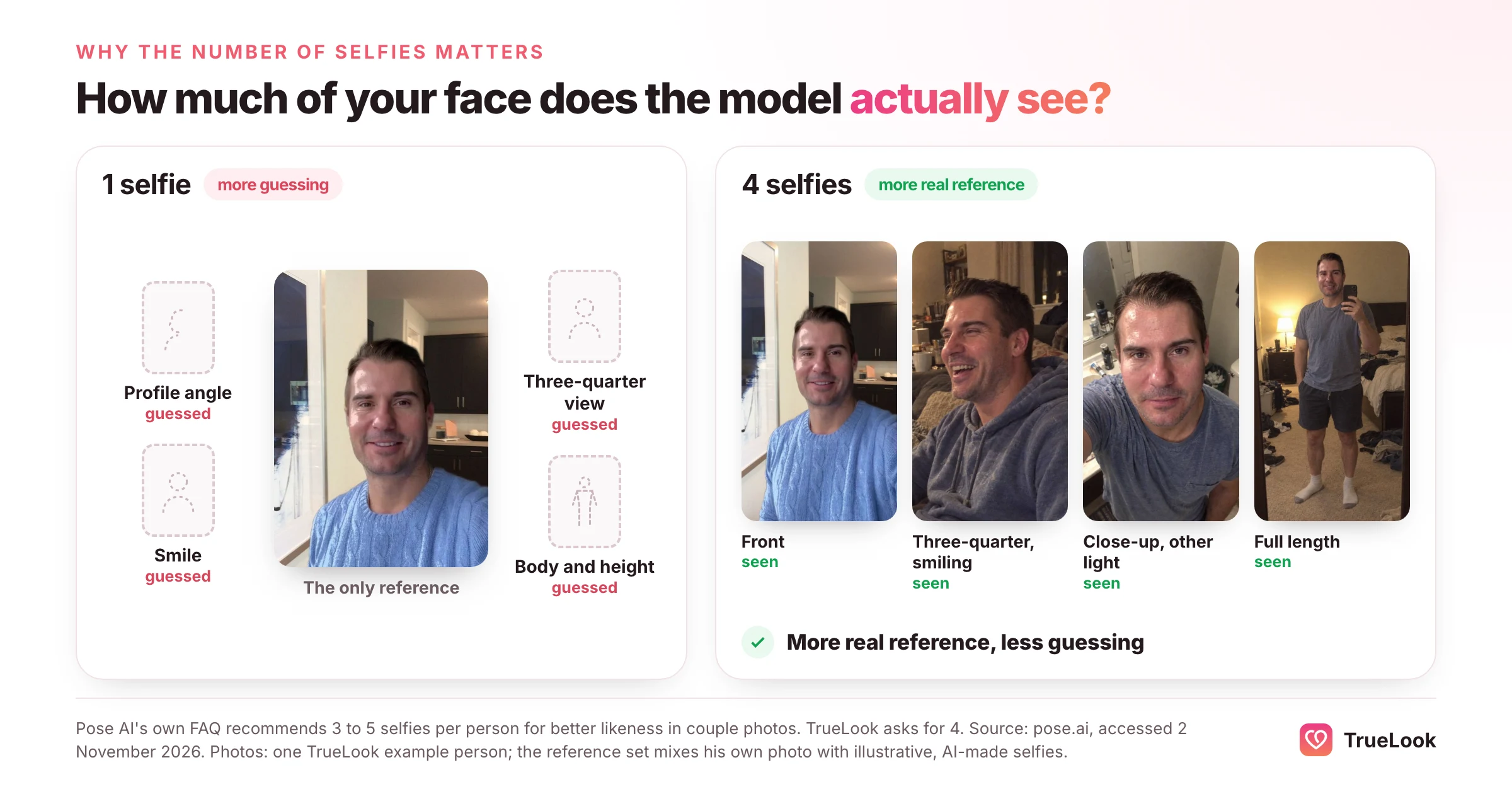
Generating from a single photo is fast and convenient, and it is Pose AI's headline feature. It also has a built-in limit. One photo shows the model one angle, one expression and one lighting setup. Everything else, such as how your face looks in profile, how your smile changes your eyes, or how tall and broad you are, has to be inferred. More reference photos give a model more real information and less to guess.
Pose AI's own guidance hints at this. Its FAQ on couple photos says one selfie per person is the minimum but recommends 3 to 5 per person "for better likeness". TrueLook asks for 4 selfies for the same reason: a little more input up front means less of your face is invented. Neither approach is wrong, but for dating, where your photos will be compared with you in person, the extra input is worth the extra minute.
Pose AI pricing in detail
At the time of writing (November 2026), Pose AI's pricing page lists one plan:
| Item | What the page lists |
|---|---|
| First week | $4.99, with 300 credits |
| After the first week | $14.99 per week, with 400 credits every week |
| What credits cover | Photos, headshots and video, from one shared weekly pool |
| Included | All image and video models, style packs, Quick Edit, reference photos, UGC and video templates, web and mobile access, no watermarks |
| Free tier or trial | None; the app is free to download, but generation requires the paid plan |
| Renewal | Renews at $14.99 a week unless cancelled; cancel any time |
What a weekly plan costs over time
Weekly billing makes small numbers look smaller than they are, so it helps to convert. The Pose AI figures below assume you keep its plan running from the first discounted week. TrueLook's packs are paid once, so their totals stay the same unless you buy another pack or a one-time top-up.
| Period | Pose AI | TrueLook Fix Pack ($29, one-time) | TrueLook Pro Pack ($49, one-time) |
|---|---|---|---|
| First 4 weeks | $4.99 + 3 × $14.99 = $49.96 | $29 | $49 |
| A typical month after that | $14.99 × 52 ÷ 12 ≈ $64.96 | $0 (nothing renews) | $0 (nothing renews) |
| First 3 months (13 weeks) | $4.99 + 12 × $14.99 = $184.87 | $29 | $49 |
| A full year (52 weeks) | $4.99 + 51 × $14.99 = $769.48 | $29 | $49 |
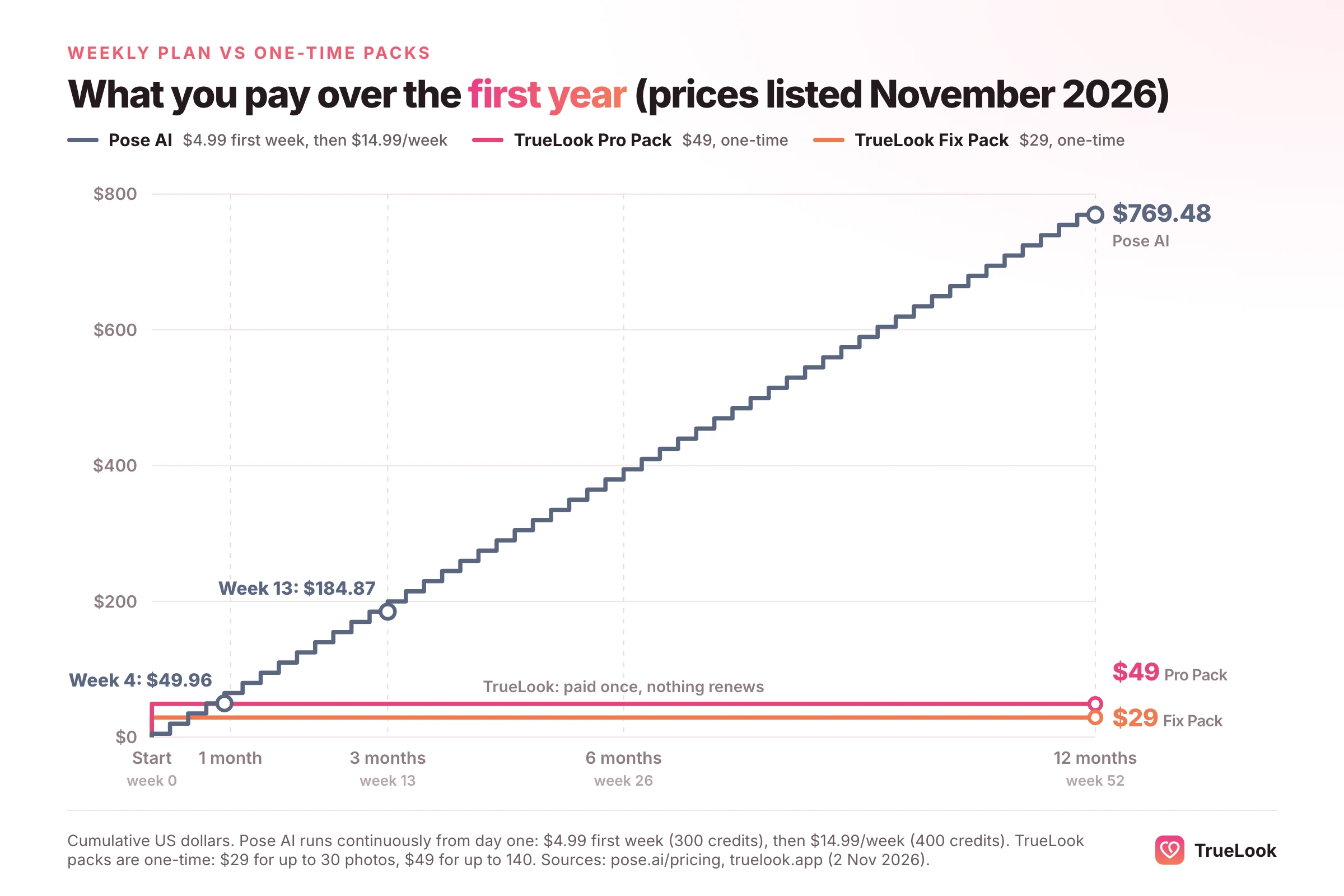
Those totals are not like for like on volume. Pose AI's credits keep arriving every week, about 40 images a week on Shotkit's estimate below, while a TrueLook pack holds up to 30 or 140 photos. If you need a steady stream of new images, Pose AI's year buys far more. If you need one profile's worth of photos, paying once is the cheaper way to get them.
How many photos do the credits buy?
Pose AI does not publish a fixed cost per photo. Its pricing FAQ says the cost depends on the model and settings, and that the app shows the credit cost before you generate. An independent hands-on review by Shotkit (updated 18 October 2026) reports roughly 10 credits per image and 25 or more per video. If that holds, 400 weekly credits buy about 40 images, which is about $0.37 an image at $14.99 a week, or about 173 images in an average month. The first week's 300 credits would buy about 30 images for $4.99. Treat these as estimates: videos, different models and regenerations all change the count.
App Store prices can differ
The website shows a single plan, but the App Store listing shows a longer list of in-app purchases, including "Pose Weekly" at $14.99 and other options from $10.00 to $50.00, plus a "Basic Yearly" at $180.99. The listing does not explain what each includes. If you subscribe in the app, check which product you are buying on the confirmation screen.
Refunds and cancellation
We did not find a refund policy on Pose AI's pricing page, terms, privacy policy or support page; its terms and conditions do not mention refunds, and its support page gives only an email address, support@pose.ai. Subscriptions bought through the iPhone app are billed by Apple, so refund requests for those go through Apple's refund process at reportaproblem.apple.com, where Apple decides. For web purchases, contact Pose AI support directly. Its pricing page says you can cancel at any time.
TrueLook is a one-time payment with nothing to cancel, and offers a 14-day refund under the conditions on our refund page, which include having used less than 20% of your credits and having tried the photos on a live dating profile. Read them before you buy, as you should with any AI photo service.
Output, realism and dating-app fit
What Pose AI says about its results
Pose AI describes its photos as identity-locked: its FAQ says a face-matching model locks your identity before the scene is generated, so faces look like you rather than "a generic AI stranger". It lists outputs up to 4K and says the results work for all skin tones and face types. It is also candid that the process is not perfect: about 1 in 10 generations, it says, benefit from a regenerate to fix small hand or background artefacts, and results are best with well-lit, front-facing selfies.
The dating pages are more promotional. One collection is titled "AI Tinder Photos That Get 3x More Matches", and the dating style page promises you will "watch your match rate climb". We found no data on the site supporting either claim. The testimonials on the dating page include a user saying their Hinge photos look as if they travelled to the places shown.
What an independent reviewer saw
Shotkit's reviewer, who tested the web and mobile apps, found that Pose AI is good at understanding a face from a single selfie, but that quality varies from image to image: some results look hyper-realistic while the next can look clearly fake, and a few looked like a head cut out and pasted onto another picture. That is consistent with the one-selfie trade-off described above, and with Pose AI's own advice to regenerate some images.
What matters for a dating profile
Because Pose AI is built to make anything look striking, it is worth applying a dating filter to its output. The apps' own rules point the same way.
- Tinder runs optional Photo Verification. Its help article explains that a video selfie is checked for liveness and then matched against a clear solo face photo on your profile.
- Hinge lists using "fake identities or AI-generated content to mislead others" among its prohibited behaviours.
- Bumble lets members report a profile for "Using AI-generated photos or videos", a reporting option TechCrunch covered in 2024.
None of these rules bans a flattering photo. What they target is a gap between the profile and the person. So whichever tool you use, discard any image where your face, build or age has drifted, and keep at least one recent real photo. Our explainer on whether AI photos are allowed on dating apps goes through each app's policy.
Privacy and data: what Pose AI's policy says
Pose AI's privacy policy, last updated 7 September 2026, is one of the clearer ones in this category. Its main commitments:
- No training. It states that it does not use your uploads, generated content or biometric data to train AI models or build other products, and does not sell that data.
- Biometric data. It explains that facial geometry is extracted from your photo to make each image, used only for that output, and not kept as a separate record.
- Storage. Uploads, outputs and photo models are stored on Amazon Web Services servers in the USA. It names its sub-processors for generation as AWS (hosting), fal.ai (image and video generation) and ElevenLabs (voice).
- Retention. Content is kept while your account is active. If a paid subscription ends, content is deleted 90 days later; accounts inactive for 90 days without a subscription can be deleted automatically. Either way, it promises at least 14 days' email notice.
- Deletion. You can delete a photo, a model or your whole account at any time in the app or on the web; account deletion starts an automated erasure, with only records such as billing kept as the law requires.
- Licence. Its terms say it does not claim ownership of your content, and that the licence you grant is limited to running the service for you and ends when the content is deleted.
Two points are worth knowing alongside that. The policy describes interest-based advertising and third-party analytics that can record clicks, scrolling and text typed into the service. And the App Store privacy label, which is provided by the developer, lists identifiers, usage data and diagnostics as "Data Used to Track You".
On the central question of training, the two products make the same commitment: TrueLook's privacy policy says your uploaded and generated photos are never used to train, fine-tune or evaluate any AI model, and you can delete any of them yourself.
What users say about Pose AI
On 2 November 2026 the App Store listing showed a rating of 4.3 out of 5 from 254 ratings. The four written reviews on the page, from May and June 2025, were mostly positive about ease of use, one-tap style packs, couple portraits and image-to-video. One reviewer felt the price did not match the results, describing some images as cartoonish, and cancelled. The developer replied to reviews and pointed to ongoing improvements.
We did not find a Trustpilot profile for pose.ai; the address returned "not found". Shotkit's review, summarised above, is the most detailed independent account we found. Its listed pros were a clean interface, fast generation and a simple single plan; its cons were inconsistent quality, credits that can run out quickly, no free trial and a weekly renewal that may catch people off guard.
App store ratings are a small, self-selected sample, and a few hundred ratings is not a large base. Use them as a rough signal alongside your own judgement of the sample images.
TrueLook vs Pose AI, dimension by dimension
| Dimension | TrueLook | Pose AI |
|---|---|---|
| Purpose | Dating profile photos only | All-in-one photo, video, UGC and product studio; dating is one of 118 collections |
| Input | 4 selfies | 1 selfie (3 to 5 per person recommended for couple photos) |
| How likeness is handled | HyperReal™: your face stays the same; only place, outfit and light change | Identity-locked generation from one photo with Nano Banana 2; no training step |
| Output per period | Up to 30 (Fix) or 140 (Pro) photos per one-time pack | 400 credits a week; about 40 images if each costs about 10 credits (Shotkit's estimate) |
| Styles | 43 dating styles on both packs, 4 shots per style | 118 collections, six dating scenes, custom prompts, Clone a Look |
| Video | No | Yes, several models, plus talking videos |
| Speed | About a minute per photo | Under 10 seconds to about 2 minutes, depending on which Pose AI page you read |
| Price per photo | $29 / 30 = $0.97 (Fix); $49 / 140 = $0.35 (Pro) | About $14.99 / 40 = $0.37 (estimate) |
| Billing | One-time: $29 or $49, no subscription | Weekly: $4.99 first week, then $14.99 (about $65 a month) |
| Refunds | 14 days, under the conditions on /refund | No published policy found; App Store purchases via Apple |
| Privacy | Never used for AI training; delete anytime | Never used for AI training; delete anytime; ad tracking disclosed |
| Dating-app fit | Built for it | Possible; select carefully and regenerate drifted images |
Where Pose AI is better
Pose AI is the more capable tool by a wide margin if you need more than dating photos. Video generation from several leading models, talking clips, product shots, posters and couple photos are all in one subscription, and it is genuinely fast to start: one selfie and no training wait. For a creator, a small brand or anyone who will use it every week, the weekly allowance is reasonable value, and its privacy commitments are strong.
Where TrueLook is better
For the single job of a dating profile, TrueLook costs less over any period longer than a few weeks, is paid once instead of every week, and asks for 4 selfies so more of each photo is based on your real face. Every style is chosen for a dating profile, so there is no need to dig through 118 collections or write prompts. And it publishes a refund policy you can read before paying.
Who should choose which
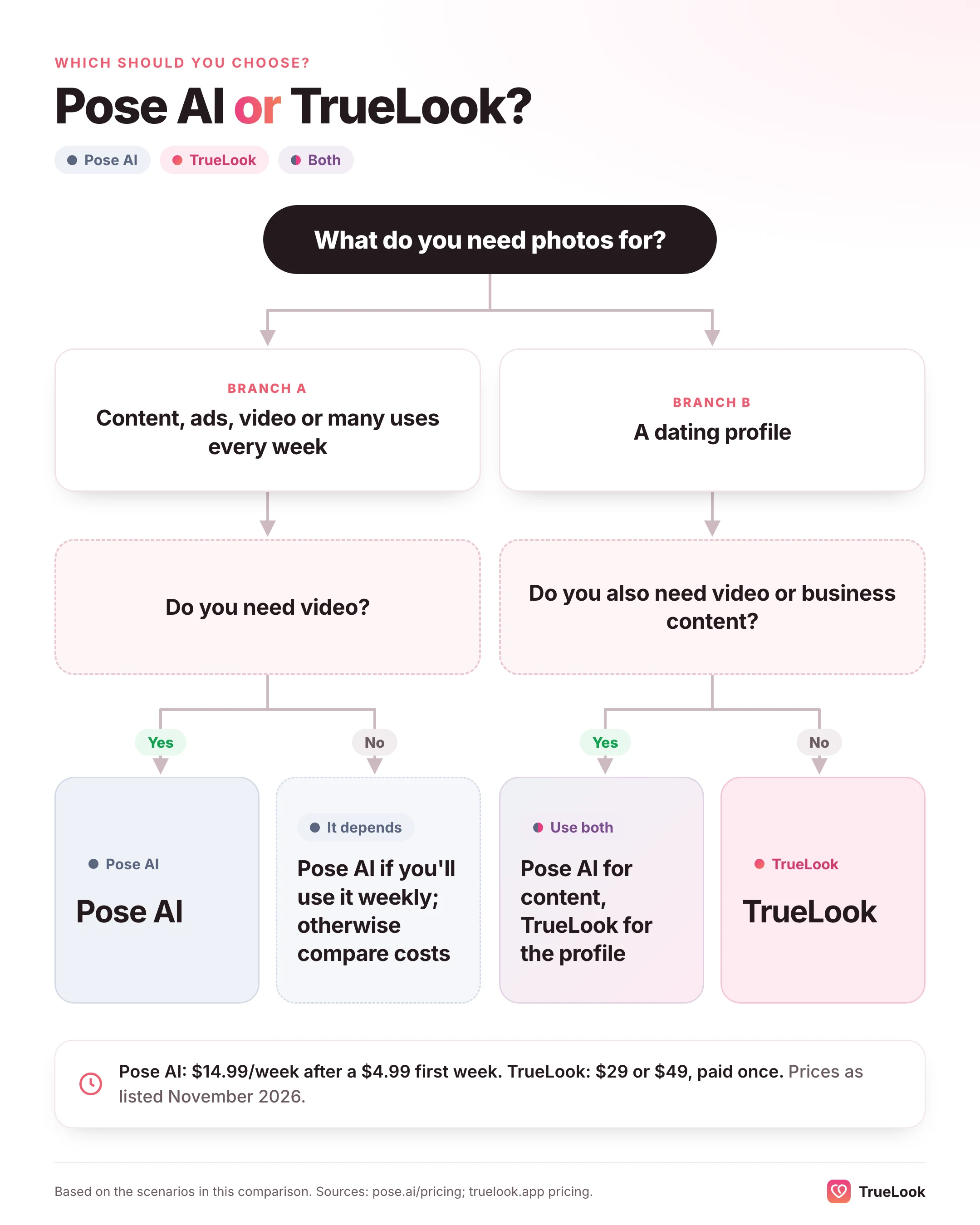
- If you make social content or ads every week: Pose AI. A recurring credit allowance with video included is built for exactly that.
- If you need couple photos, a LinkedIn headshot and a short video for a launch: Pose AI covers all three. For headshot-first tools, also see TrueLook vs HeadshotPro.
- If you only need a better Hinge or Bumble profile: TrueLook. At $29 or $49 once, against about $65 a month for as long as you keep Pose AI, you pay for the one thing you need.
- If you only have one good selfie today: Pose AI can start immediately. But it is worth taking three more in good light; any tool's likeness improves with better input.
- If you'd rather not have a subscription at all: TrueLook is paid once, and nothing renews. If you choose Pose AI, set a reminder before each weekly renewal.
- If privacy is your deciding factor: both commit not to train AI models on your photos, so decide on the other dimensions.
How to switch, or use both
Using both makes sense if you are a creator who also dates: Pose AI for content and video, TrueLook for the profile. If you are moving from one to the other, a short checklist helps.
- Time the cancellation. Pose AI renews weekly, so cancel a day or two before the next renewal date. If you subscribed through the iPhone app, cancel in your Apple account subscriptions, not just in the app.
- Download first. Save anything you want to keep. Pose AI deletes content 90 days after a paid subscription ends, with email notice.
- Use fresh selfies. For TrueLook, take 4 recent, clear selfies with your current hair and grooming, in daylight, without sunglasses or filters. Consistent input is the single biggest factor in consistent results.
- Build one coherent set. Choose your dating photos from one tool so colour and light feel consistent, then add one or two real photos. Our guide to the best Hinge profile pictures explains how to order a set.
Comparing other broad AI studios? See TrueLook vs Photo AI and TrueLook vs MagicShot, or read our roundup of the best AI Tinder photo generators.
Sources
- Pose AI homepage, Pose AI (checked 2 November 2026). https://pose.ai/
- Pose AI Pricing, Pose AI (checked 2 November 2026). https://pose.ai/pricing
- AI Dating Photos, Pose AI (checked 2 November 2026). https://pose.ai/styles/ai-dating-photos
- Privacy Policy, Pose AI LLC (last updated 7 September 2026). https://pose.ai/privacy-policy
- Terms & Conditions, Pose AI LLC (last updated 7 September 2026). https://pose.ai/terms-conditions
- Pose AI: Photo & Video Studio, Apple App Store (checked 2 November 2026). https://apps.apple.com/us/app/pose-ai-photo-video-studio/id6714472479
- Pose AI Review, India Mantle, Shotkit (updated 2026). https://shotkit.com/pose-ai-review/
- Request a refund for apps or content that you bought from Apple, Apple Support (checked 2 November 2026). https://support.apple.com/en-us/118223
- How Does Photo Verification Work?, Tinder Help Center (updated 2026). https://www.help.tinder.com/hc/en-us/articles/4422771431309-How-Does-Photo-Verification-Work
- Prohibited Content & Behavior, Hinge Help Center (updated 2026). https://help.hinge.co/hc/en-us/articles/42464295207187-Prohibited-Content-Behavior
- Bumble users can now report profiles that use AI-generated photos, TechCrunch (2024). https://techcrunch.com/2024/07/09/bumble-reporting-option-ai-generated-profiles/







 Photographer