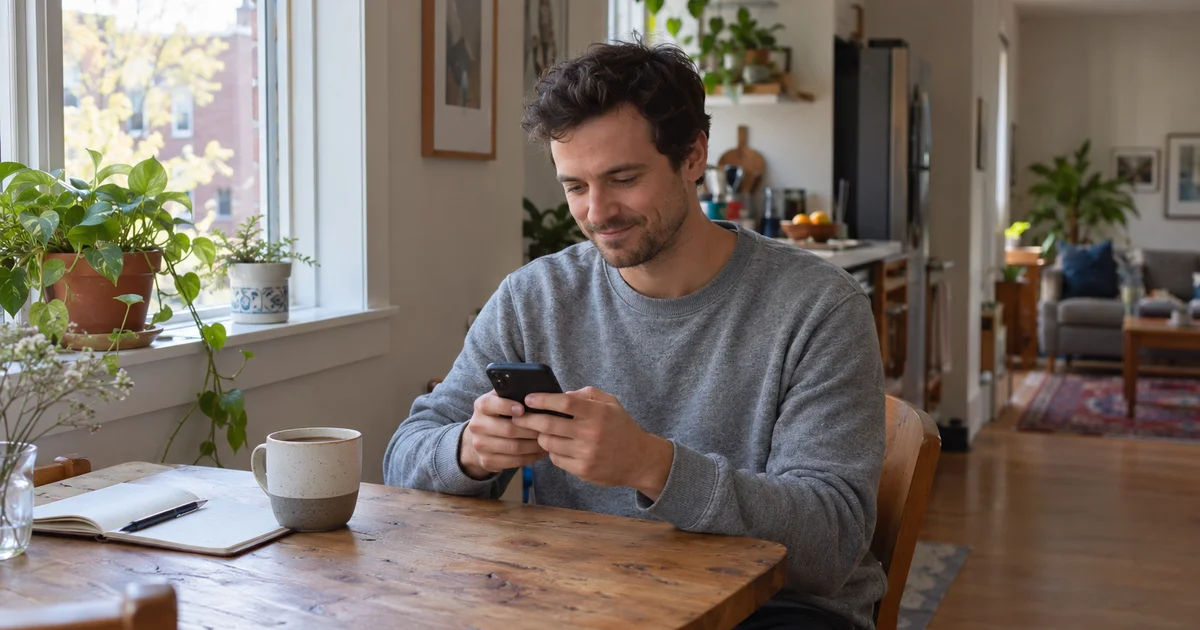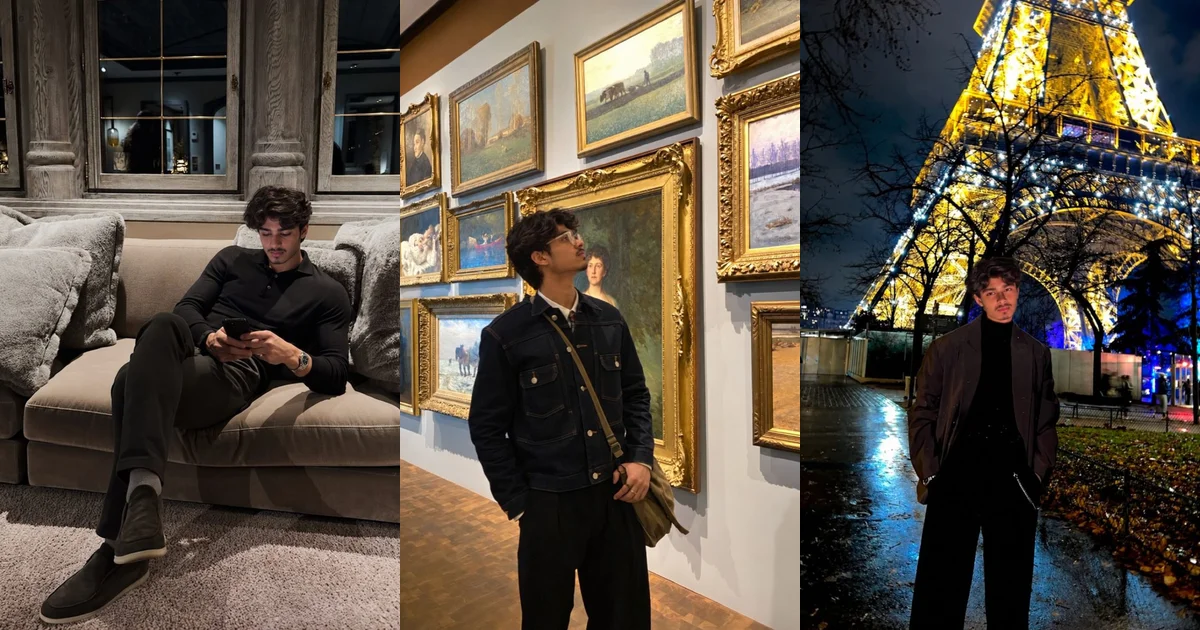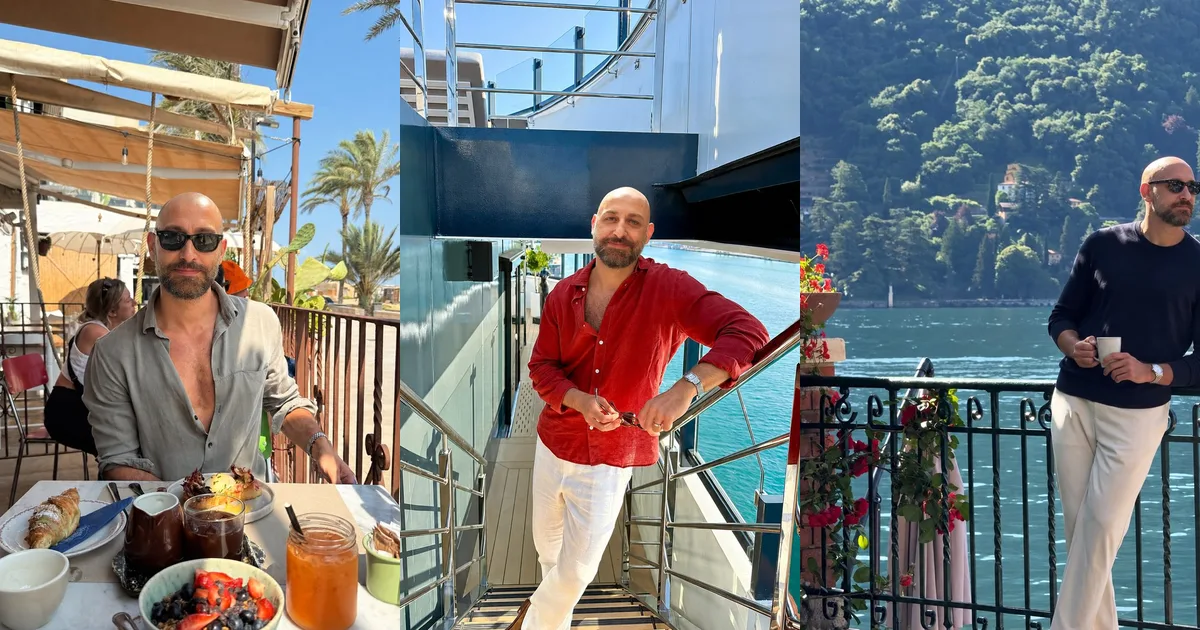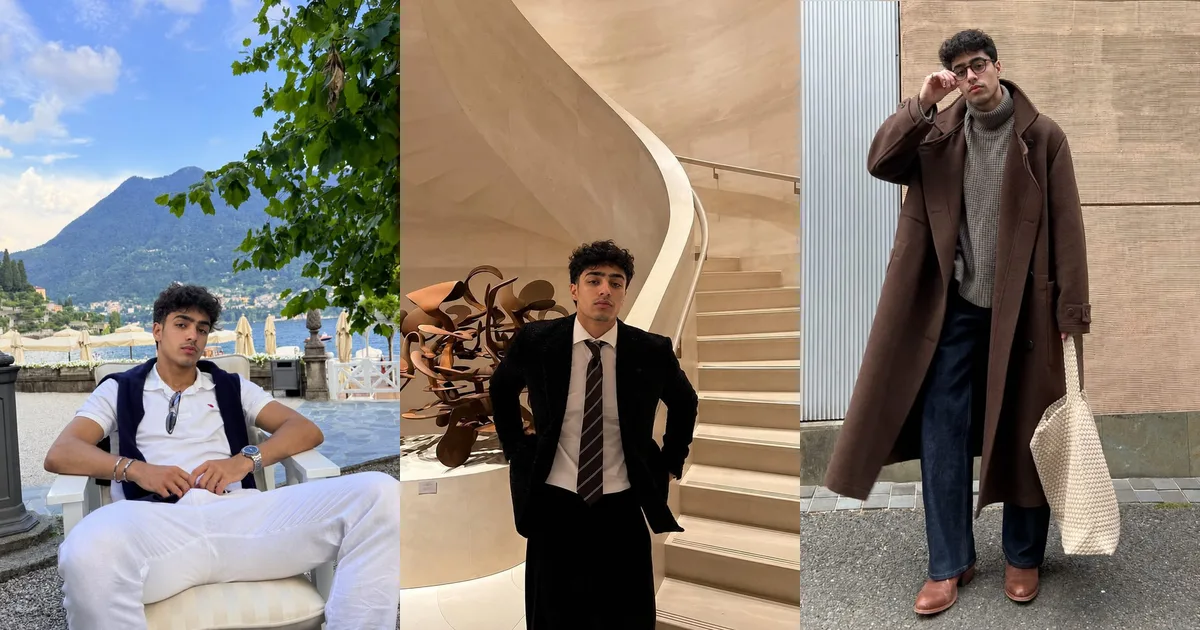
The best AI photo generator for Hinge is the one whose photos are unmistakably you, in relaxed, everyday scenes that give people something to comment on, with a clear privacy policy and a price model you understand before you upload a single selfie. Hinge does not ban AI images, but it prohibits AI-generated content used to mislead, and in some regions it checks your profile photos against a live face scan, so likeness matters more than polish. Judge any tool on likeness, realism, Hinge-style scenes, consistency, verification-friendly output, privacy and price, in that order.
- Hinge's rules are about misrepresentation, not technology. Its Prohibited Content page bans using "AI-generated content to mislead others", and its AI Principles say generative images must not misrepresent you or your intentions.
- Face Check, required in some regions, compares a video selfie with your profile photos and keeps checking new photos as you change them. Likeness is a practical requirement, not just an ethical one.
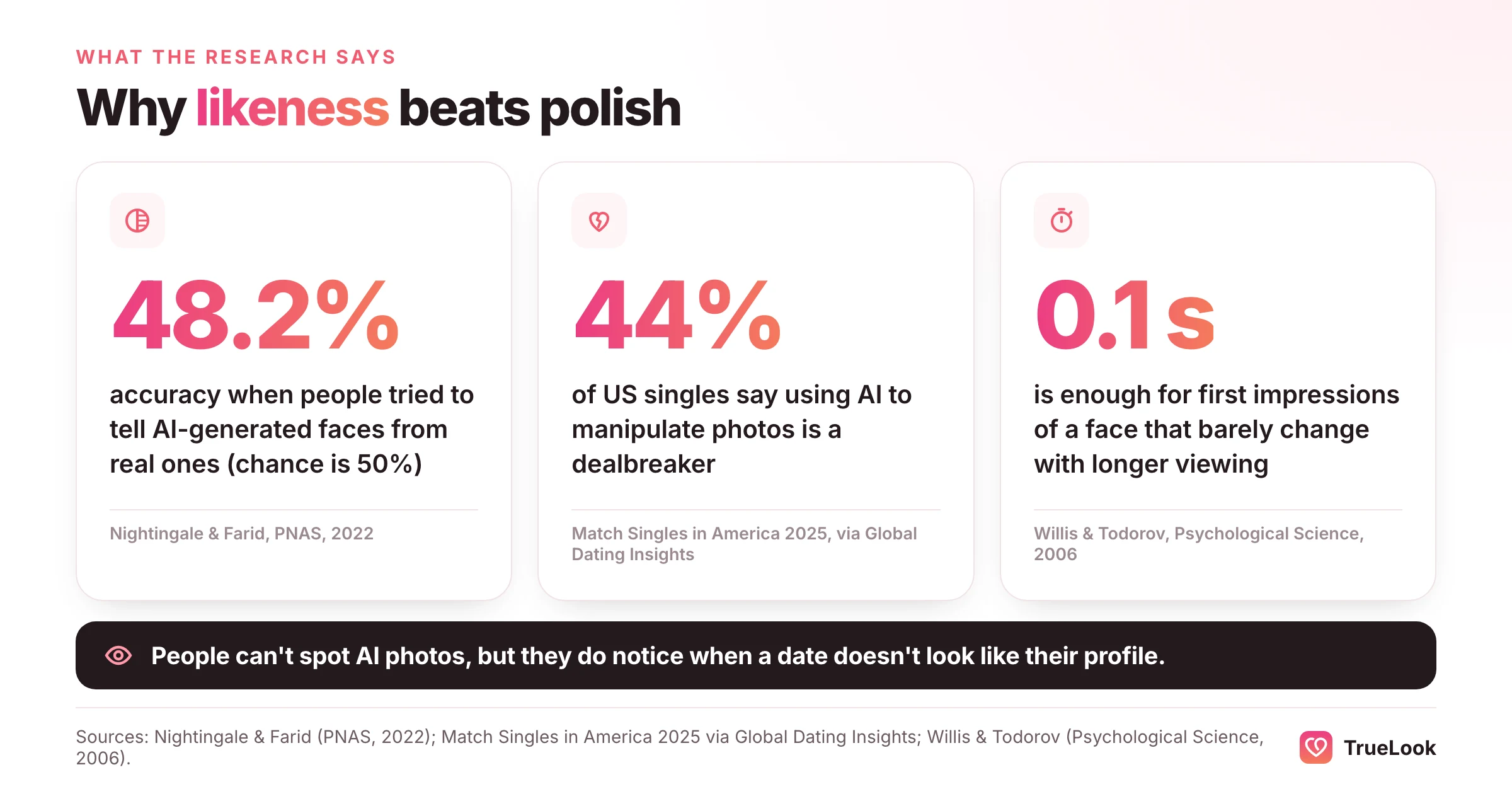
- People cannot reliably spot AI faces. In a 2022 PNAS study, participants identified synthetic faces at 48.2% accuracy, about chance. The test that matters is whether your photos look like you, not whether they look AI-made.
- Many daters care. Match's 2025 Singles in America study found 44% of singles consider using AI to manipulate photos a dealbreaker, so photos that change how you look carry a real cost on the first date.
- Hinge-style photos are candid, interest-led and varied. Hinge's own list says photos showing interests, candid shots, smiles, sports and pets get more likes; studio headshots and filtered images do not fit.
- Price models differ more than prices: one-time packs, monthly subscriptions and credits each suit a different kind of user. Read the refund conditions before you upload.
- No tool can promise likes, matches or verification. Hinge makes those decisions, and any "guaranteed to pass" claim is a red flag.
What "best" means on Hinge specifically
Most roundups of AI dating photo tools treat every app the same. Hinge has a few features that change what a good AI photo needs to do, and they are worth understanding before you compare products.
A Hinge profile needs between four and six photos, depending on local requirements, plus three prompt answers. People do not swipe on the whole profile; they like or comment on one specific photo or prompt. If you turn on Top Photo, Hinge uses a machine learning model to predict which of your photos is most likely to get a like and moves it to the front. Every photo in your set may end up as the lead, so every one has to hold up alone.
| How Hinge works | What it demands of an AI photo |
|---|---|
| Likes and comments attach to a single photo | Each image needs a scene, activity or detail someone could ask about |
| Four to six photos sit side by side | Your face, build, hairline and skin tone must stay consistent across the set |
| Top Photo may reorder your photos | Any of the six could become the first impression, so there is no room for a weak one |
| Three prompts sit next to the photos | Scenes should match the life your prompts describe |
| Selfie verification is optional, and Face Check is required in some regions | The photos must match how you look on camera today |
| Hinge prohibits AI content used to mislead | No changes to your body, age or features that a date would notice |
Hinge has also published which kinds of photos tend to do well. Its help article "Why Aren't I Getting Any Matches?" lists photos that show your interests, candid photos, sports photos, smiles, and photos with friends or pets as getting more likes, and selfies, posed photos, black and white images, filters, beach photos, sunglasses and photos with a potential partner as getting fewer. That list is the best brief you can give any generator. A tool that mostly produces posed studio portraits is working against it.
For a slot-by-slot plan of what each of the six photos should show, see our guide to the best Hinge profile pictures.
Are AI photos allowed on Hinge?
Yes, with a clear condition. Hinge's Prohibited Content and Behavior page says users may not misrepresent themselves with someone else's photo or likeness, or "use fake identities or AI-generated content to mislead others", and adds that what you share should be real, personal and current. Its AI Principles put it the other way round: generative AI images, audio or video in a profile must not misrepresent you or your intentions, and AI should not come at the expense of daters' ability to tell fact from fiction. Daters who think someone is misusing AI can report them in the app.
Read together, the line is about honesty, not tools. A photo that shows your real face and build in a believable setting is consistent with those rules. A photo that makes you younger, slimmer, taller or more muscular, or puts you somewhere you have never been as if it were a memory, is the kind of misrepresentation Hinge describes. Our explainer on whether AI photos are allowed on dating apps compares Hinge's rules with Tinder's and Bumble's.
How Face Check and selfie verification work
Hinge has two related features, and they are often confused.
- Selfie verification is voluntary in most places. According to Hinge's help article, it runs a liveness check on a short video selfie, then compares your face with your profile photos using facial recognition. You need at least one crisp, unfiltered, front-facing photo where you are the only subject, without sunglasses. Changing your photos after verifying can cost you the badge.
- Face Check is required in certain regions. Hinge says it uses a video selfie to confirm you are a real person and the video was not altered, estimate your age, check your profile photos, and detect whether other profiles are using your likeness. Your facial data is kept for the life of the account so Hinge can keep checking photos as you change them. Its troubleshooting tips include avoiding group photos and photos that have been altered or filtered.
Neither feature is described as an "AI detector". Both check whether the person in the photos is the person holding the phone. That is good news for honest users and bad news for tools that drift from your real face, and it is why likeness sits at the top of the scorecard below.
Myths and facts about AI photos on Hinge
| Myth | Fact |
|---|---|
| "Hinge bans AI photos." | Hinge prohibits AI content used to mislead. Its published rules do not ban AI-assisted photos that accurately show you. |
| "Face Check detects whether a photo is AI-generated." | Hinge describes Face Check as checking liveness, age and whether your profile photos match your face. It does not describe it as an AI detector. |
| "Some generators are guaranteed to pass verification." | Verification is Hinge's decision. No outside tool controls it, so a guarantee cannot be honest. |
| "If nobody can tell it's AI, it's fine." | The rule is about misleading people. A photo that fools viewers into seeing a different body or age breaks the spirit of Hinge's policy even if it looks real. |
| "More polish always means more likes." | Hinge's own data favours candid, interest-led photos over posed and filtered ones. |
What the research says about AI faces, trust and dating
Three findings are worth knowing before you choose a tool, because they explain why the right standard is likeness rather than detectability.
People cannot tell modern AI faces from real ones. In a 2022 study in PNAS, Sophie Nightingale and Hany Farid asked participants to sort real faces from faces made by a generative model. Average accuracy was 48.2%, roughly a coin toss. In a separate experiment, synthetic faces were rated slightly but significantly more trustworthy than real ones, 4.82 versus 4.48 on a seven-point scale. The authors suggest synthetic faces tend to look more average, and average faces read as trustworthy. For dating, the lesson cuts both ways: an AI photo will probably not be "caught" by a viewer, which makes your own honesty the only real safeguard.
Daters are wary of altered photos. Match's 14th Singles in America study, run with the Kinsey Institute on a representative sample of 5,001 US singles, found that 26% of singles were already using AI to help with dating, according to a summary in Psychology Today by physician and writer Bruce Y. Lee. The same study, as reported by Global Dating Insights, found that 44% consider using AI for photo manipulation a dealbreaker, while 40% wanted AI help building a better profile. Those numbers are not contradictory. People welcome help presenting themselves well and reject photos that change who they are.
The first photo does most of the work. A 2006 study in Psychological Science by Janine Willis and Alexander Todorov found that judgments of a face made after a tenth of a second closely matched judgments made with no time limit. Whatever tool you use, the lead photo will be judged almost instantly, and on Hinge any photo can become the lead.
Hinge's own figures add a final point: prompts matter alongside photos. When it launched Prompt Feedback, Hinge reported that in 2024 likes on text prompts were 47% more likely to lead to a date than likes on photos. A generator fixes only half the profile. Our list of Hinge prompts for guys covers the other half.
How to choose: the seven-question scorecard
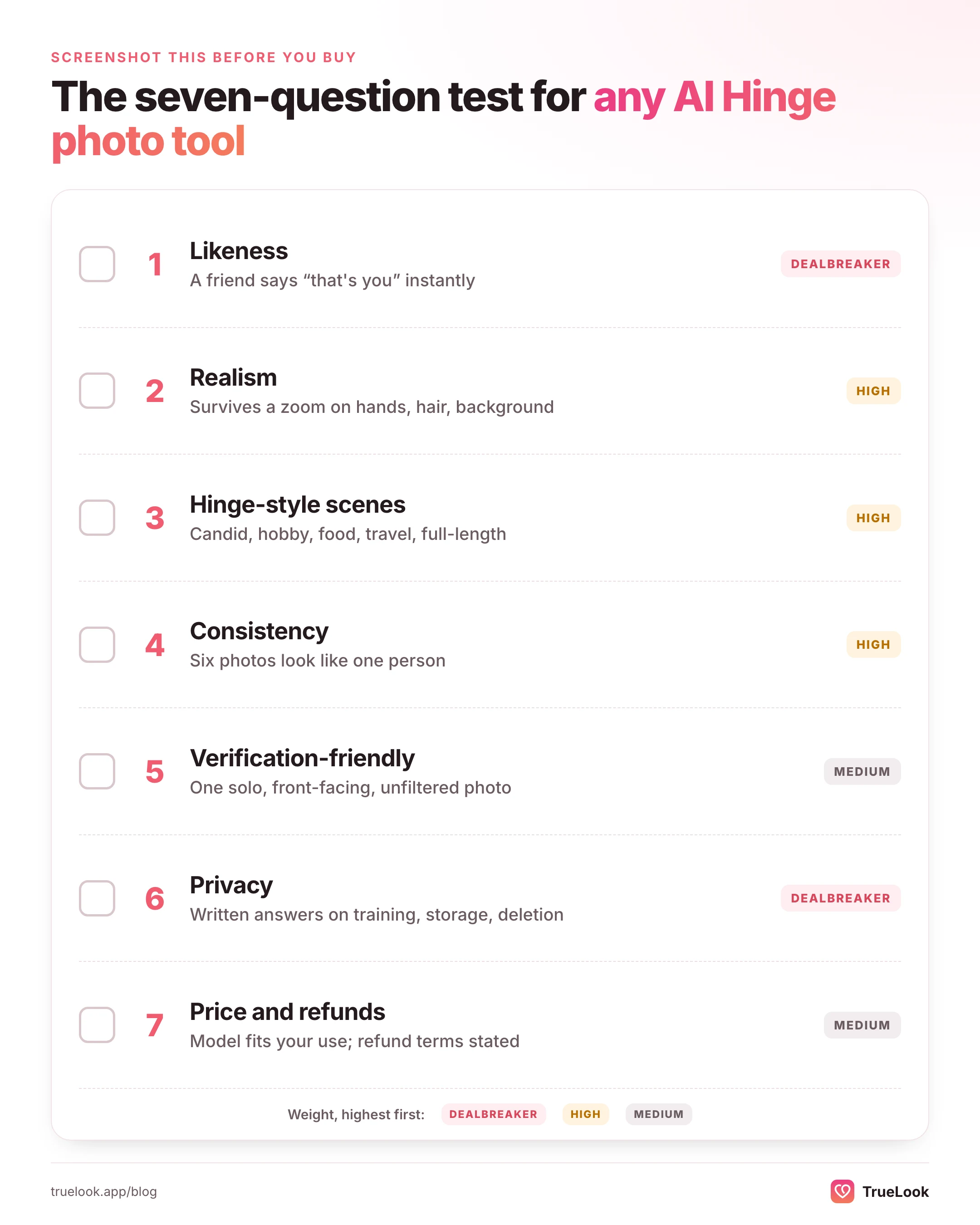
Use these seven questions on any tool you are considering, in this order. The order matters: a tool that fails question 1 is not worth buying however well it does on the rest.
1. Likeness: does it look exactly like you?
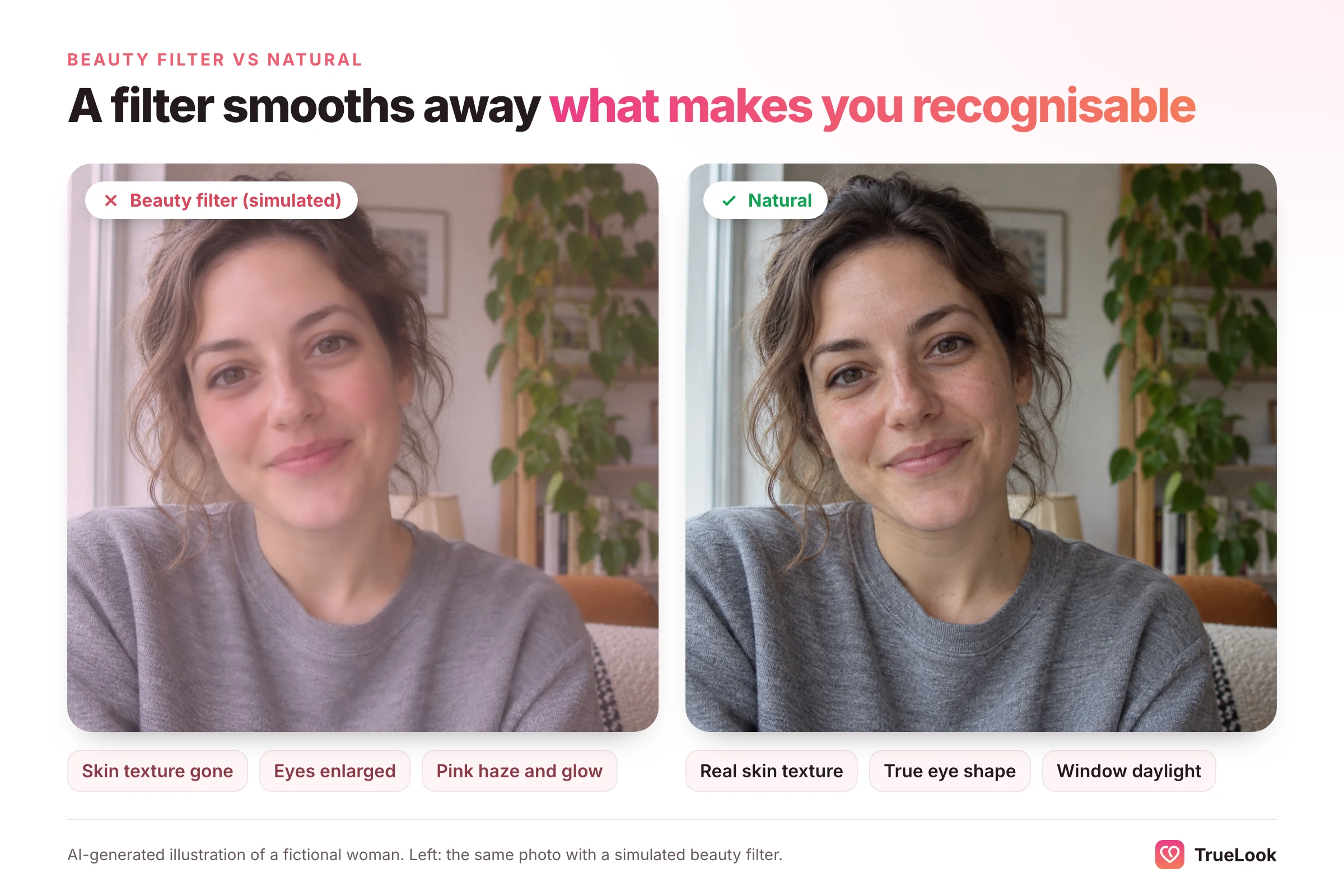
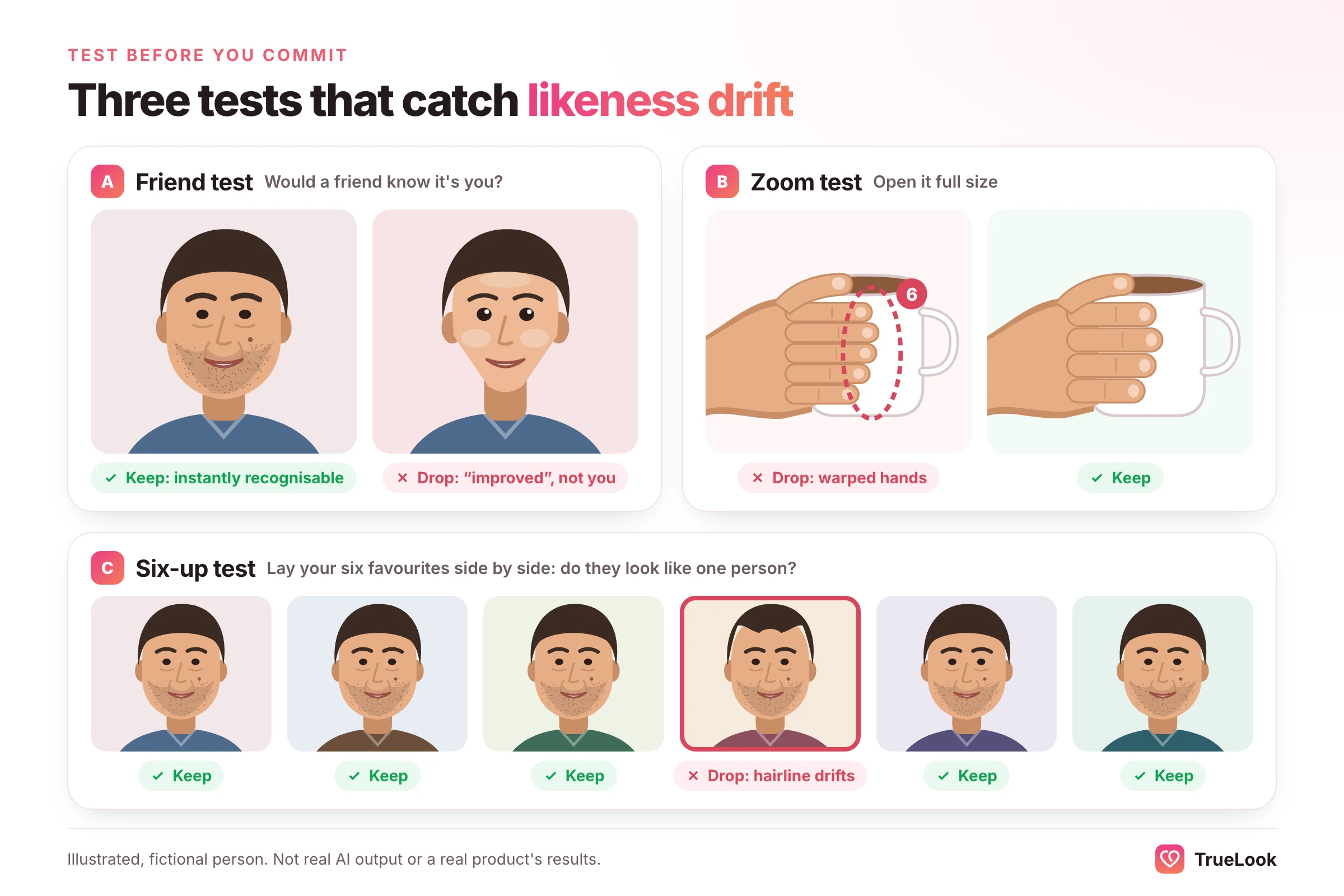
Realism is whether an image looks like a photograph. Likeness is whether it looks like you. A generator can produce a perfectly realistic stranger. Check that results keep your face shape, eyes, nose, hairline, facial hair, skin tone and body type, and that you can throw away results that drift. Watch for the quiet changes: a sharper jaw, smoother skin, a few years taken off, a slimmer waist. They feel flattering on screen and awkward in person.
The simplest test is social: show three results to a friend who sees you often and ask "Is this exactly me?" Any hesitation is a no.
2. Realism: does it hold up when someone zooms in?
People do zoom in on Hinge, especially on a photo they are about to comment on. Check sample images, and later your own results, for the usual weak points:
- Skin with real texture and pores, not a plastic sheen
- Hands with the right number of fingers, holding objects convincingly
- Light on your face that matches the light in the scene
- Background details that make sense: legible signs, straight railings, plausible table settings
- Hair edges that blend into the background rather than looking cut out
- Clothing seams, collars and glasses that sit naturally
If a tool's own sample gallery fails these checks, your results will rarely be better.
3. Hinge-style scenes: does it offer the photos Hinge says work?
Many AI photo products began as professional headshot tools: suit, grey backdrop, office smile. Those images are fine for LinkedIn and weak on Hinge. Look for scenes that match Hinge's list of higher-performing photo types: candid moments, hobbies and sports, food and travel, a casual evening out, a full-length outfit, a pet. Then check you can pick scenes that reflect your real life. A photo of you surfing is a conversation you will have to fake if you have never surfed.
4. Consistency: do six photos look like one person?
Individually convincing images can fall apart side by side. Hairlines shift, skin tone changes, a beard comes and goes, height looks different from photo to photo. On a profile where four to six images sit together, inconsistency is what makes people suspicious. Put your six favourite results next to each other before you upload anything.
5. Verification-friendly: will at least one photo meet Hinge's requirements?
For selfie verification, Hinge asks for at least one photo where you face the camera directly, alone, unfiltered, in focus, without sunglasses, not too far away and with no part of your face cropped. A good generator gives you at least one result like that, ideally your lead photo. A tool that only makes moody profile shots, sunglasses scenes and distant landscapes may leave you with nothing Hinge can match.
6. Privacy: what happens to your face?
You are uploading clear photos of your face, which can count as biometric information. In its 2023 policy statement on biometric information, the US Federal Trade Commission warned companies against misleading claims about how they collect and use this kind of data, and against collecting or using it in ways people would not expect. Before uploading, find written answers to these questions:
- Are your selfies or results used to train AI models?
- How long are uploads and results stored, and can you delete them yourself?
- Is deletion permanent, and how quickly does it happen after you close your account?
- Is the company named, with a real contact address and a refund contact?
If the answers are missing or vague, choose another tool. Several popular products answer some of these questions clearly on their sites and stay silent on others, so read the actual policy rather than the homepage.
7. Price model and refunds: what will you actually pay?
The headline price is the least useful number. What matters is how you pay, how many usable photos you get, and what happens if the results do not look like you.
| Price model | How it works | Good for | Watch for |
|---|---|---|---|
| One-time batch | A fixed batch of photos, delivered at once, for a single payment | A one-off profile refresh, if you don't mind sorting | Paying again when you want new photos in six months; refund often void once you download |
| One-time pack, photo by photo | Pay once, then generate the photos you choose, one at a time, until the pack is used | A refresh where you want to pick each scene | A set number of photos; more means another pack or a top-up |
| Monthly subscription | A monthly allowance of photos or credits | Generating new photos every month, or AI images for many uses | Remember to cancel when you are done |
| Credits | Pay per generation; credits may or may not expire | Occasional, selective use | Discarded results still cost credits |
| General AI image tools | Free tier or a general subscription; you write prompts | Experimenting, single edits | Inconsistent likeness across a full set; lots of your time |
| Human photographer | Per session | People who want real photos and can schedule a shoot | Weather, travel, and only the locations you can reach |
Then read the refund policy. A clear, written refund window with stated conditions is a good sign. A refund that disappears the moment you download a single photo is common; know that before you click.
Putting the scorecard to work
| Question | Pass | Fail | Weight |
|---|---|---|---|
| 1. Likeness | A friend says "that's you" without hesitating | You look younger, slimmer or "improved" | Dealbreaker |
| 2. Realism | Survives a zoom on hands, hair and background | Plastic skin, warped objects | High |
| 3. Hinge-style scenes | Candid, hobby, food, travel, full-length options | Mostly studio and office looks | High |
| 4. Consistency | Six results look like one person | Hairline or build changes between images | High |
| 5. Verification-friendly | At least one clear, solo, front-facing, unfiltered result | Only sunglasses, moody or distant shots | Medium |
| 6. Privacy | Written answers on training, storage and deletion | Silent or vague | Dealbreaker |
| 7. Price and refunds | Model fits how you'll use it; refund terms stated | Price shown only after upload | Medium |
Types of AI photo tools for Hinge, compared
Before comparing brands, decide which kind of tool you need. The categories differ more than the products within them.
| Tool type | Likeness | Hinge-style scenes | Your effort | Typical price model | Best for |
|---|---|---|---|---|---|
| Dedicated AI dating photo generator | Built around matching your face from a few selfies | Yes, lifestyle scenes are the focus | Low: upload selfies, pick results | Pack or subscription | A full, consistent Hinge set quickly |
| AI headshot generator | Often good | Limited, mostly studio and office | Low | One-time pack | LinkedIn, or a single smart photo for slot 5 or 6 |
| General AI photo platform | Varies; usually trains a model of you | Many packs, dating is one of several | Medium | Subscription or credits | People who also want photos for other uses |
| General chatbot or image model | Varies widely between attempts | Anything you can describe | High: prompting, retries, editing | Free tier or general subscription | Single edits and experiments |
| AI photo editor or enhancer | High, since it starts from a real photo | Only what your original shows | Medium | Free to subscription | Fixing light or background on photos you already like |
| Human photographer | Exact | Whatever locations you can reach | High: booking, travel, a session | Per session | People who want real photos and can schedule a shoot |
For a detailed look at the last row, our comparison of a dating photographer versus AI breaks down cost and time.
What the main tools offer, at the time of writing
The table below lists facts each company states on its own website, checked at the time of writing. It is not a ranking: we have not run a controlled side-by-side test, and we do not publish scores we cannot back up. Prices change often and promotions come and go, so confirm on each site before buying.
| Tool | What it is built for | Price model (as listed) | Stated output and time | Refund terms (as stated) |
|---|---|---|---|---|
| TrueLook | Dating photos for Tinder, Hinge and Bumble | One-time, no subscription: Fix Pack $29; Pro Pack $49 | Up to 30 photos (Fix) or 140 (Pro), 43 styles on both; about a minute per photo | 14-day refund under the conditions on its refund page |
| DatePhotos.AI | Dating photos, delivered as a batch | One-time: $29, $49 or $79 | Its site cites 80 to 180 photos across a fixed set of scenes; 20 to 30 minutes | 7-day money-back guarantee on a first order, subject to its policy |
| Aragon AI | Professional and LinkedIn headshots, with a separate dating page | One-time: $35, $45 or $75 (shown as a promotion off higher regular prices) | 40 to 100 headshots; 15 to 45 minutes depending on package | Full refund if you have not downloaded the photos; otherwise case by case or a free redo |
| HeadshotPro | Professional and corporate headshots; no dating focus on its pricing page | One-time: $29, $39 or $59 | 30 to 70 headshots; about 2 hours to about 15 minutes depending on package | Redo or refund if results don't look like you, per its stated guarantee |
| Photo AI | General AI photos; dating is one pack among many | Subscription: $19 to $199 a month, or $9 to $99 a month billed yearly | Credits rather than photo counts; its homepage lists AI Dating, Bumble and Hinge packs | Not stated on the pricing page |
| TinderProfile.ai | Dating photos from styles, packs and free-text prompts | From $14 | 20 to 100 photos depending on package; about 10 minutes | Money-back guarantee if not satisfied, per its policy |
| Fotto.ai | Profile photos including dating, sold as one-time credit packs | One-time credit packs; credits never expire | 5 credits per photo | 7-day money-back on a first purchase if no photo has been downloaded |
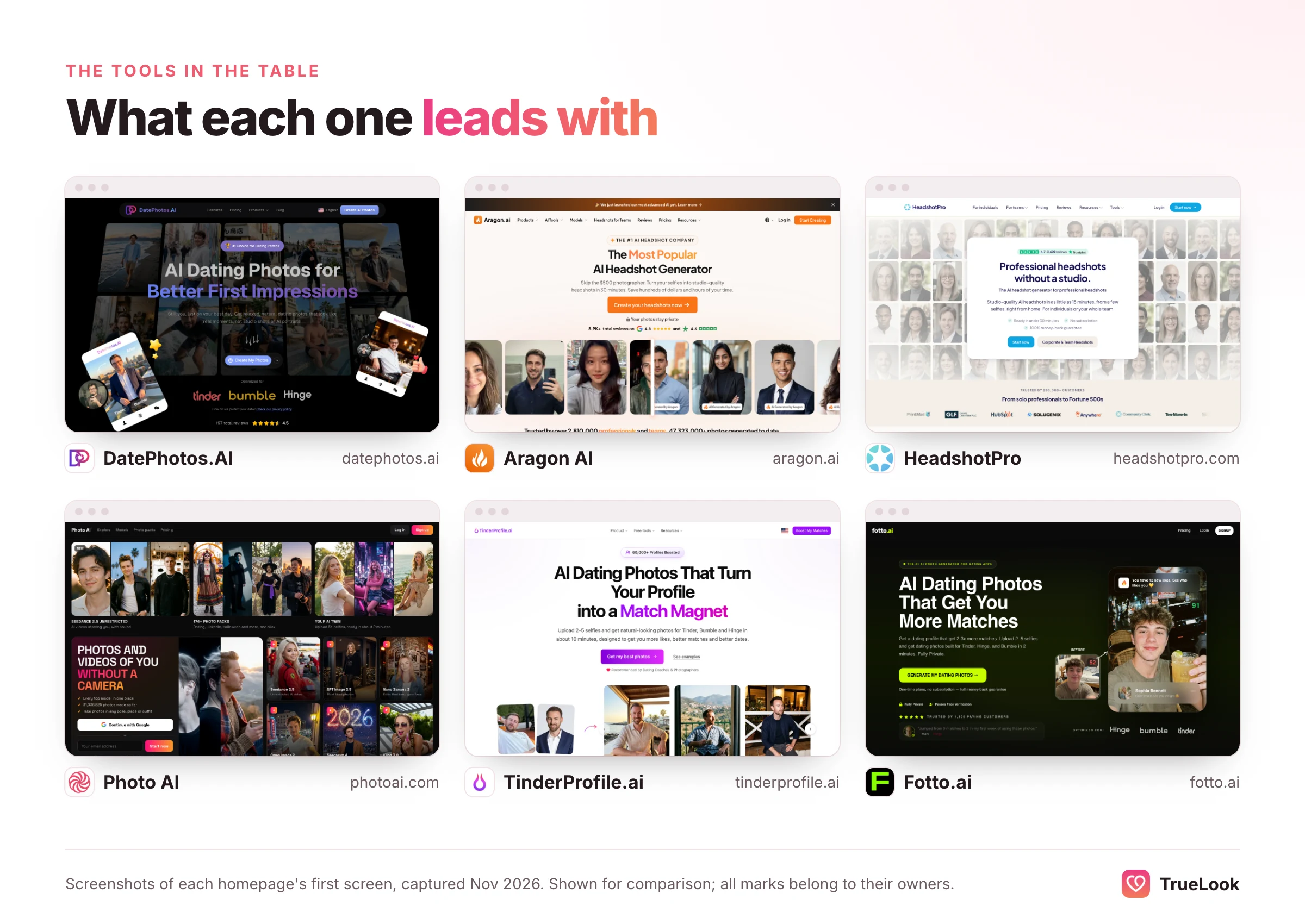
Three patterns stand out. Headshot tools are built for offices first, which shows in their styles. Batch tools give you a large one-off set to sort through, which suits a single refresh. Photo-by-photo tools let you choose each scene; some sell one-time packs (TrueLook, Fotto.ai) and others subscriptions or credits, which mainly make sense if you want new images every month. On privacy, several of these sites describe how uploads are used or deleted without saying plainly whether photos are used to train models, so ask before you upload.
For a closer look at individual products, see our comparisons of TrueLook with DatePhotos.AI, Aragon AI, Photo AI and TinderProfile.ai, or the overview on our AI dating photo generator comparison page.
How to test a generator before you commit
Most tools ask for payment before they generate anything, so do as much testing as you can from the outside, then test hard on your first batch while any refund window is still open.
- Read the sample gallery like a sceptic. Are the samples ordinary-looking people, or models? Zoom in on hands, hair and backgrounds. Count how many are studio shots versus everyday scenes.
- Read the privacy policy and refund page before signing up. Note the training, storage and deletion answers, and exactly what voids the refund.
- Prepare good input selfies. Recent, sharp, in daylight, from slightly different angles, no sunglasses, filters or heavy shadows. Better inputs produce better likeness with every tool.
- Run the friend test on the first results. Show five images to someone who sees you often. Keep only the ones they accept instantly.
- Run the zoom test. Open each keeper at full size and check skin, hands, eyes, teeth, glasses and the background.
- Run the six-up test. Lay your six favourites side by side. If any one looks like a cousin rather than you, drop it.
- Check verification readiness. Make sure at least one keeper is solo, front-facing, sharp and unfiltered with your eyes visible.
- Decide inside the refund window. If the results fail tests 4 to 7, request the refund under the stated terms rather than trying to make bad photos work.
Worked examples: two daters, two different choices
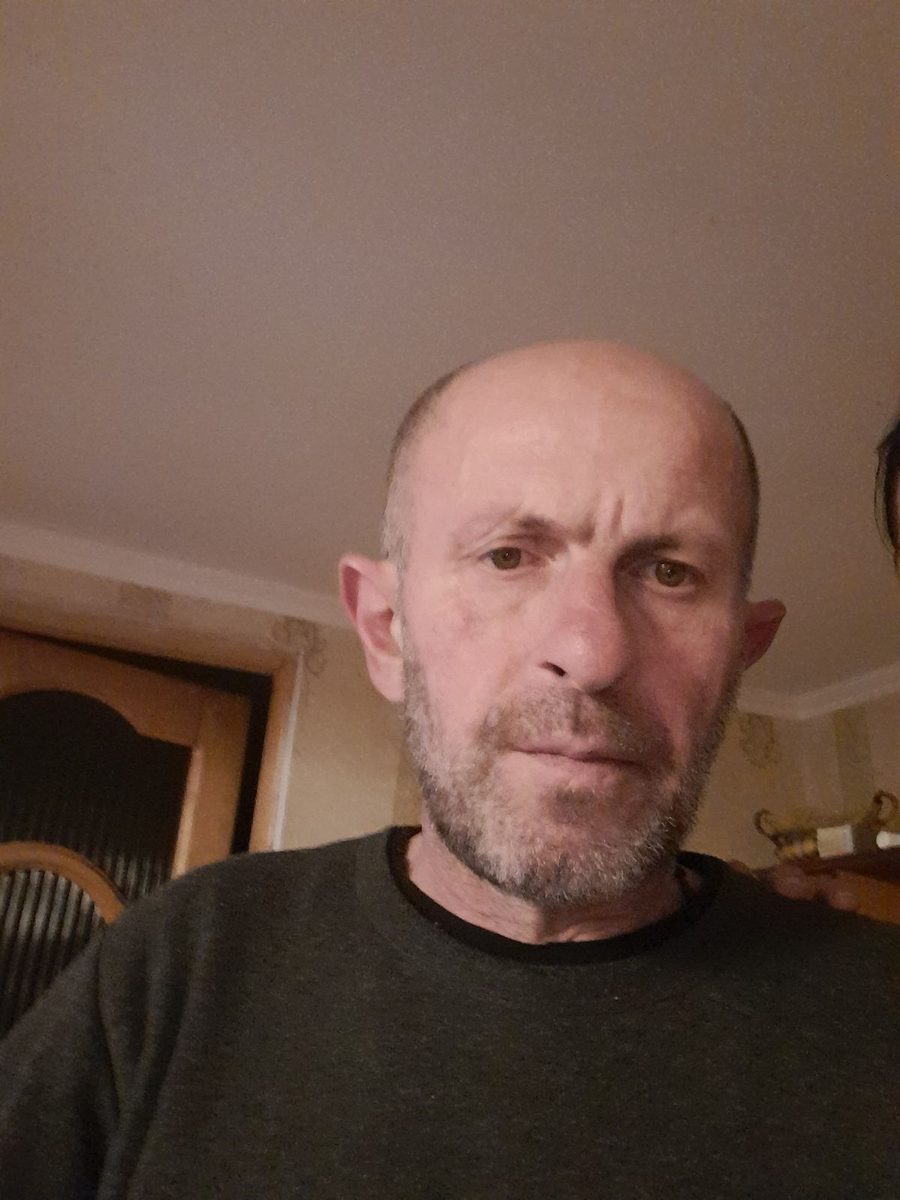
Example profile, illustrative only: a 29-year-old nurse who works shifts, has good friends who take photos, and just needs a stronger lead photo and one full-length shot. Her camera roll already has a hiking photo and a candid at a friend's birthday. Best fit: she may not need a generator at all, or only a small one-time pack or a few credits to fill two slots. A subscription would be more than she needs. The real job is choosing the right two real photos and rewriting her prompts.
Example profile, illustrative only: a 41-year-old consultant who travels for work, has almost no recent photos of himself that are not selfies, and uses Hinge and Bumble. He expects to update his photos every few months as seasons and hair change. Best fit: a dedicated dating-photo generator with lifestyle scenes and strong likeness. A one-time pack he spends photo by photo covers the first refresh, and he can buy another when his look changes, with no subscription running in between; a batch tool also works if he is happy to sort through one large set. A headshot tool would give him a good LinkedIn photo and little he could use on Hinge.
The decision usually comes down to three questions, summarised here:
| If | Then consider |
|---|---|
| You need one or two photos to fill gaps in a decent real set | Credits, a small one-time pack, or an editor that improves photos you already have |
| You need a whole new set once | A dating-focused one-time batch, or a one-time pack you spend photo by photo |
| You want to refresh photos regularly or use several apps | A dating-focused photo-by-photo tool: a new one-time pack for each refresh, or a subscription you can cancel if you will really generate every month |
| You mainly need a work headshot | A headshot generator; use at most one of its photos on Hinge, low in the order |
| You want real photos and can schedule a shoot | A photographer, briefed with Hinge's list of photo types that get more likes |
Building your Hinge profile from an AI batch
A batch of photos is raw material. Choosing and ordering it is where the profile is won or lost.
- Lead with clarity. Your first photo should be a sharp, solo, front-facing shot with a natural smile and your eyes visible. That is also the photo selfie verification needs.
- Give each photo a different job. After the lead: a full-length photo, an interest or hobby, a place that means something, a social or pet photo, and something that shows range, such as a dressed-up evening.
- Keep scenes honest. Choose settings and activities that are part of your real life, so a comment about the photo leads to a real story.
- Mix in real photos where you have them. A genuine photo with friends or your dog adds texture no generator can replace, and Hinge lists both among higher-performing photo types.
- Pair photos with prompts. Put the cooking photo near a food prompt, the trail photo near a weekend prompt. Each pair becomes an easy opening for a comment.
- Decide on Top Photo. Either let Hinge test your lead, or choose it yourself and keep it fixed for a week so you can see how it performs.
| Photo | Prompt it pairs well with | The comment it invites |
|---|---|---|
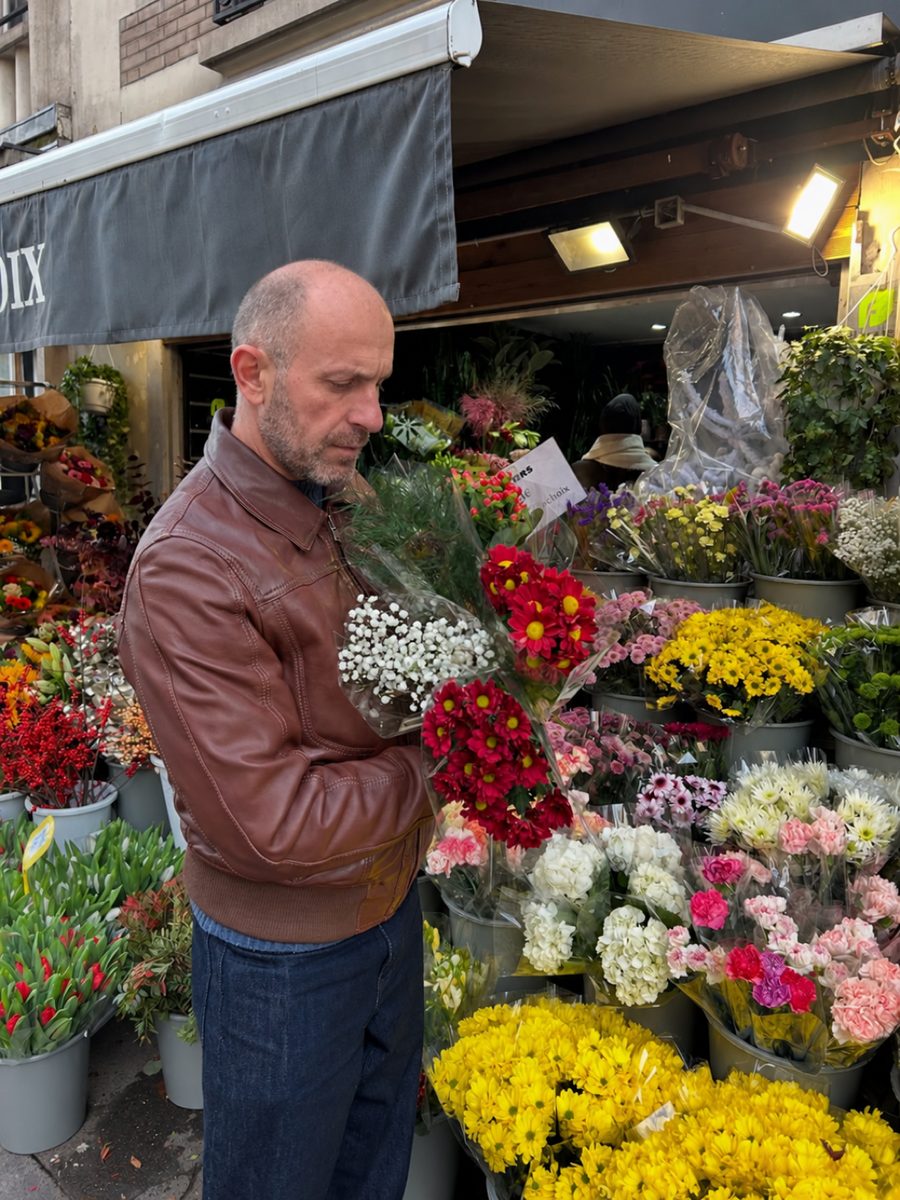
| You at a market stall holding a bunch of flowers | "My simple pleasures" | "Who were the flowers for?" |
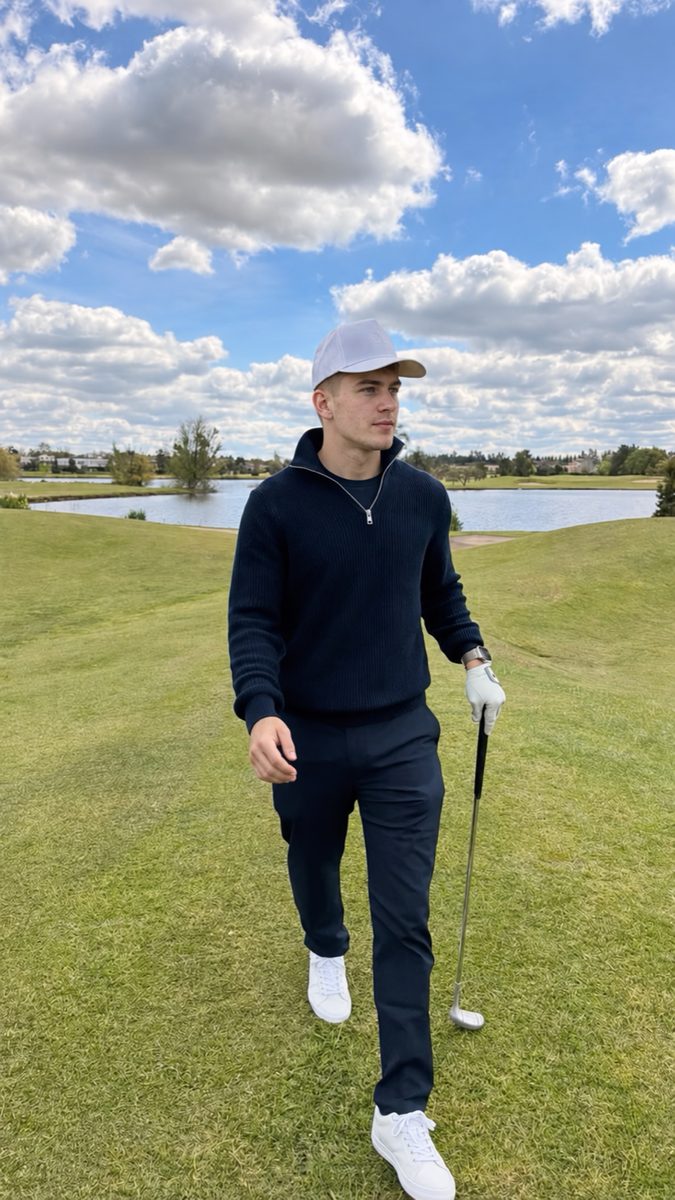
| Mid-swing on a golf course | "I'm competitive about" | "What's your handicap, honestly?" |
| Cooking at home | "Typical Sunday" | "What's the dish you're proudest of?" |
| A café table in a city you love | "I'll pick the place if" | "Okay, where's the best coffee there?" |
Red flags and common mistakes
Watch for these when you choose a tool:
- Promises of guaranteed likes, matches, or passing Hinge's verification
- Sample galleries full of models who look nothing like ordinary users
- Only glamour, studio or office styles, with no everyday scenes
- No privacy policy, or one that allows training on your uploads without a clear opt-out
- Prices revealed only after you upload your selfies
- Rankings or "test scores" with no method behind them
- No named company or contact address
And these when you use one:
| Mistake | Why it hurts on Hinge | Fix |
|---|---|---|
| Picking the most flattering result rather than the most accurate | Creates a gap on the first date and may clash with Face Check | Run the friend test; accuracy first |
| Six photos in the same style or lighting | Looks like a photoshoot, not a life | Vary place, time of day, outfit and activity |
| Studio headshot as the lead | Hinge lists posed photos among lower performers | Candid, daylight, solo lead photo |
| Scenes from a life you don't live | Comments about them lead to awkward conversations | Only activities and places that are yours |
| Sunglasses in most photos | Hides your eyes and blocks verification | Eyes visible in at least the first three |
| Uploading old selfies as inputs | The output looks like you years ago | Use recent selfies only |
| Ignoring prompts | Hinge reports prompt likes were 47% more likely to lead to a date than photo likes in 2024 | Rewrite prompts the same day you change photos |
Where TrueLook fits
TrueLook is a dedicated dating-photo generator. You upload four selfies and its HyperReal™ method creates photos in about a minute each, in scenes chosen for dating apps rather than offices. Against the scorecard:
- Likeness: built to keep your real face and build; you choose which results to keep and discard the rest.
- Scenes: everyday dating scenes such as cafés, markets, travel, hobbies and full-length outfits. Both packs include all 43 styles, and each style gives you 4 different shots.
- Privacy: your photos are never used for AI training.
- Price model: one-time, with no subscription. Fix Pack is $29 for up to 30 photos; Pro Pack is $49 for up to 140. You generate photo by photo in the styles you choose until the pack's photos are used, and can buy another pack or a top-up if you need more. If you want the largest possible set in one delivery, a batch tool may suit you better.
- Refunds: a 14-day refund under the conditions on its refund page.
Like every tool on this page, it cannot promise likes or decide verification; Hinge makes those calls. You can see more examples on the AI Hinge photos page, and if you use other apps too, our guides to AI photo generators for Tinder and AI dating photo generators in general apply the same scorecard.
The honest limits of AI photos on Hinge
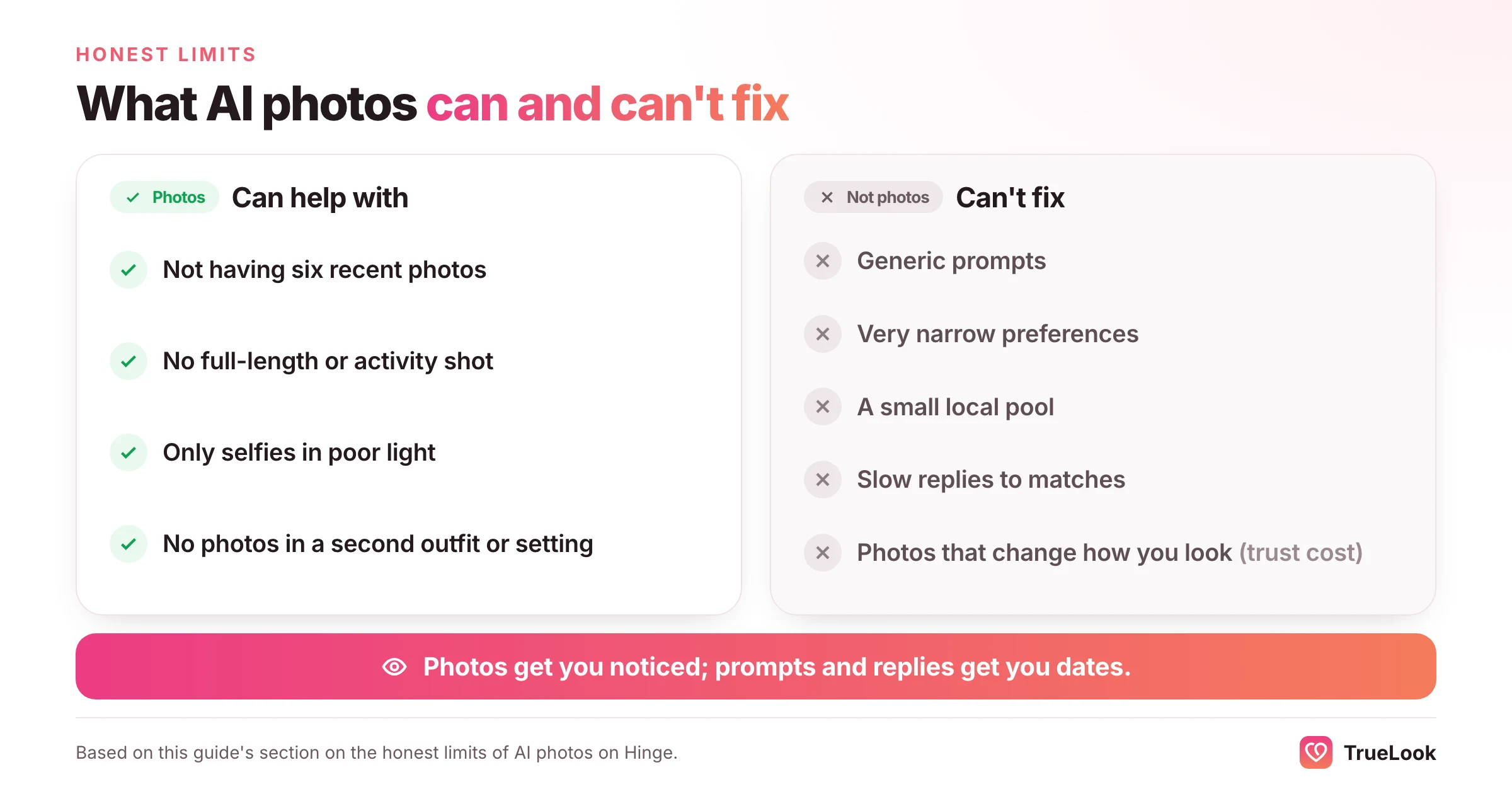
AI photos solve one specific problem well: not having six recent, clear, varied photos of yourself. They do not solve the rest.
- They can't fix prompts or conversation. If your profile gets likes but chats die, the photos are not the problem. Our guide to getting no likes on Hinge covers prompts, preferences and how you like other people.
- They can't change your local pool. In a small town, better photos raise your odds with the people who see you; they don't add people.
- They carry a trust cost if misused. With 44% of singles in Match's 2025 study calling AI photo manipulation a dealbreaker, a profile that oversells you trades a few extra likes for disappointing first dates.
- They depend on your inputs. Blurry, old or filtered selfies produce worse likeness from every tool.
- The rules can change. Hinge updates its policies and verification features; check its help centre if you are unsure.
Frequently asked questions
What is the best AI photo generator for Hinge?
The best one for you keeps your exact likeness, produces candid lifestyle scenes rather than studio headshots, keeps your face consistent across six photos, gives you at least one clear front-facing photo for verification, explains in writing whether your photos are used for training, and has a price model and refund terms that fit how you will use it. Dedicated dating-photo generators usually fit Hinge better than headshot tools or general chatbots.
Are AI photos allowed on Hinge?
Hinge does not ban AI-assisted photos outright. Its rules prohibit using fake identities or AI-generated content to mislead others, and its AI Principles say generative images must not misrepresent you or your intentions. Photos that accurately show your real face and build in believable settings are consistent with that; photos that change how you look are not.
Can Hinge detect AI photos?
Hinge does not describe an AI-photo detector. It describes selfie verification, and in some regions a required Face Check, which compare a live video selfie with your profile photos and check that the video is real. Research shows people themselves can barely tell AI faces from real ones, so the practical test is likeness: photos that look exactly like you are the ones consistent with Hinge's checks.
Will AI photos pass Hinge's Face Check?
No tool can promise that, because Hinge makes the decision. Your best chance is photos that keep your real features, plus at least one sharp, solo, front-facing, unfiltered photo with your eyes visible. Hinge's own tips advise avoiding group photos and altered or filtered photos.
How many AI photos do I need for Hinge?
Hinge requires four to six photos depending on local rules, plus three prompts. Generating a larger batch and keeping only the six that pass the friend, zoom and side-by-side tests gives you a stronger, more consistent set.
Are there free AI photo generators for Hinge?
General AI chatbots and image models can create or edit photos for free or at low cost, but they usually take more prompting and give less consistent likeness across a full set. Dedicated dating-photo services charge through one-time packs, credits or subscriptions.
Should I use only AI photos on my Hinge profile?
You can, as long as every photo looks like you and shows a believable version of your life. Mixing in one or two real photos, such as one with friends or a pet, adds variety and matches photo types Hinge says tend to get more likes.
Is a subscription or a one-time pack better for Hinge photos?
It depends on how you'll use it. A one-time purchase covers most profile refreshes: a batch if you are happy to sort through many images, or a pack you spend photo by photo if you want to choose each scene. A subscription only pays off if you will generate new photos every month, and then only if you cancel when done. Credits suit occasional, selective use. Whichever you choose, read the refund terms before downloading anything.
Sources
- How do I edit my profile?, Hinge Help Center (2026). https://help.hinge.co/hc/en-us/articles/360011053094-How-do-I-edit-my-profile
- Prohibited Content & Behavior, Hinge Help Center (2026). https://help.hinge.co/hc/en-us/articles/42464295207187-Prohibited-Content-Behavior
- AI Principles, Hinge (2026). https://hinge.co/ai-principles
- Face Check Scan, Hinge Help Center (2026). https://help.hinge.co/hc/en-us/articles/45715796564243-Face-Check-Scan
- What is Selfie Verification?, Hinge Help Center (2026). https://help.hinge.co/hc/en-us/articles/10303221435539-What-is-Selfie-Verification
- Why Aren't I Getting Any Matches?, Hinge Help Center (2026). https://help.hinge.co/hc/en-us/articles/360011321953-Why-Aren-t-I-Getting-Any-Matches
- What is Top Photo?, Hinge Help Center (2026). https://help.hinge.co/hc/en-us/articles/26558052212627-What-is-Top-Photo
- Hinge Launches Prompt Feedback to Help Daters Create Unique and Authentic Profiles, Hinge Press (2025). https://hinge.co/press/prompt-feedback
- Nightingale, S. J. and Farid, H. AI-synthesized faces are indistinguishable from real faces and more trustworthy, PNAS (2022), via PubMed Central. https://pmc.ncbi.nlm.nih.gov/articles/PMC8872790
- Willis, J. and Todorov, A. First impressions: making up your mind after a 100-ms exposure to a face, Psychological Science (2006), via PubMed. https://pubmed.ncbi.nlm.nih.gov/16866745/
- Lee, B. Y. AI Use in Dating Jumps 333%, Psychology Today (2025). https://www.psychologytoday.com/us/blog/a-funny-bone-to-pick/202506/ai-use-in-dating-jumps-333
- Use of AI in Online Dating Surges 300% According to New Match Report, Global Dating Insights (2025). https://www.globaldatinginsights.com/featured/use-of-ai-in-online-dating-surges-300-according-to-new-match-report/
- FTC Warns About Misuses of Biometric Information and Harm to Consumers, Federal Trade Commission (2023). https://ftc.gov/news-events/news/press-releases/2023/05/ftc-warns-about-misuses-biometric-information-harm-consumers
- DatePhotos.AI homepage and pricing, DatePhotos.AI (2026). https://datephotos.ai/
- Pricing, Aragon AI (2026). https://www.aragon.ai/pricing
- Pricing, HeadshotPro (2026). https://www.headshotpro.com/pricing
- Pricing, Photo AI (2026). https://photoai.com/pricing
- TinderProfile.ai homepage, TinderProfile.ai (2026). https://tinderprofile.ai/
- Pricing, Fotto.ai (2026). https://fotto.ai/pricing
Get better dating photos from your own selfies
TrueLook’s HyperReal™ method turns 4 selfies into hyperrealistic photos of you for Tinder, Hinge and Bumble.
AI Hinge photos made from your selfies
Written by the TrueLook Team
TrueLook makes hyperrealistic dating photos from your own selfies. Our articles cover dating profile photos, the apps and how to get noticed.